
Plans you can see.
A native Gantt chart. One-time purchase. Your files stay on your machine — no accounts, no cloud.
Overview
What is EverGantt?
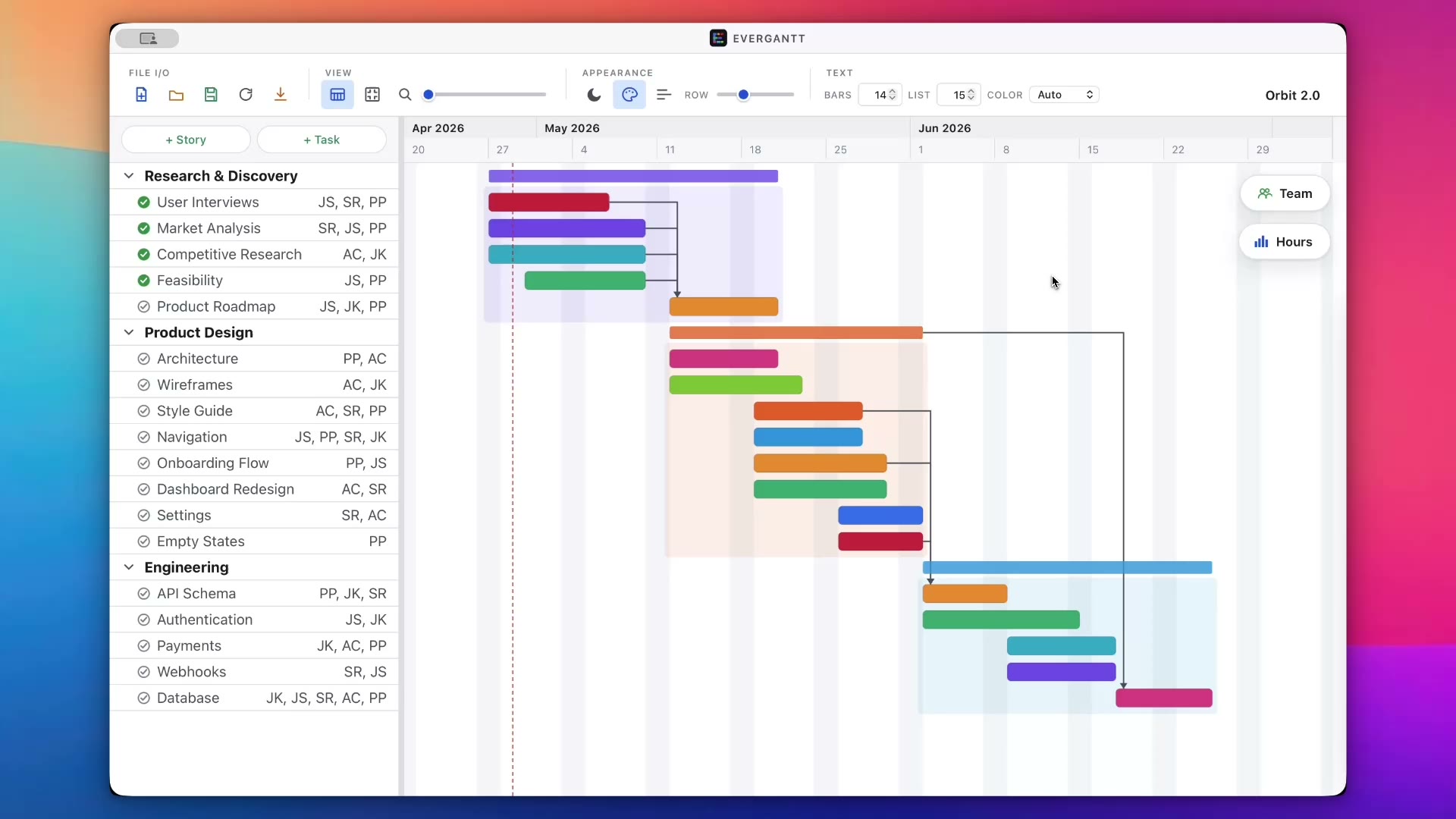
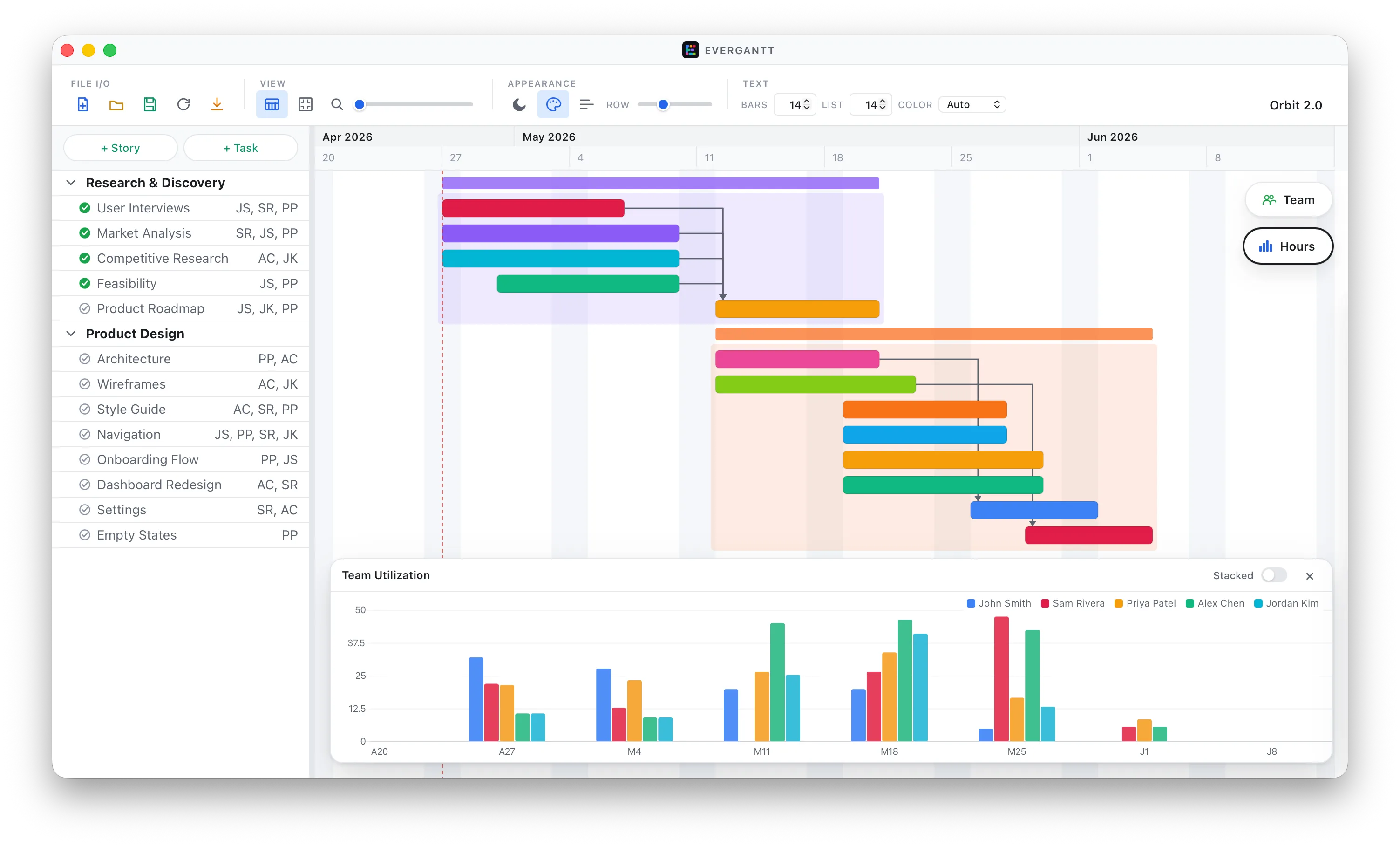
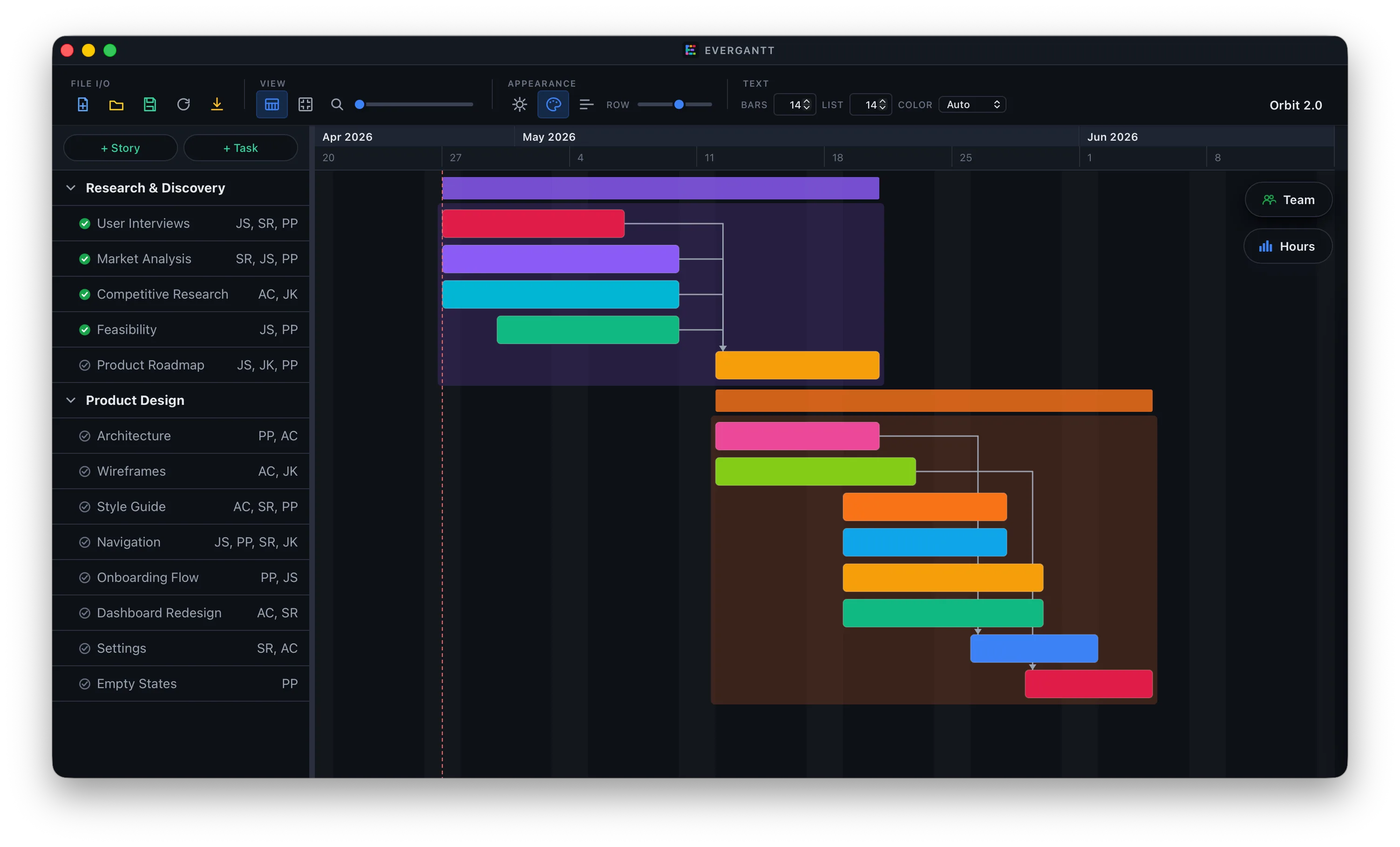
EverGantt is a desktop Gantt chart for project planning. You add stories — high-level project phases — with tasks underneath each one. Tasks can depend on other tasks, and dependent work shifts automatically when a predecessor moves. Multiple teammates can be assigned to a single task with per-person hour estimates, and a stacked utilization panel shows weekly hours per teammate so overload is visible at a glance.
It's a one-time purchase: $2.99 once, and you own your copy. No subscriptions, no accounts, no cloud sync. Project files are saved as plain JSON on your local disk, in a location you choose — drop them in a cloud drive or a Git repository for versioning, or leave them off any cloud entirely.
EverGantt is not a real-time collaboration tool: there is no shared editing, no comments, no @-mentions. It also does not implement earned-value analysis, baselines, or critical-path leveling. If your work depends on those features the heavier desktop suites in the category are a better fit. EverGantt is built for the 80% case — stories, tasks, dependencies, and team capacity — in a single window with no setup.
Capacity
See team utilization without leaving the chart.
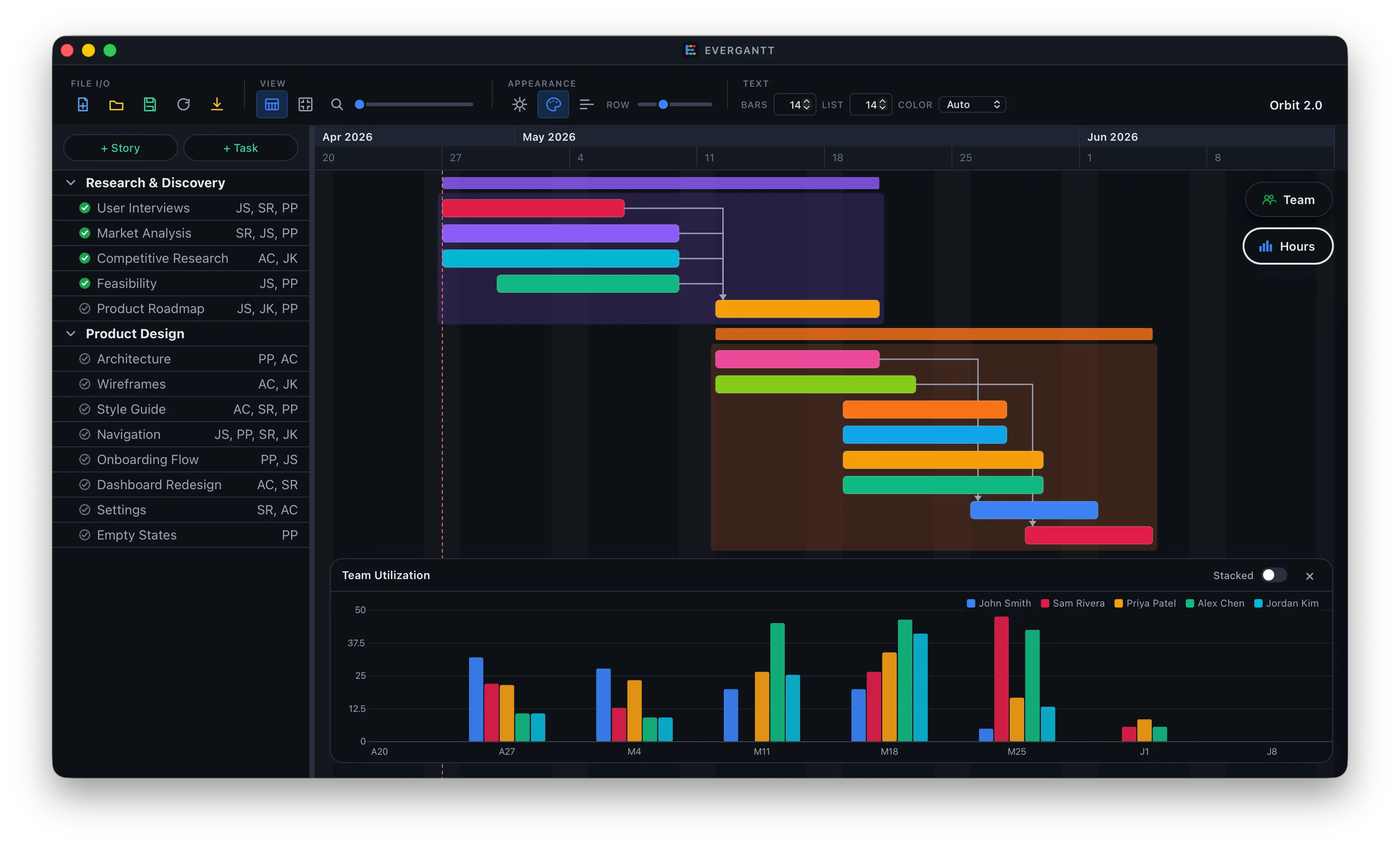
A stacked utilization chart sits beneath your timeline. Reassign hours and overload disappears in real time — no spreadsheet, no separate planner.
Focus
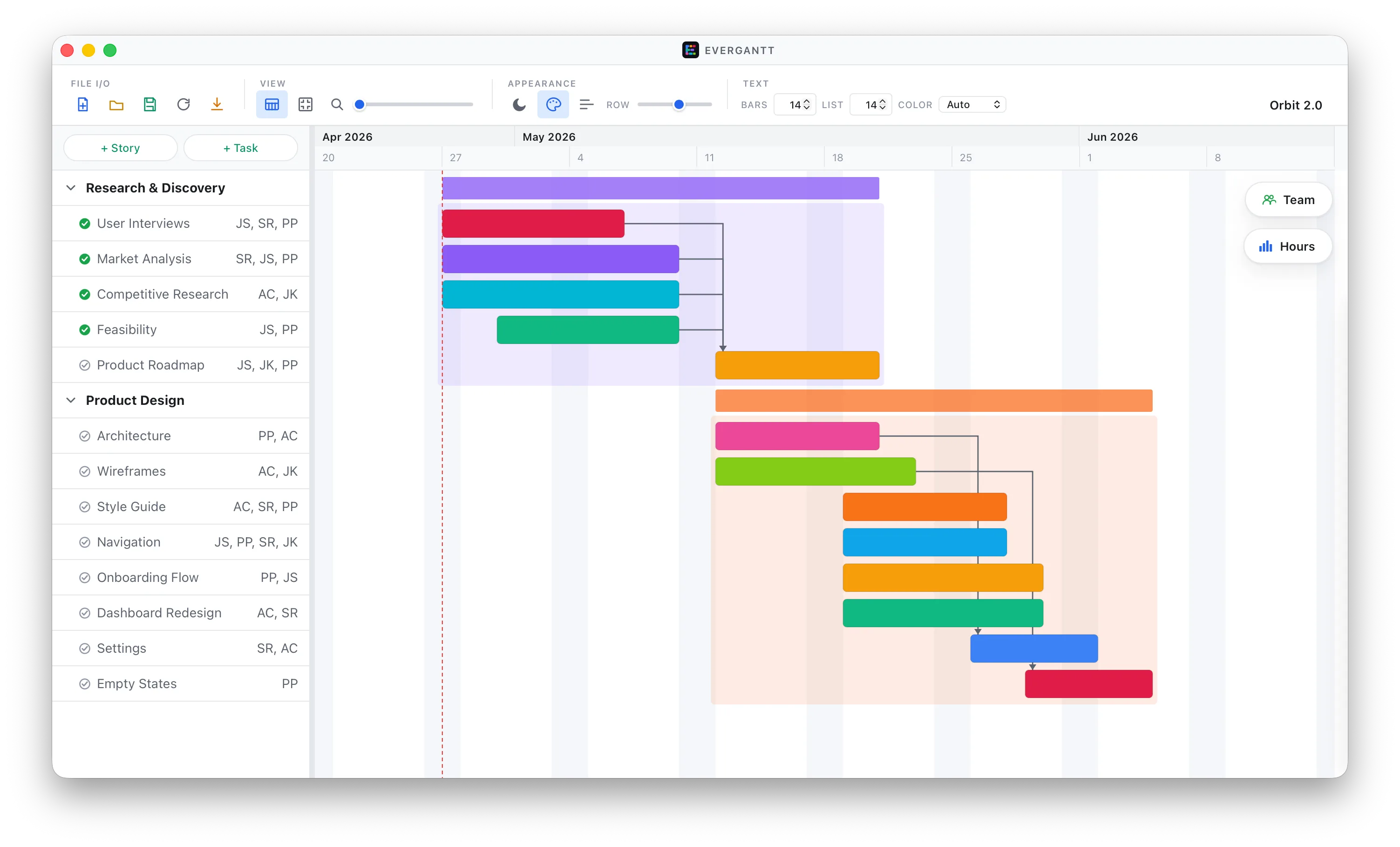
Hide the panel and just plan.
When you're heads-down on dependencies, the capacity panel collapses cleanly. Two views, one window — nothing to install, configure, or sync.
FAQ
Common questions.
- Does EverGantt require a subscription?
- No. One-time purchase. There are no subscriptions, accounts, or paid tiers — you own your copy.
- Where are my project files stored?
- Locally, as plain .evgnt JSON files in the location you choose. EverGantt does not sync, upload, or transmit your data anywhere. If you want them in a cloud drive or a Git repo, you put them there yourself.
- Can it handle team capacity planning?
- Yes. Multi-assign teammates to tasks with per-assignee hour estimates. The Team Utilization panel stacks weekly hours across the project so you can spot overload at a glance.
- Does it support dependencies?
- Yes. Tasks can depend on other tasks; dependent tasks shift automatically when predecessors move.
- How does it compare to other planning tools?
- The category is dominated by subscription apps (typically $15–$30 per user per month) and a handful of expensive desktop suites (often $200+). EverGantt is $2.99, one-time, and focused on the 80% case: stories, tasks, dependencies, and team capacity. If you need earned-value analysis, baselines, or PMI-style reporting, you probably want one of those heavier tools instead.
- Does it work offline?
- Always. The app has no online features beyond a standard update check.