Timelines
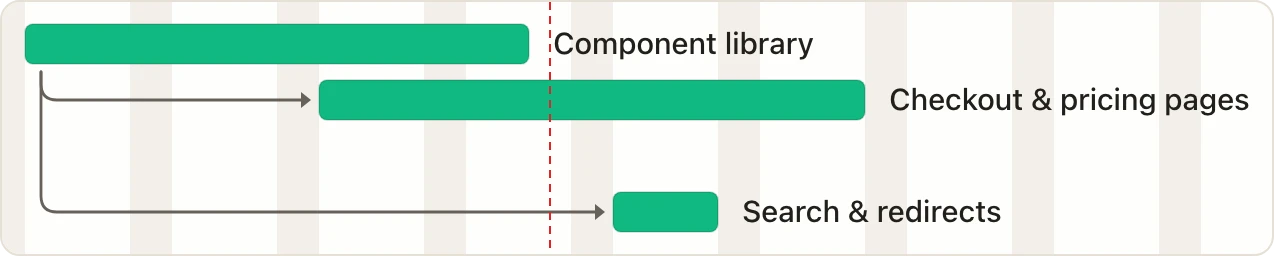
Plan the order of the work and see when it finishes.
 EverGantt
 You don’t need another tool, you just need one. A single source of truth for your workflow.
Features
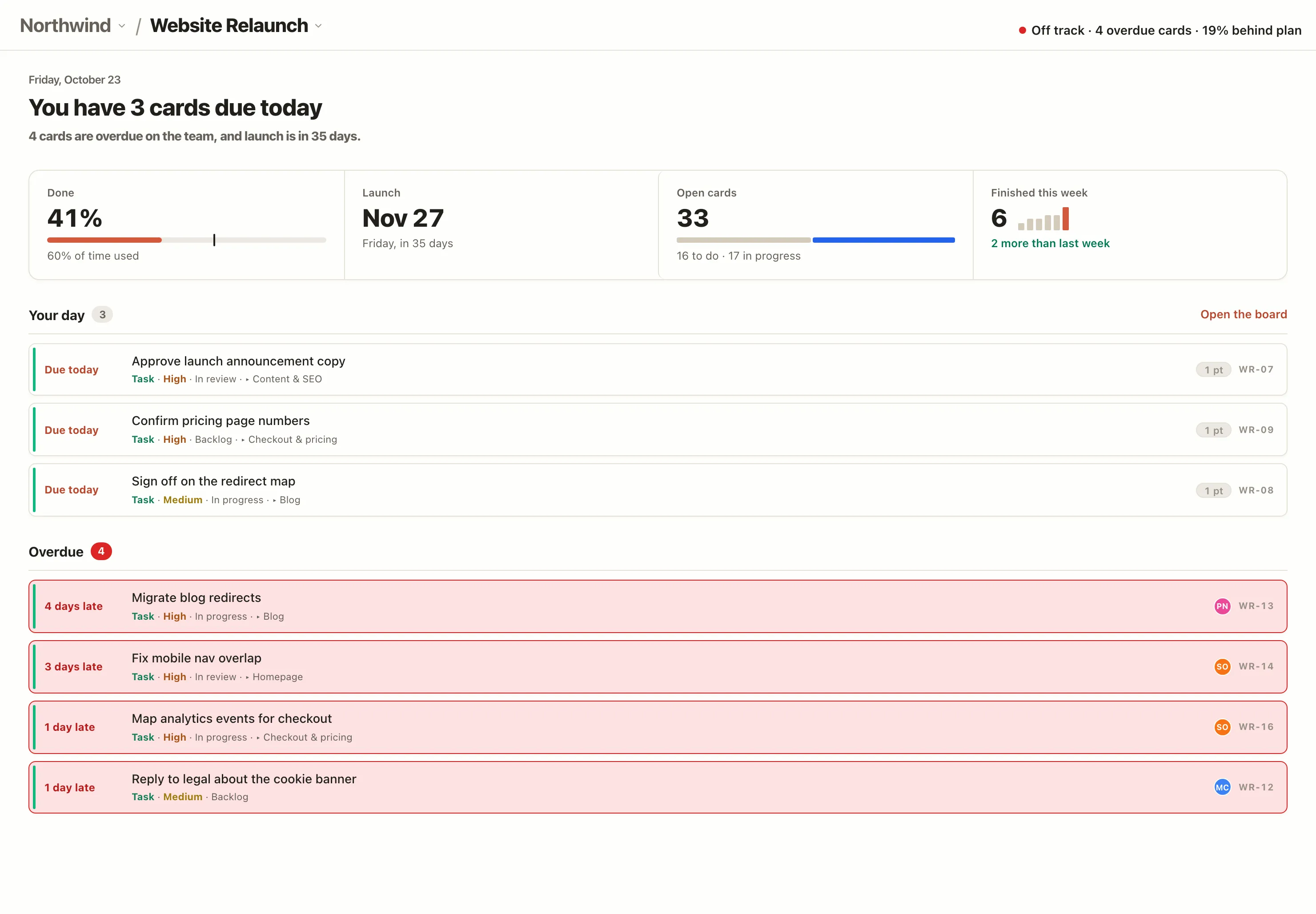
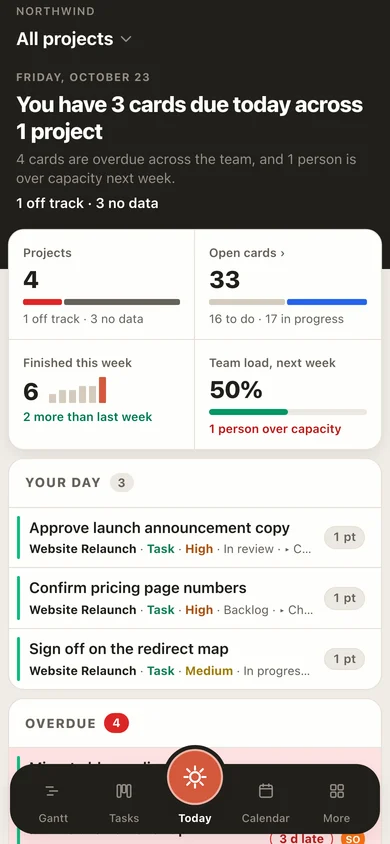
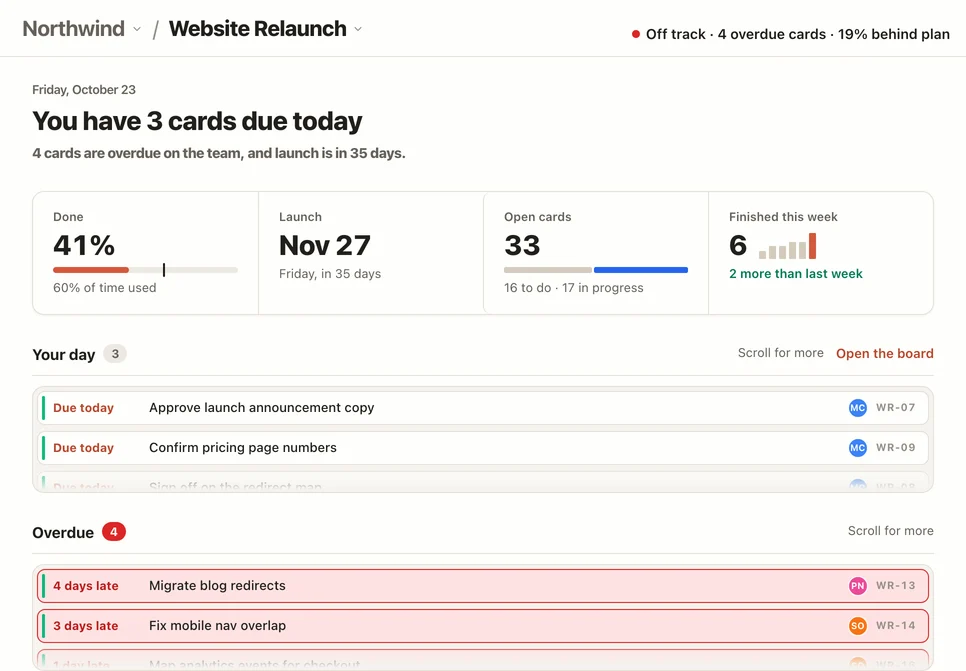
The dashboard brings the whole project onto one page: how far along it is, what’s due today and what’s running late. Check it in a minute, then get back to the work.
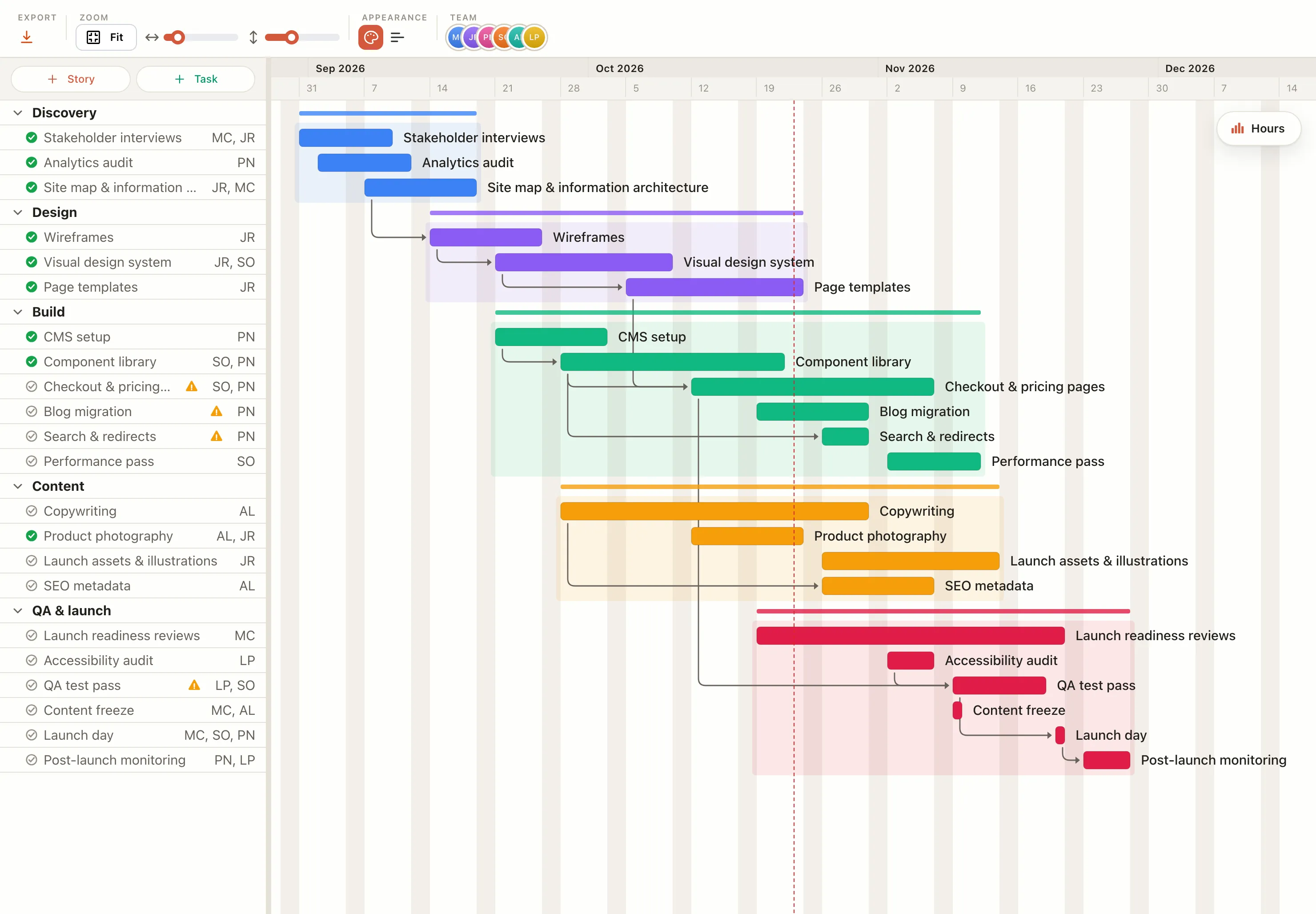
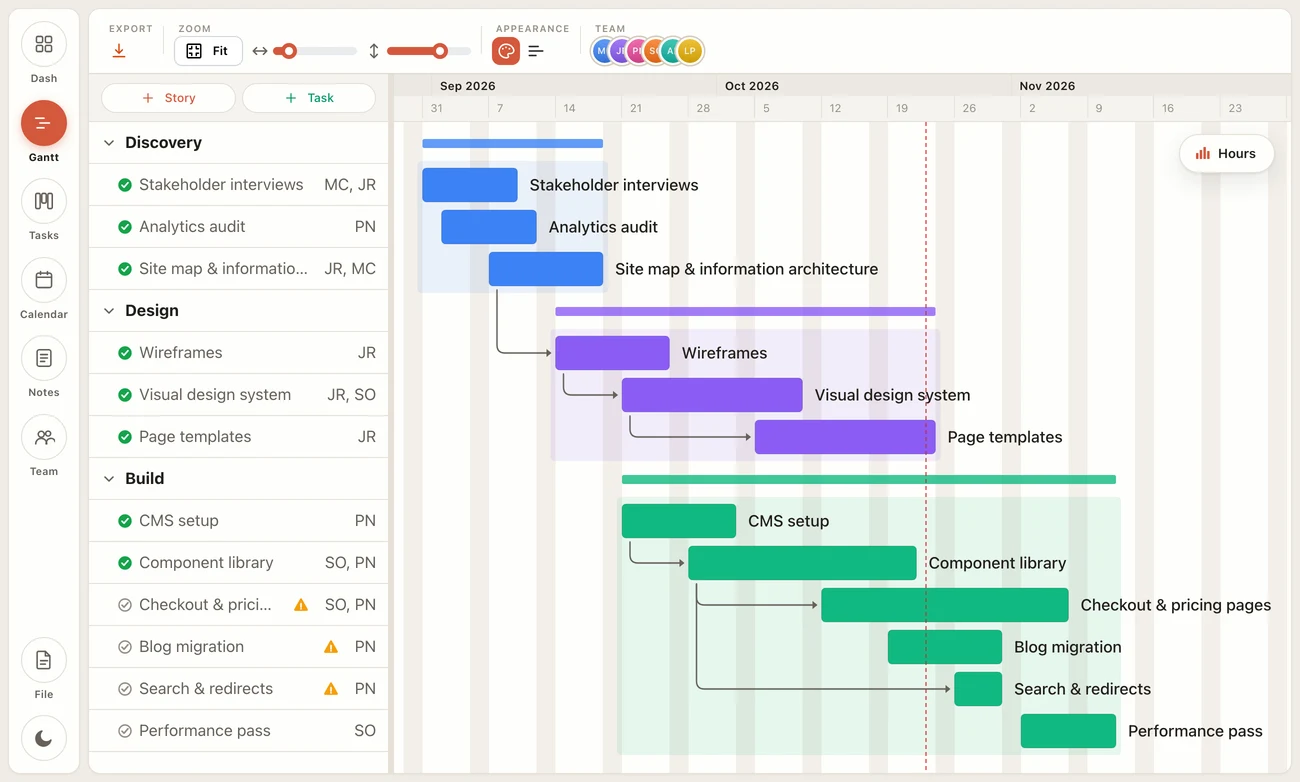
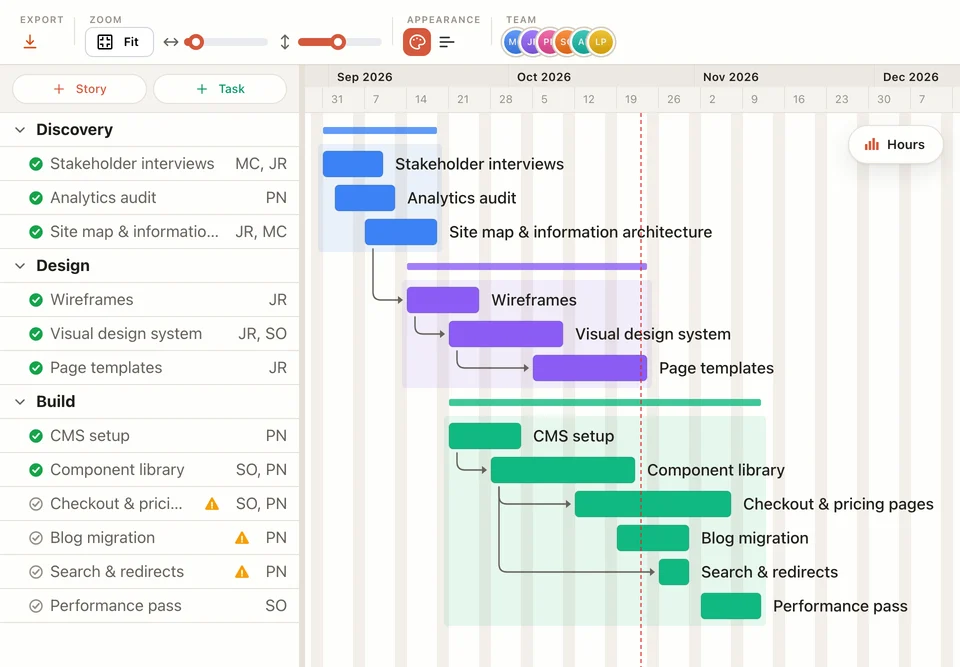
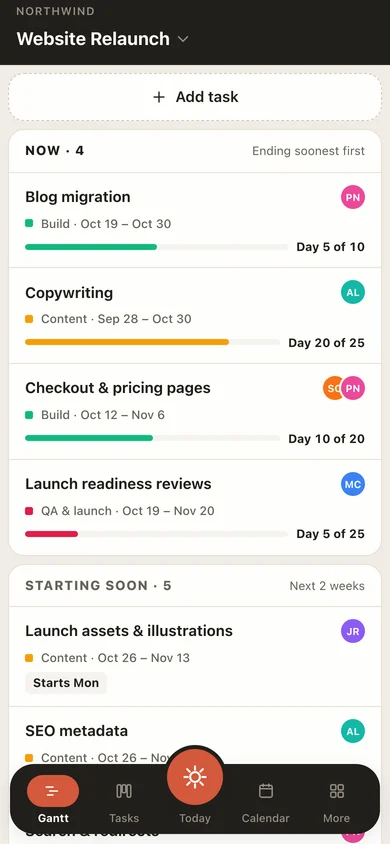
A Gantt chart lays every task out against the calendar, so you can see the order of the work, how long each part takes and when the project will finish. When plans change, drag the bars and the timeline updates.
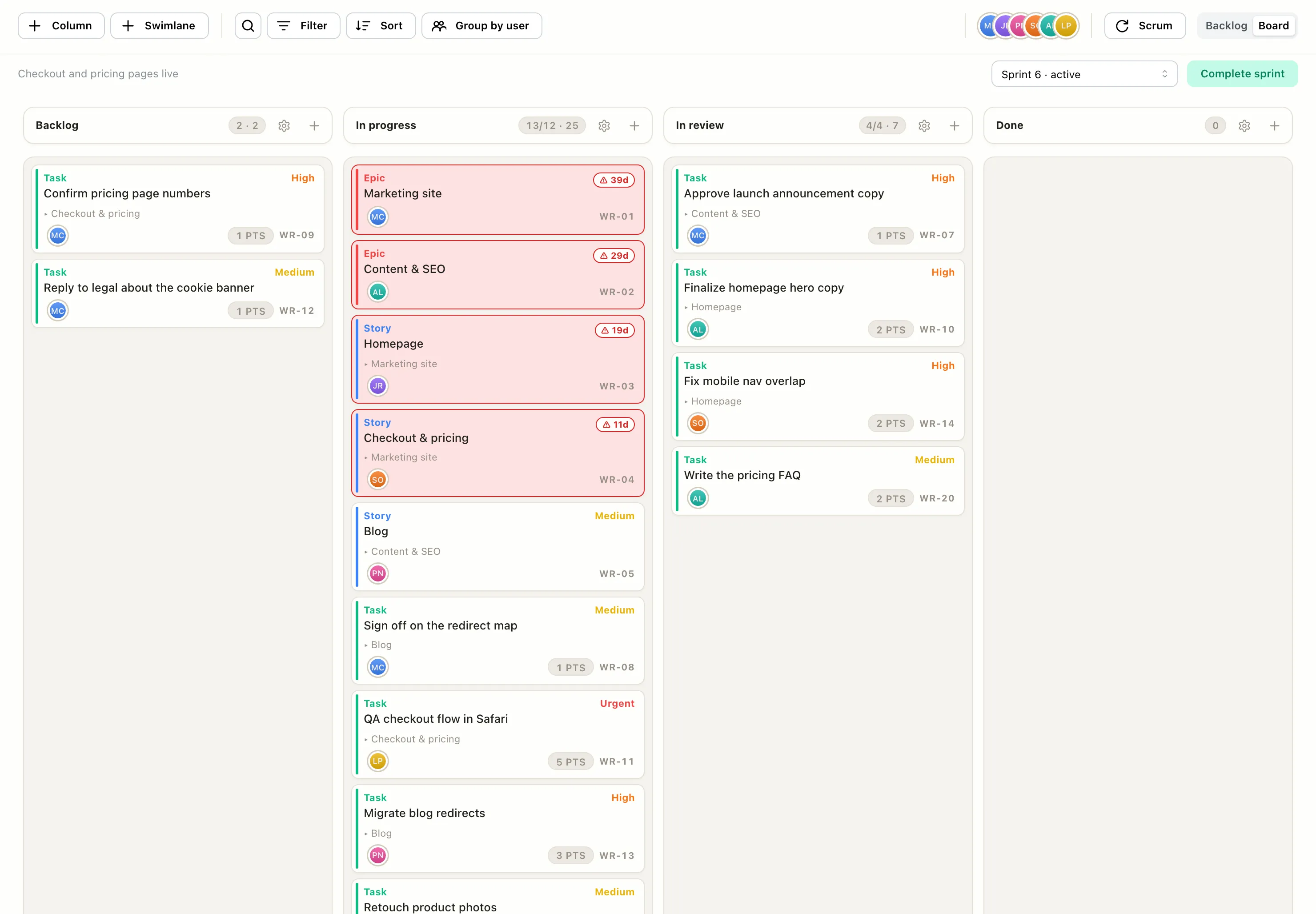
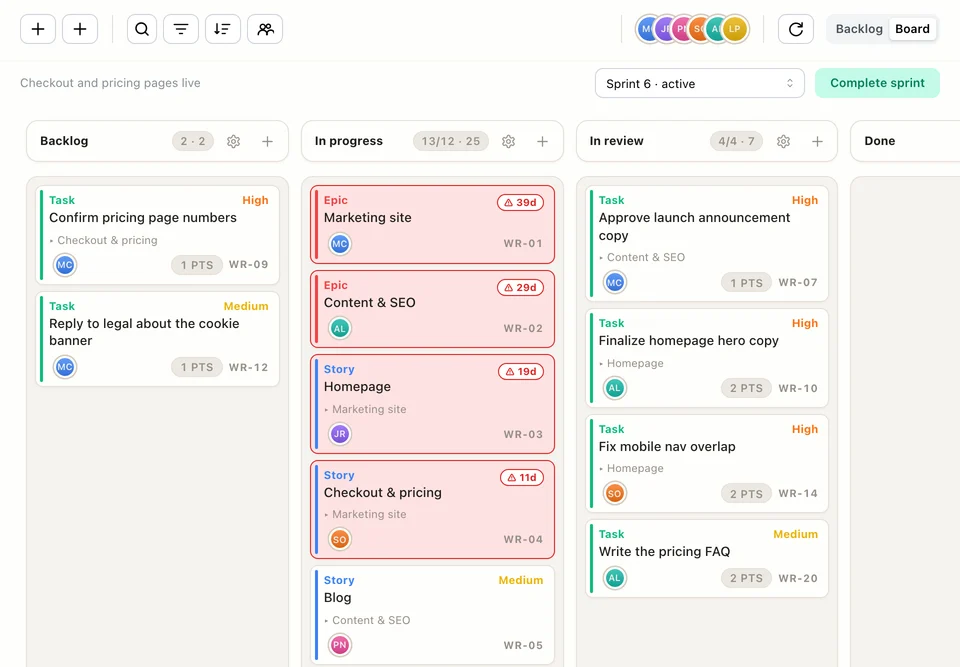
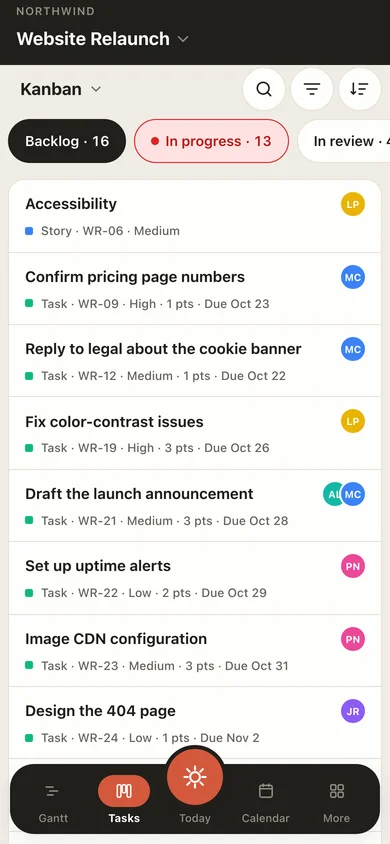
A board shows each piece of work as a card moving from to-do to done. Everyone can see what’s in progress, what’s stuck and who’s on it, without asking for an update.
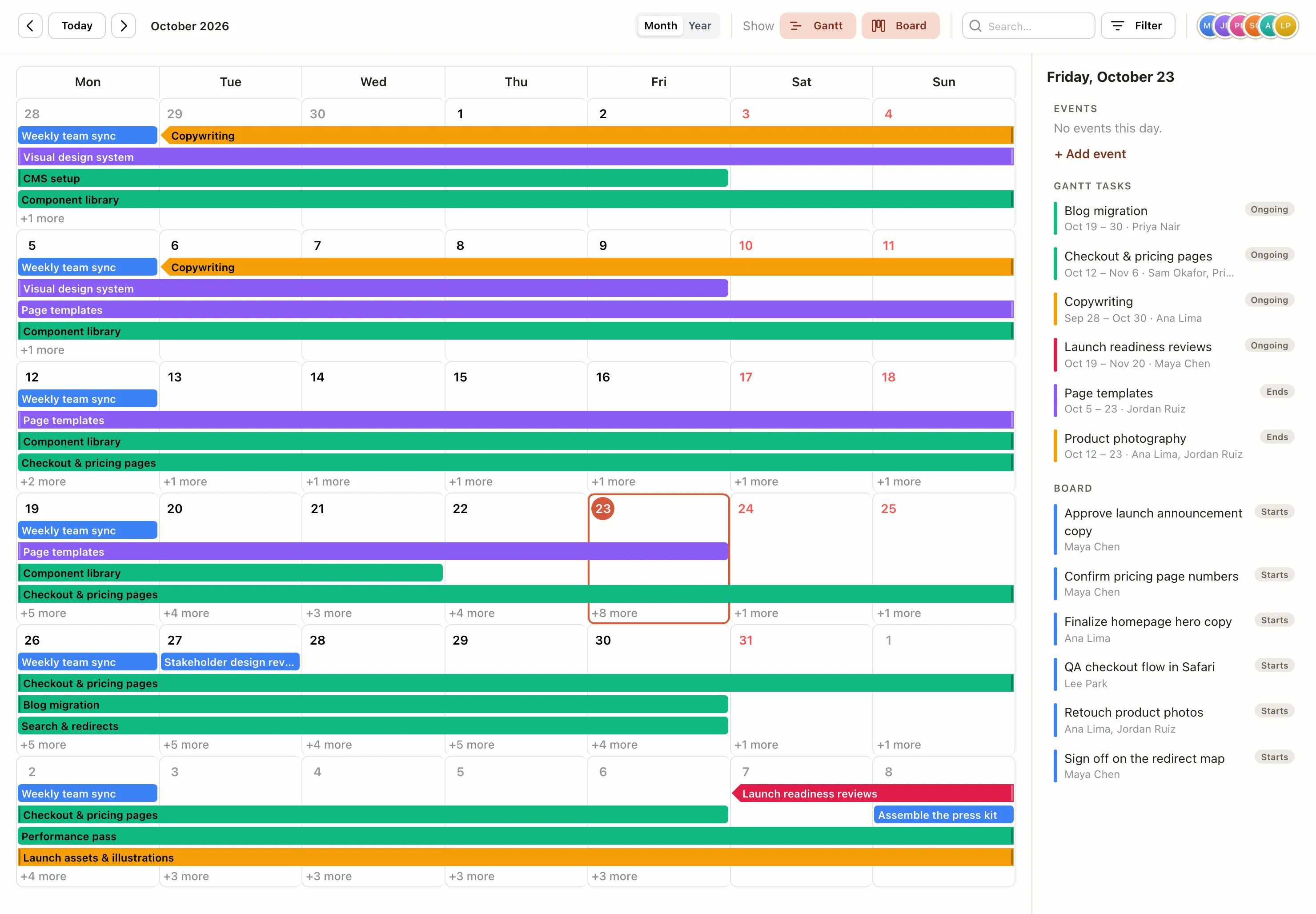
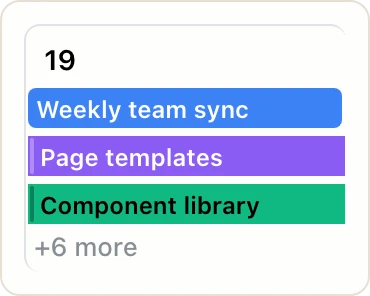
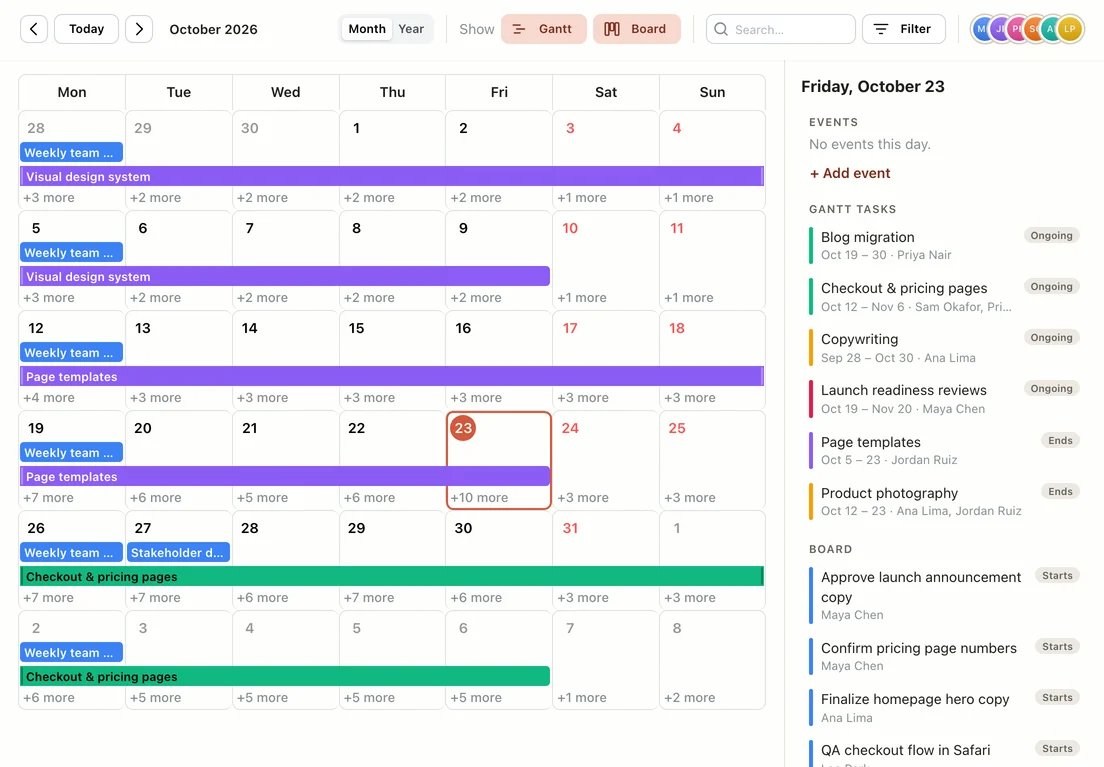
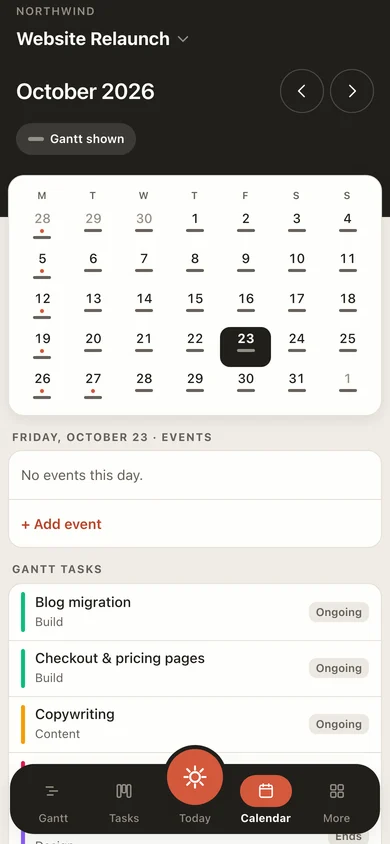
The calendar puts deadlines, Gantt tasks and team events on the same month, so you can see what’s coming up and plan around it.
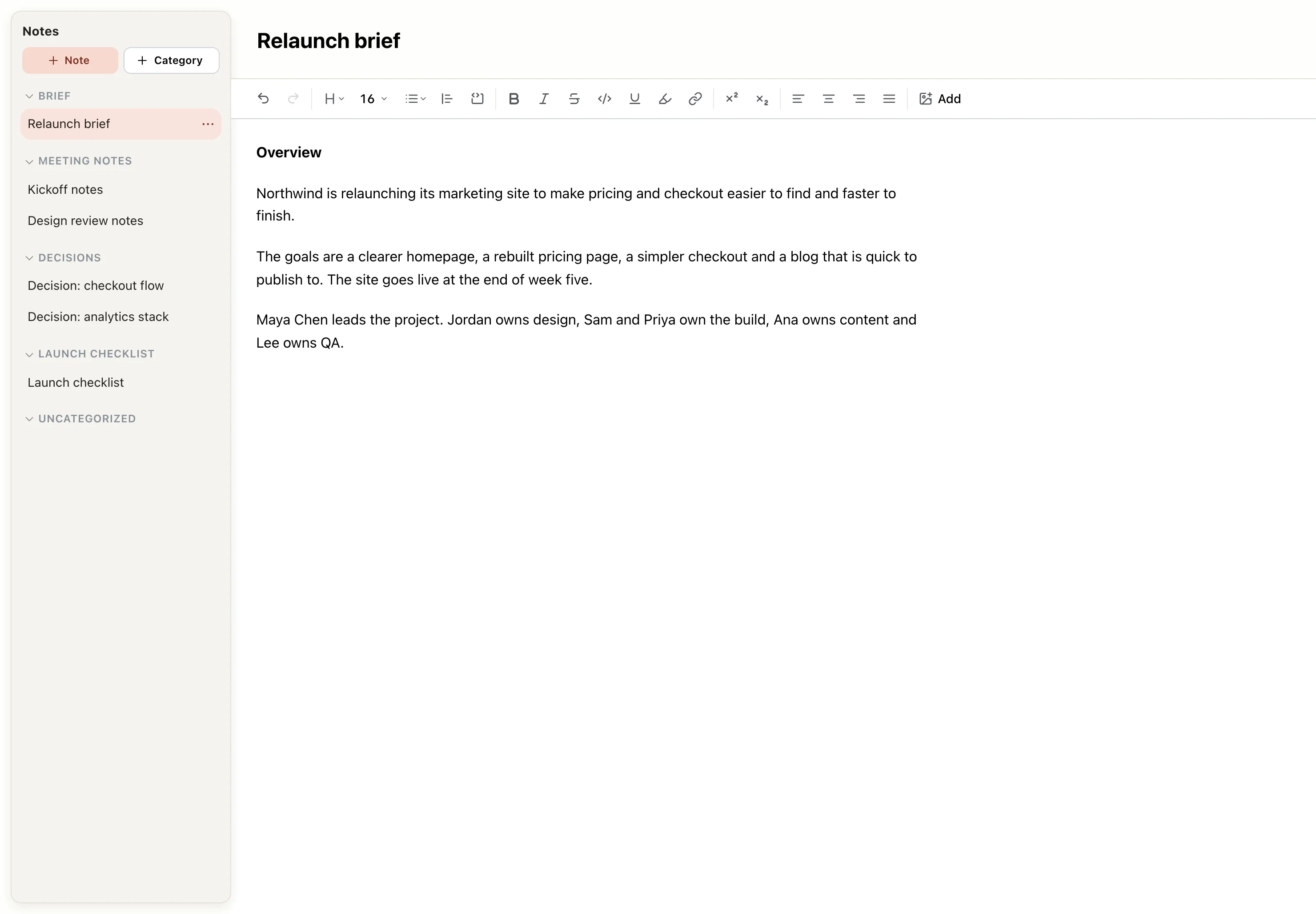
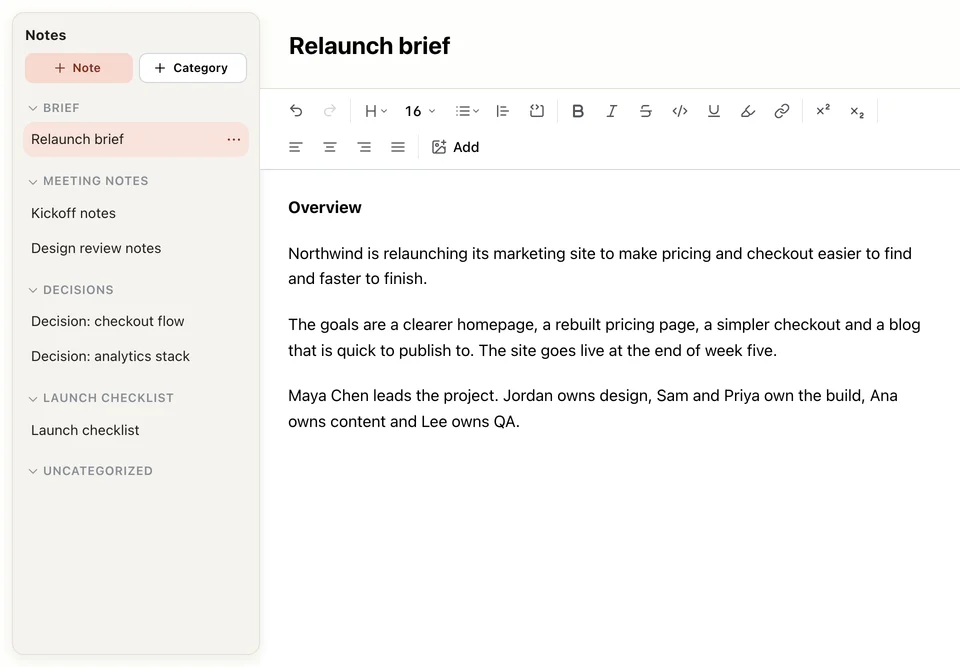
Project notes give the brief, meeting notes and decisions a home beside the work, so nobody has to dig through chat to find what was agreed or why.
The suite
Everything works from the same project, so a change in one place shows up everywhere.
Plan the order of the work and see when it finishes.
Track every task from to-do to done.
One page that shows where every project stands.
Deadlines, tasks and events on one month.
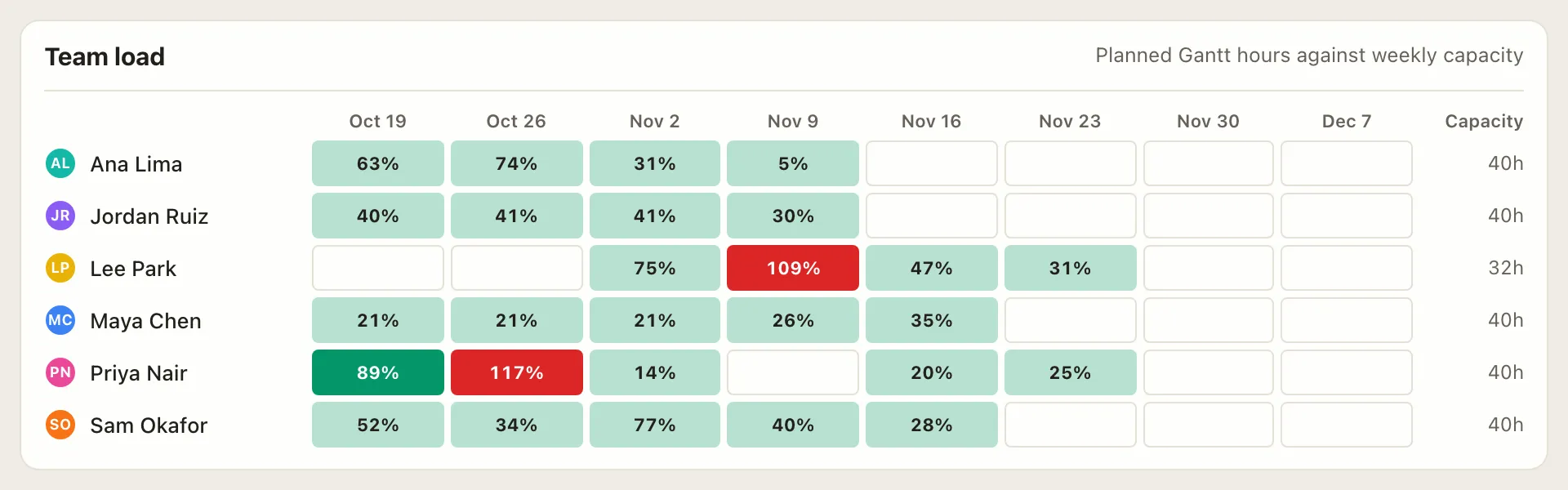
See who has room this week and who is overbooked.
Briefs, meeting notes and decisions, next to the plan.
Check the plan and update your work from your phone, between meetings or away from your desk.
Who it’s for
Teams who want the whole plan in one place, without a suite that takes months to roll out.
Start freeOne flat price for the group, one plan everyone works from.
Client projects side by side, with each person’s hours in view.
Pro, Team or Business free for those who qualify.
Build and export a Gantt chart free, with no account.
Built to stick
Most project tools are bought by a committee and dropped a few months later, because keeping them updated feels like a second job. We build for everyone else.
The usual suite
 EverGantt
Open a tab and start planning. No setup and no training.
The schedule, tasks, notes and calendar in one place, so everyone works from the same plan.
It runs in your browser, so there’s nothing to install and nothing for IT to approve.
Honest pricing
Free to build and export. Pick the plan that fits you or your whole team.
Pro
For 1 — cloud-save & open your own projects from any browser.
Team covers up to 5 people and Business up to 20, all under one subscription. Compare plans →
Need more than 20? Contact us →
Want to see it first? Try the free Gantt chart maker or the project schedule maker, no signup needed.
Build, edit, and export your plans in the browser, free, forever, no credit card. Saving them to the cloud to pick up later is what Pro adds; bringing in a team is what Team and Business add.
Cloud save for one person. Your projects are saved so they’re there next time, and you can open them from any browser, for $3.99 a month. Inviting teammates and editing together in real time are on the flat-rate Team and Business plans: one price for the group, not a per-seat bill that grows with every hire.
Yes. Teams use it to plan and run real projects, with Gantt charts, boards, a calendar, dashboards and notes in one place, and we keep adding to it.
No. It runs in any modern browser, nothing to download, nothing for IT to approve.
That’s what we design for. It takes minutes to learn and seconds to update, so the plan stays current instead of drifting into side spreadsheets.
Start your plan in five minutes. Free to build and export, $3.99 a month to save.
Start Now →