
Free project scheduler
Free Project Schedule Maker
A free project schedule creator that runs in your browser. No signup, no download. Lay out the work, set the dates, link dependencies, and see how the whole plan shifts when one task moves.
How it works
How to create a project schedule
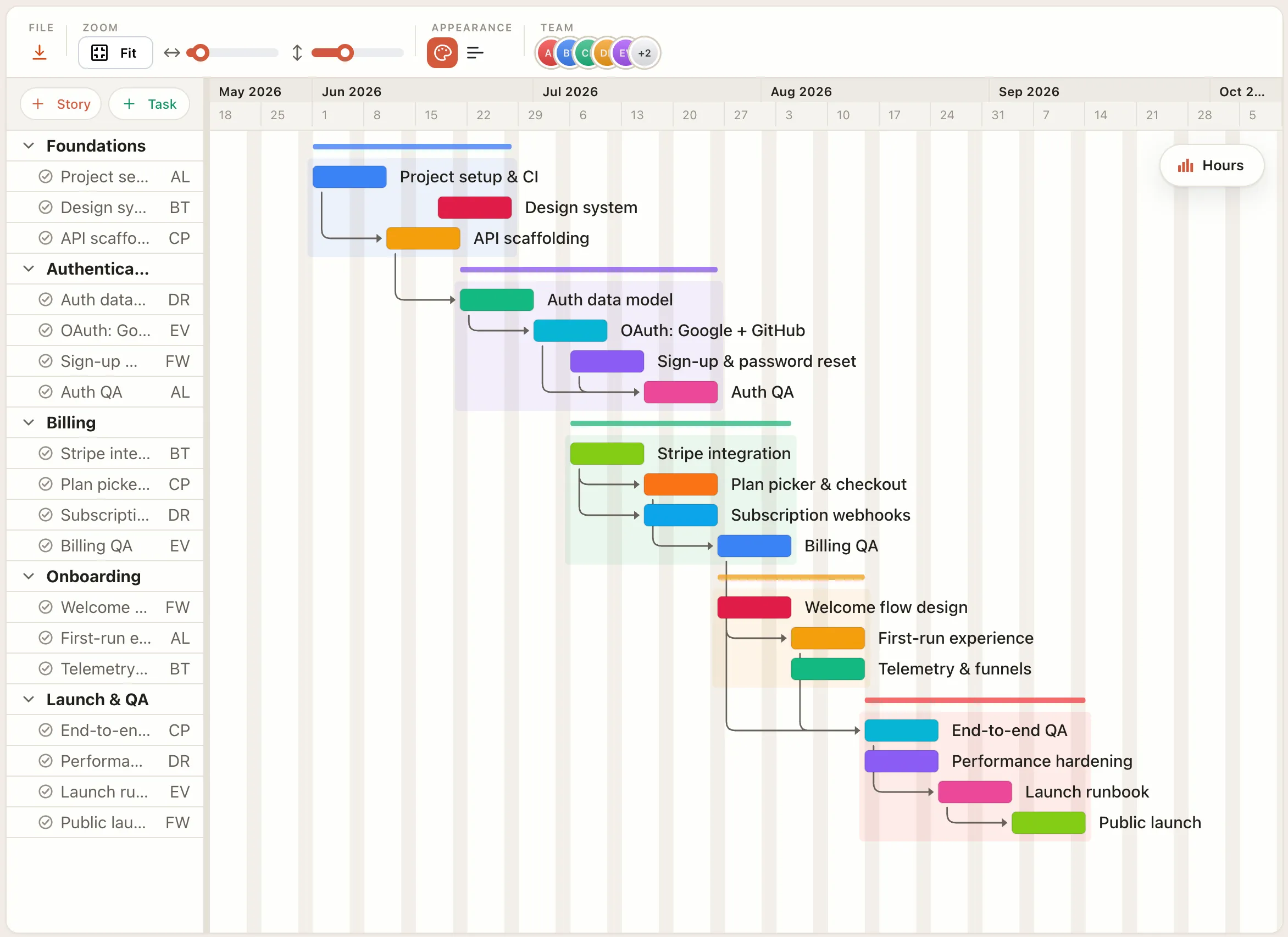
To create a project schedule, list every deliverable, break each one into tasks, estimate how long each task takes, link the tasks that depend on each other, and add milestones where work gets handed off or signed off. Then check that nobody is booked for more than they can do in the same week, and adjust dates before the schedule goes out.
The order matters. Durations come before dates, because a start date plus a duration gives you an end date you can defend. Dependencies come before the final dates, because they decide which tasks can run side by side and which have to wait. Capacity comes last, because it's the check that tells you the plan is realistic and not just tidy.
In EverGantt each of those steps is a direct edit on the timeline, and the schedule recalculates as you go, so the plan you export is the plan you actually have.
List the work
Add each task and milestone, and each one becomes a bar on the schedule. Group tasks under the deliverable they belong to so the plan reads top to bottom.
Set dates and durations
Type a start date and a duration, or drag the bar until it fits. Estimate in days instead of guessing end dates, and the end dates follow.
Link dependencies
Connect each task to the work it waits on. Push one task later and every task linked after it moves with it.
Check capacity, then export
The team utilization chart shows who is overloaded across the timeline, so you can move a task instead of a deadline. Then download as PNG, PDF, SVG, or CSV.
Free in your browser
Everything you need to plan a schedule, free.
- ✓No account needed — build and edit without signing up.
- ✓Real-time recalculation — move one task and the whole schedule catches up.
- ✓Team capacity — see who is overloaded across the timeline.
- ✓Export anything — PNG, PDF, SVG, and CSV, free.
- ✓Works in any browser — nothing to download or install.
- ✓Free to start — pay only if you want cloud save and sharing.
Where it fits
What people build a schedule for.
Kicking off a client project
Turn a blank page into a shareable plan in one sitting: list the deliverables, set the dates, and hand the client a timeline they can actually read.
Plan a project in 10 minutesBalancing a small team
Lay the work across real dates and the capacity view shows who is overloaded before a week goes sideways, so you can move a task instead of a deadline.
How small studios plan capacityRetiring the shared spreadsheet
A schedule that recalculates itself gives everyone one current plan, instead of a spreadsheet that quietly drifts out of date the moment someone forgets to update it.
Why teams fall back to spreadsheetsKeeping the plan honest
When a task slips, dependent work shifts with it in real time, so the schedule reflects reality instead of a status report from last Friday.
Real-time vs. status-report planningFAQ
Common questions
Is the project schedule maker really free?
Yes. Building and exporting a project schedule in your browser is free, with no account. You only pay for extras: cloud save on Pro, and sharing with a team on Team and Business.
Do I need an account?
No. You can lay out a full schedule without signing up. An account is only needed to save it to the cloud and reopen it from another browser.
What happens when a task slips?
The schedule recalculates in real time. Move or extend one task and every dependent task shifts with it, so you can see the knock-on effect immediately.
What is the difference between a project schedule and a Gantt chart?
A project schedule is the plan itself: the tasks, their dates, the order they run in, and who does them. A Gantt chart is the most common way to draw it, with each task as a bar on a timeline. In EverGantt the schedule you build shows as a Gantt chart, and the same tasks also show on a board and a calendar.
What should a project schedule include?
At minimum: every task, a start date and duration for each, the dependencies between them, and milestones for handoffs or approvals. For a team schedule, add who owns each task so you can check workload before you commit to dates.
Can I see team workload?
Yes. A team utilization chart shows how much each person is loaded across the timeline, so you can spot over-allocation before it becomes a delay.