Free Gantt chart maker
Free Online Gantt Chart Maker
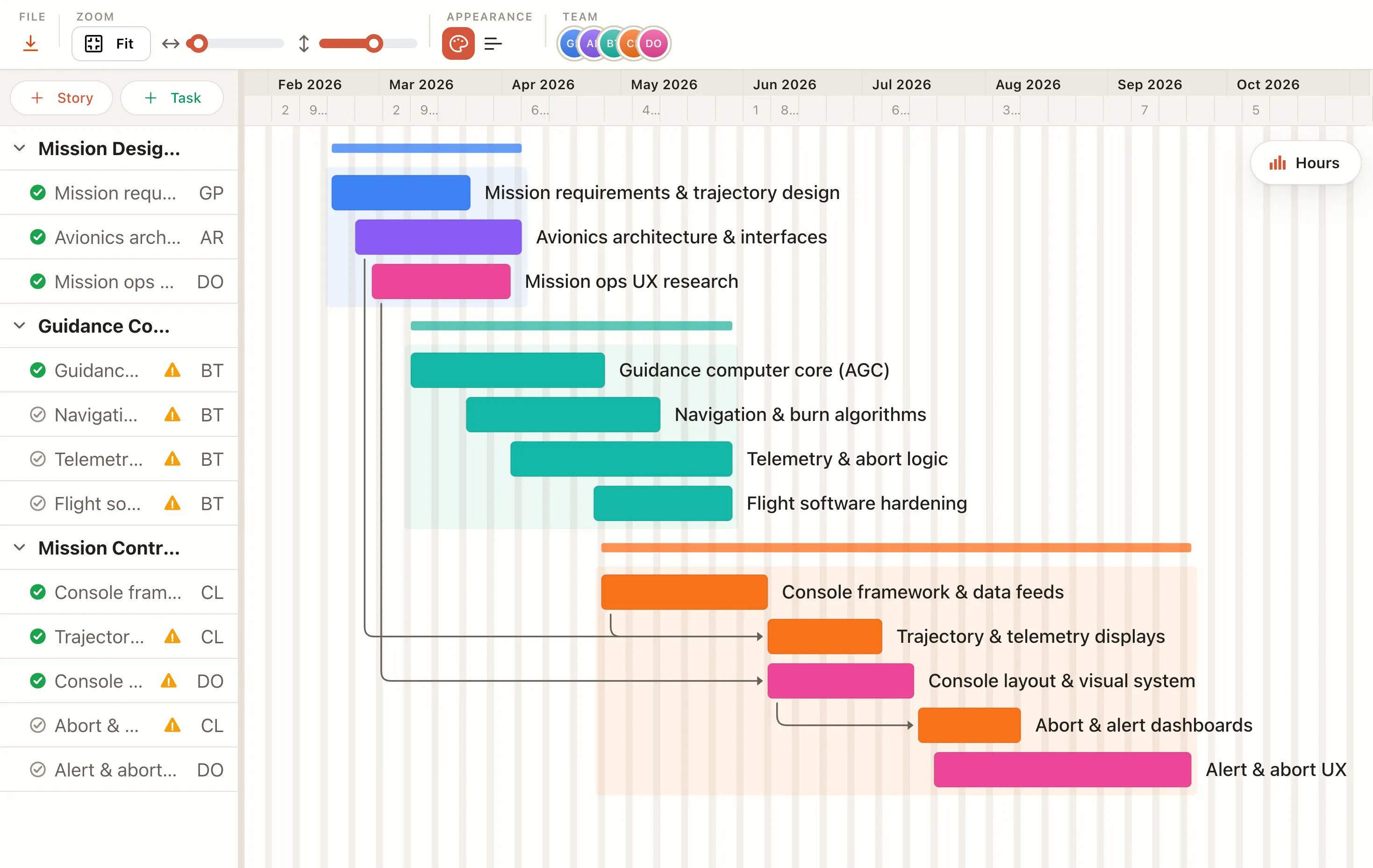
Build a Gantt chart right in your browser. No signup, no download. Add your tasks, set the dates, and watch the timeline build itself, then export when you're done.
How it works
Make a Gantt chart in four steps.
Add your tasks
List what needs doing. Each task becomes a bar on the timeline.
Set start and end dates
Type or drag the dates and the bar stretches to match.
Link what depends on what
Connect tasks so a slip downstream is obvious at a glance.
Export or save
Download as PNG, PDF, or CSV. Sign in only when you want to save to the cloud.
Free in your browser
Everything you need to build and export, free.
- ✓No account needed — build and edit without signing up.
- ✓Export anything — PNG, PDF, SVG, and CSV, free.
- ✓Works in any browser — nothing to download or install.
- ✓Real dependencies — link tasks and see the knock-on effects when one slips.
- ✓Yours to keep — your work stays in your browser until you choose to save.
- ✓Free to start — pay only if you want cloud save and sharing.
Where it fits
What the Gantt does for you.
The whole plan at a glance
Every bar carries three things at once: how long a task runs, what comes before it, and what overlaps it. The shape of the project reads in one look.
What a Gantt chart is actually forOne plan, three views
Schedule a task once and it shows up as a bar on the timeline, a card on the board, and a block on the calendar. Change it in one place and the rest follow.
See your plan as a calendarIt reschedules itself
Link what depends on what, then move or stretch a bar. Every downstream task shifts with it, so a slip is visible right away instead of a surprise later.
Why a live plan beats a status reportBuild and export for free
Lay out the chart in any browser with nothing to install and no account to start, then export to PNG, PDF, SVG, or CSV for a deck, a doc, or a client update.
Plan a project in 10 minutesFAQ
Common questions
Is it really free?
Yes. Building, editing, and exporting a Gantt chart in your browser is free, with no account. You only pay for extras: cloud save on Pro, and sharing with a team on Team and Business.
Do I need an account?
No. You can open the maker and build a chart without signing up. An account is only needed to save your work to the cloud and reopen it from another browser.
Can I export my Gantt chart?
Yes. Export to PNG, PDF, SVG, or CSV for free, then drop it into a doc or a slide deck or share it as an image.
Is my work private?
Yes. What you build stays in your browser until you choose to save it. An account and cloud save are opt-in, so nothing leaves your device until you want it to.