
Free Gantt chart makers with no sign-up required (2026)
Published September 22, 2026 · Updated September 25, 2026
Short answer: As of September 2026, eight Gantt chart makers let you build a chart with no sign-up and no account: EverGantt, gantts.app, Gantt Chart Maker (ganttchartmaker.com), ganttchartmaker.app, Gantt-san, ClickUp’s free Gantt tool, gantt.website, and PM Calculators. I opened each one signed out and checked what the export button does. The rest of this post is what I found, including the well-known tools that say “free” and then ask for your email before you can drag a bar.
What does “no sign-up” actually mean?
“No sign-up” means you can build and export a chart without creating an account. That rules out free trials and free plans that sit behind a registration form. You open the page, add tasks, link them, and download the result.
Three tiers exist, and marketing pages blur them:
- No account to build or export. The tool works fully signed out. EverGantt, gantts.app, ganttchartmaker.com, and ganttchartmaker.app sit here.
- No account to build, account to keep. You can edit and export, but saving to the cloud or sharing a live link needs a sign-up. Most of the tools above also fall here once you want persistence.
- Account required. “Free” means a free plan behind a registration form. Canva, Lucidchart, Ganttile, and Agantty work this way.
The test I used: open the page in a private window and look for an export button before any login prompt. Every tool below got that check on September 22, 2026. Gating changes often, so treat the table as a snapshot, not a promise.
The no-sign-up Gantt chart makers compared
Here is the field at a glance. Every tool in it opens an editor signed out, so that column is left off. “Export signed out” lists only formats I could confirm on the tool’s own page or by opening the export dialog myself.
| Tool | Export signed out | Dependencies | Keeps your work | The catch |
|---|---|---|---|---|
| EverGantt | PNG, PDF, SVG, CSV, .evgnt file | Yes, dependents shift automatically | Browser buffer; cloud save is Pro ($3.99/mo, one person) | Real-time team editing is paid |
| gantts.app | PDF, PNG, Excel, PowerPoint | Yes, four types | Browser autosave, .gantts file, share link | No paid tier, so no cloud sync |
| ganttchartmaker.com | PDF, PNG, Excel, .gantt file | Yes | .gantt file only | Contact page lists a sponsorship email |
| ganttchartmaker.app | Image, spreadsheet, .gantt, MS Project XML, TaskJuggler | Not confirmed | Optional free account for cloud sync | Cookie banner covers analytics and advertising |
| Gantt-san (Repsona) | Its own file format, share link | Yes, four types | Save to file and reload | PNG or PDF export not confirmed |
| ClickUp free tool | PNG, CSV (per its page) | Finish-to-start (per its page) | Browser local storage | It’s a lead magnet for the ClickUp app |
| gantt.website | PNG, print to PDF | Not mentioned | Browser local storage | No file save or share link |
| PM Calculators | ”Save Image” | Yes, via predecessors | Not mentioned | 50-activity cap |
Everything in the table ran in a browser with nothing to install. None of them showed a watermark on the pages I read, but only gantts.app says outright that export is never gated, so I’m not claiming “no watermark” for the rest.
EverGantt: build and export free, sign up only to save
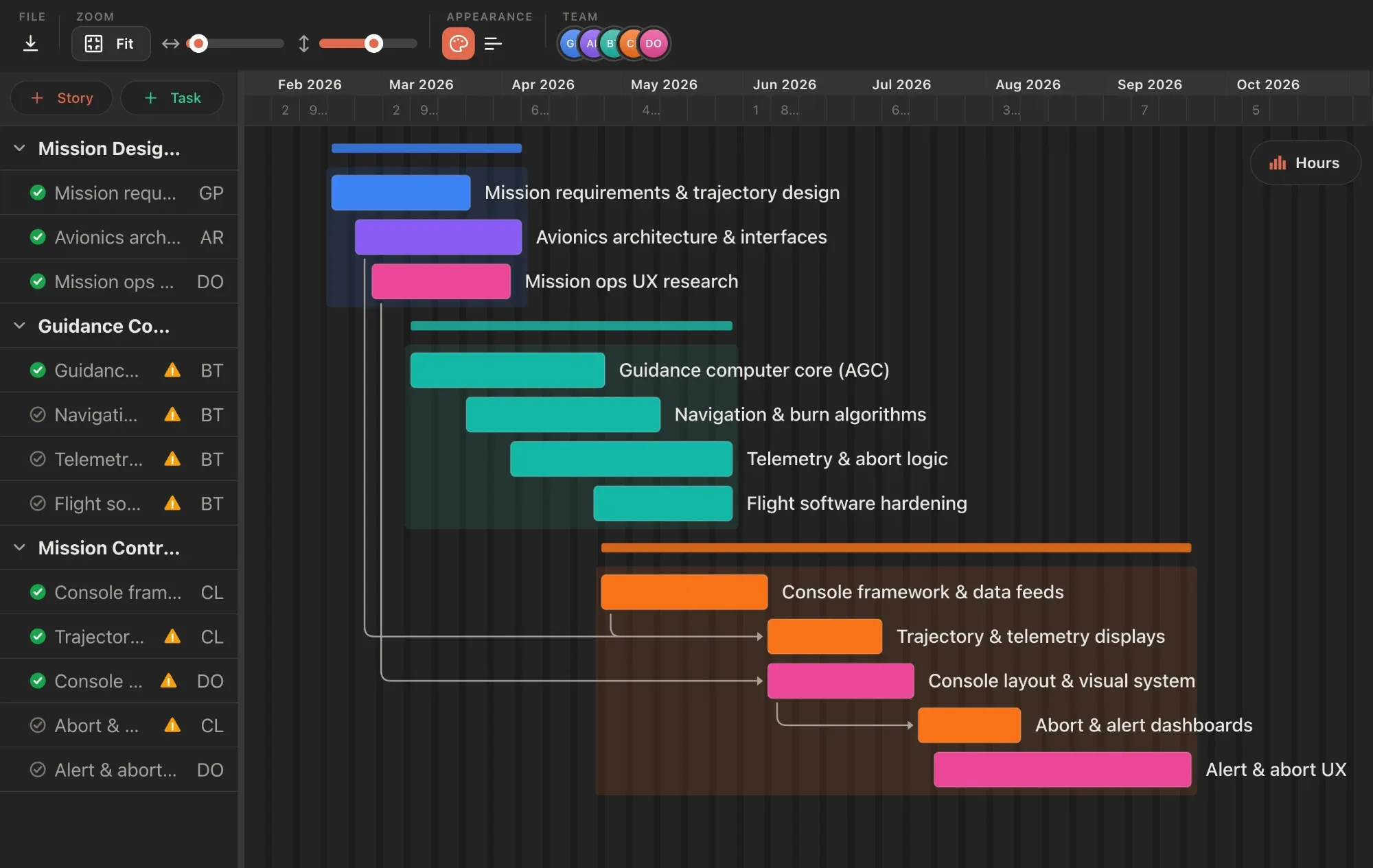
EverGantt is the tool I build, so read this section with that in mind. Signed out, you get the full editor: stories, tasks, dependencies, a calendar view, a Kanban board, and a team capacity panel. The Export menu offers PNG, PDF, SVG, and CSV, plus a .evgnt project file you can reopen later. There’s no login prompt anywhere in that flow.
Your work sits in a browser buffer while you edit, so a closed tab or a crash doesn’t lose it. The limit is that the buffer is local. To open the plan from another machine you need Pro at $3.99 a month, which covers one person. To edit it live with teammates you need Team, which covers up to five people, or Business (pricing has the current rates). Students and nonprofits get Pro, Team, or Business free.
Where it’s stronger than the rest of this list is scheduling. Link a task to its predecessor, then drag the predecessor, and every downstream bar moves with it. What a Gantt chart is actually for explains why that one behavior matters more than any other feature.
gantts.app: the purest no-account option
gantts.app is the strictest reading of “no sign-up” on this list. Its page says “No account, ever,” and there’s no paid tier at all, so nothing is held back for later. Export covers PDF, PNG, Excel, and PowerPoint, and the site states plainly that there is no “upgrade to export” step.
Dependencies are real: finish-to-start plus three other link types, with arrows that redraw when you move dates. Tasks, phases, and projects are unlimited. It runs as a web app you can add to a home screen for offline use, and it keeps your work three ways: browser autosave, a downloadable .gantts file, and a shareable link. It’s built by Synth88 Labs.
No account system also means no cloud sync between devices and no live multi-user editing. If you work alone and export when you’re done, that costs you nothing. If two of you need to edit the same plan, look elsewhere.
Gantt Chart Maker (ganttchartmaker.com): simple and local
Gantt Chart Maker at ganttchartmaker.com says “No sign-up required” on its home page and repeats it on the editor page. You get a browser-based editor with task dependencies and export to PDF, PNG, Excel, or its own .gantt file. The about page says your files are never sent to a server; everything is processed locally.
There’s no paid tier, and the page was updated in September 2026, so it’s actively maintained. The only way to keep your work is the .gantt file download, since the page mentions no browser autosave or share link. The contact page also lists a sponsorship email, so sponsored placements are possible even though I didn’t see any.
A near-identical editor lives at graphmaker.org with the same .gantt format and the same export list. I could not confirm whether the two share an operator, so I list them once.
ganttchartmaker.app: editor first, account optional
ganttchartmaker.app (the .app domain, a different product from the .com above) loads straight into an editor. I opened it signed out and found a full export dialog: image with a quality setting, spreadsheet, a .gantt file, MS Project XML, and TaskJuggler. The “Sign in” link only appears next to “manage charts,” and the release notes describe cloud sync, sharing by email, and live sync as the account features.
The page title promises it works offline, and the editor is on version 6.8 with visible release notes, which suggests steady development. I couldn’t confirm task dependencies, so if you need dependents to shift automatically, test that first. The cookie banner asks consent for analytics and advertising cookies, which tells you how the free tier is funded.
For a one-off chart headed into MS Project or TaskJuggler, this is the most flexible signed-out exporter on the list.
Gantt-san by Repsona: free forever, but check the export
Gantt-san is a free Gantt maker from Repsona, a Japanese project management company. Its landing page says “No sign-up or login required” and the FAQ confirms it is free forever with no account. It runs in the browser, supports four dependency types (finish-to-start, start-to-start, finish-to-finish, start-to-finish), and lets you save to a file, reload it later, and share a link.
The gap I couldn’t close is image export. Repsona’s help center describes the Export button as downloading a file in Gantt-san’s own format, which is meant for reloading or migrating into Repsona. I found no mention of PNG or PDF. If your goal is a chart image for a slide deck, verify that before you invest an afternoon.
Gantt-san also functions as the on-ramp to Repsona’s paid product, which is fine, but it explains why the file format is the export priority.
ClickUp’s free Gantt tool: real, but it is a front door
ClickUp publishes a free Gantt chart maker on its site. Its copy says “No signup. No download. 100% free,” and that holds up. The editor is embedded on the page and loads without a login. The page says you can add tasks, link them with finish-to-start dependencies, download a PNG, export task data as CSV, and save to your browser’s local storage.
It’s also, openly, a lead magnet. Every button outside the embedded editor points at a ClickUp signup, and the tool is separate from ClickUp’s actual product, where Gantt on the Free Forever plan is limited and paid plans start at $7 per user per month billed annually.
Use it if you are already evaluating ClickUp or want a quick chart from a big-name vendor. Just know that clearing browser data wipes your saved projects, per the page’s own FAQ.
The small ones: gantt.website and PM Calculators
gantt.website and PM Calculators are small, and honest about it.
gantt.website (branded gantt.space) says “No account needed whatsoever” and “no ads.” It exports a high-resolution PNG and relies on your browser’s print function for PDF. Work is saved to browser local storage and never leaves your device. It doesn’t mention dependencies, and there’s no file download or share link, so it fits quick, single-machine charts.
PM Calculators offers a Gantt chart online with no registration, aimed at project management students. Tasks take predecessors, so the sequence logic is there, and a “Save Image” button exports the chart. It caps at 50 activities, which is plenty for a course project and too few for a real product launch.
Neither replaces a planning tool, but both produce a clean chart in ten minutes without asking who you are.
Popular tools that say free but need an account
Several well-known names rank for “free Gantt chart maker” and gate the editor behind a form. Verified on their own pages:
- TeamGantt lets you generate a chart and download a CSV without an account. To edit, save, or export an image you need a sign-up, and the free plan is 1 user, 1 project, 40 tasks. Paid starts at $24 per month.
- Canva requires a free Canva account. Its Gantt chart is a whiteboard template; Canva’s own help says it does not calculate schedules or move dependent tasks.
- Lucidchart sends “Make a free Gantt chart” to a signup page. It’s a diagramming tool without a scheduling engine.
- Ganttile is free forever with no tiers, but “Get started” opens a name, email, and password form.
- Agantty asks you to register first. The free plan covers one project; Premium is €4.90 per month.
These are fine tools that don’t answer the search you typed. If you want a wider free Gantt roundup that includes desktop options like GanttProject, that post covers it.
Which no-sign-up Gantt chart maker should you use?
Pick by what happens after you export.
- One chart, one sitting, no strings: gantts.app. Nothing is gated and nothing is upsold.
- You want the chart to become a living plan: EverGantt. Build free, export free, then pay $3.99 a month for cloud save, or move to Team when teammates need to be in the same plan. Plan a project in your browser in 10 minutes shows the flow.
- You need MS Project or TaskJuggler files: ganttchartmaker.app.
- You are already leaning toward ClickUp: its free tool, with the local-storage caveat.
- Course project under 50 tasks: PM Calculators.
Whatever you choose, export a file before you close the tab. Every tool here keeps signed-out work in the browser, and browsers forget.
Open the free Gantt chart maker to try EverGantt with no account, or compare pricing if you want to know what the paid tiers add.
All claims checked on September 22, 2026, by loading each tool signed out. Prices and gating change, so tell me if something here is out of date.
Frequently asked questions
Which Gantt chart makers work without signing up?
As of September 2026, EverGantt, gantts.app, Gantt Chart Maker (ganttchartmaker.com), ganttchartmaker.app, Gantt-san by Repsona, ClickUp's free Gantt tool, gantt.website, and PM Calculators all open an editor with no account. Each was checked by loading the page signed out and looking for the export button.
Can I export a Gantt chart without an account?
Yes, on the genuinely no-sign-up tools. EverGantt exports PNG, PDF, SVG, and CSV signed out. gantts.app exports PDF, PNG, Excel, and PowerPoint. ganttchartmaker.com exports PDF, PNG, and Excel. TeamGantt only lets you download a CSV without an account; editing and image export need a sign-up.
Is a no sign-up Gantt tool safe for real work?
For a chart you build and export in one sitting, yes. The risk is persistence: most of these tools keep your work only in the browser, so clearing site data or switching machines loses it. Export a file when you finish, and use a tool with cloud save if the plan needs to live longer than a day.
What is the difference between no sign-up and free?
Free means no payment. No sign-up means no account. Plenty of tools are free but gate the editor behind an email address (Canva, Lucidchart, Ganttile, Agantty). The tools in this post let you build and export first, and only ask for an account if you want cloud save or sharing.