
The best free Gantt chart software for small teams (2026)
Published May 26, 2026
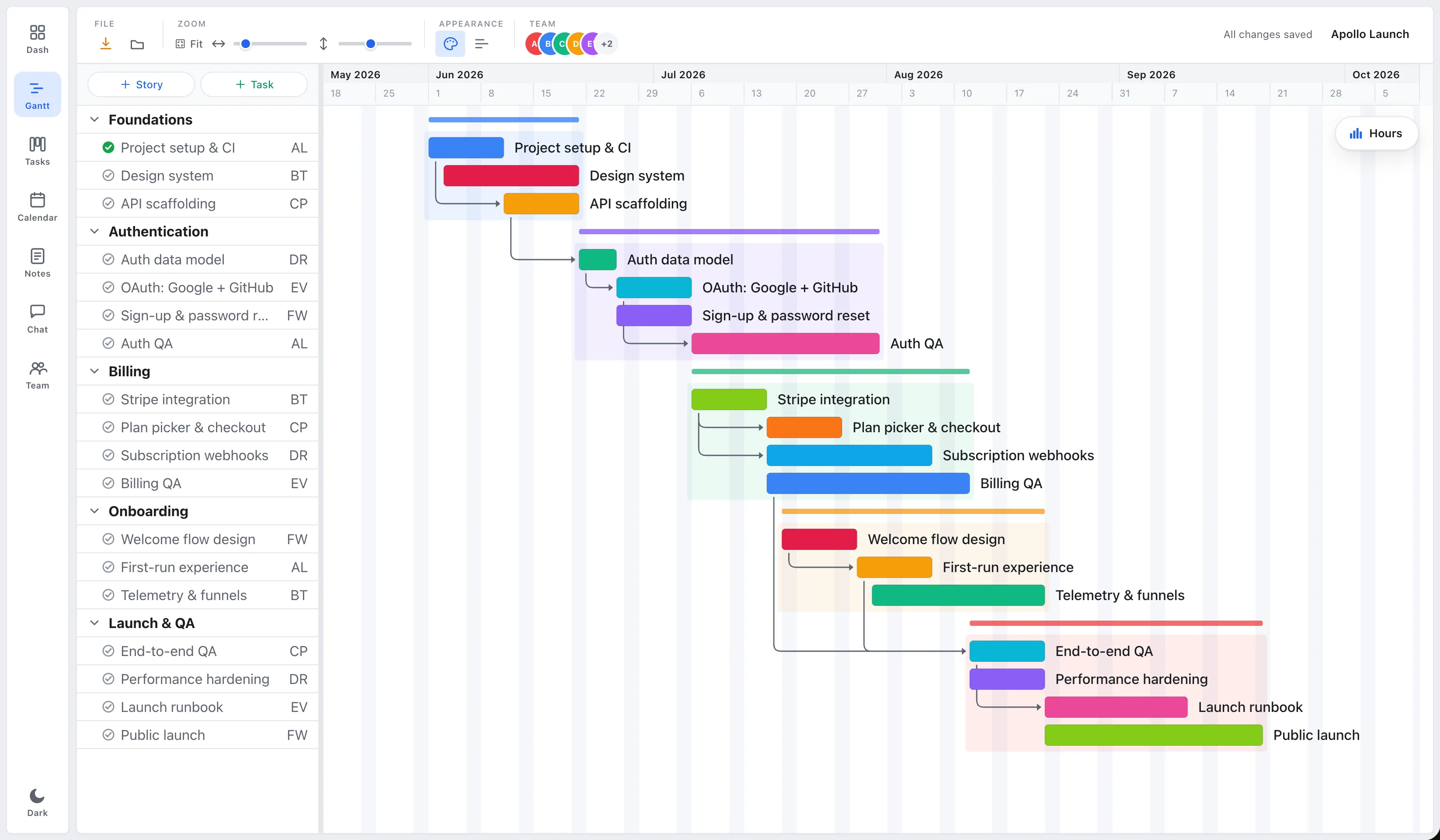
Short answer: The best free Gantt chart tool depends on your constraints. GanttProject is the strongest free offline desktop option. Notion is best if you want docs and a timeline in one place. Instagantt fits teams already in Asana. EverGantt is the best browser-based free Gantt with real-time editing and free PNG/PDF/SVG/CSV export. Here’s the honest trade-off for each.
What to look for in a free Gantt tool
“Free” hides a lot of variation. Before you pick, weigh five things:
- Where it runs. Browser (nothing to install, works on any OS) versus a desktop app you download and update.
- Real dependencies. Can a task shift its dependents automatically, or is it just colored bars on a calendar?
- Team collaboration. Solo-only, manual file sharing, or genuine multi-user editing.
- Export. Free PNG/PDF/SVG/CSV versus watermarked or locked exports.
- Free-tier limits. Project caps, user caps, and which features are withheld until you pay.
The free options compared
| Tool | Free tier | Runs in | Real-time team | Export |
|---|---|---|---|---|
| EverGantt | Build, edit, export (free sign-up) | Browser (Mac/Win) | Yes (Pro) | PNG/PDF/SVG/CSV, free |
| GanttProject | Fully free, open-source | Desktop app (install) | No (manual file share) | PDF, PNG, free |
| Instagantt | 1 user / limited projects | Browser | Within Asana | Limited on free |
| Notion | Generous free plan | Browser + apps | Yes | Limited (timeline, not true Gantt) |
Details as of May 2026; check each tool’s current site, since free tiers change often.
GanttProject, best free offline desktop tool
GanttProject is genuinely free and open-source. It runs as a desktop application (Windows, macOS, Linux), works fully offline, and exports to PDF and images.
- Where it’s better than EverGantt: truly free with no paid tier, works offline, and your files stay entirely on your machine.
- Where EverGantt is better: no install, real-time team editing, and a more modern browser UI. GanttProject has no live multi-user collaboration, you email files around.
Pick GanttProject if you want a no-cost, offline, single-user scheduler and don’t mind installing software.
Notion, best all-in-one free workspace
Notion’s free plan is generous and includes a Timeline view that can act as a light Gantt, alongside docs, wikis, and databases.
- Where it’s better than EverGantt: it’s a whole knowledge workspace, docs, notes, and databases in one place, with real-time collaboration on the free plan.
- Where EverGantt is better: Notion’s timeline is lighter than a true Gantt. Dependency handling and capacity planning are weaker, and it’s not purpose-built for scheduling.
Pick Notion if you want one tool for docs and a basic timeline, and don’t need deep Gantt scheduling.
Instagantt, best if you live in Asana
Instagantt is a Gantt layer that pairs tightly with Asana. The free tier is limited (roughly one user and a few projects).
- Where it’s better than EverGantt: if your tasks already live in Asana, it adds a Gantt view on top of them.
- Where EverGantt is better: EverGantt is standalone and doesn’t require an Asana subscription, and its free export is more generous.
Pick Instagantt if you’re already committed to Asana and just want a Gantt overlay.
EverGantt, best free browser-based Gantt
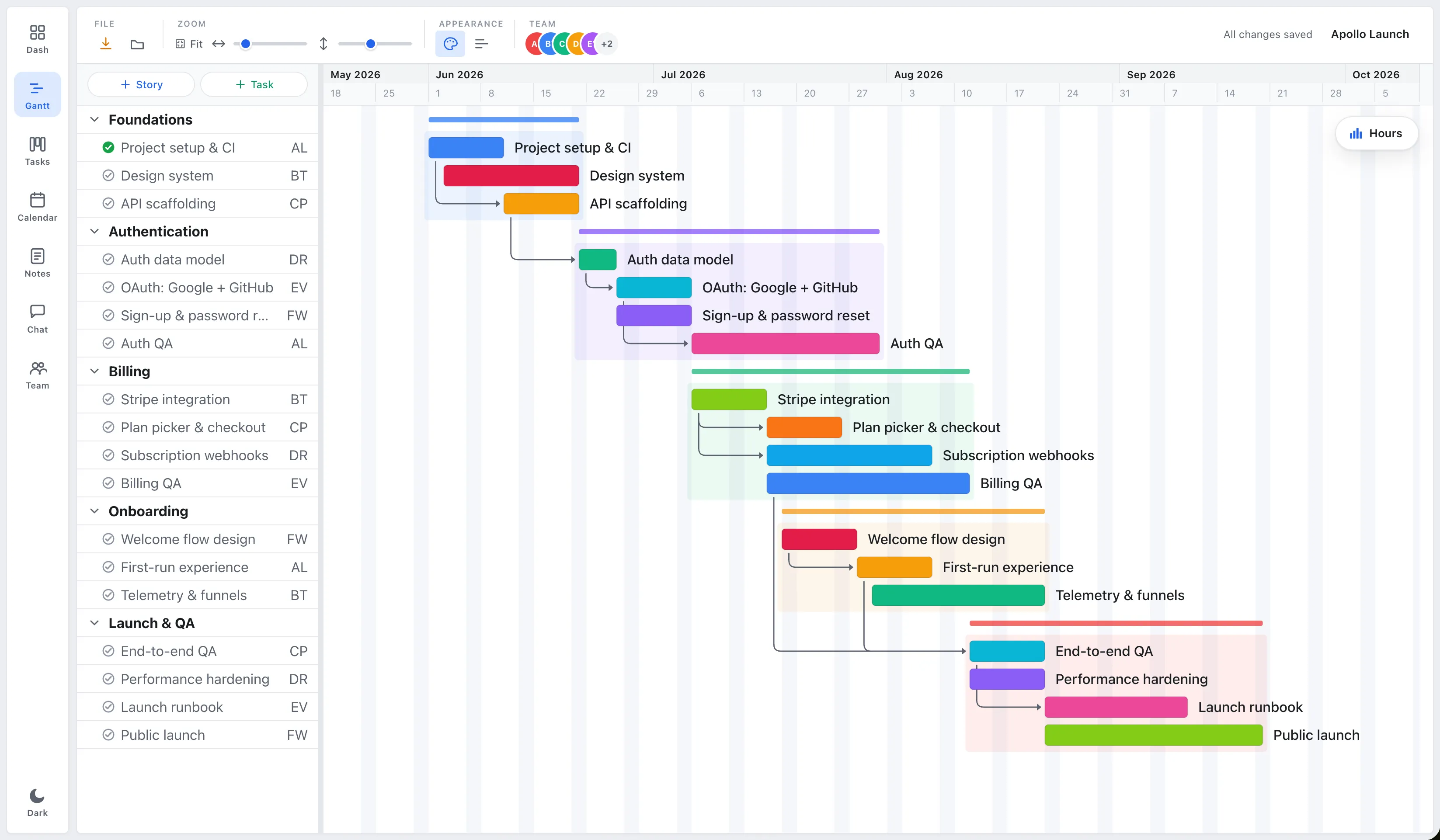
EverGantt’s free tier lets you build, edit, and export Gantt charts in the browser after a free sign-up, with PNG/PDF/SVG/CSV export running client-side.
- Where it shines: nothing to install, a clean and simple UI, dependencies that shift dependent tasks automatically, a built-in team-capacity view, and free export. Real-time team collaboration and cloud saving are available on Pro ($3.99/user/month).
- Honest limits: live collaboration and opening cloud-saved files are Pro features, not free. And like the others here, it’s not a heavy PMI suite, no baselines, earned-value, or critical-path leveling.
Which free tool should you choose?
- Offline, single user, zero cost forever: GanttProject.
- Docs plus a light timeline: Notion.
- Already on Asana: Instagantt.
- Browser-based Gantt with free export and an easy path to real-time team editing: EverGantt.
If you outgrow the free tier and want a single source of truth your whole team edits live, EverGantt’s Pro plan is $3.99/user/month, among the cheapest real-time options available.
Make a Gantt chart free in your browser, or compare pricing.
More comparisons: EverGantt vs Microsoft Project · vs Asana · vs monday.com · vs TeamGantt.
Frequently asked questions
What is the best free Gantt chart software for small teams?
It depends on what you need. GanttProject is best for free offline desktop scheduling. Notion is best if you want an all-in-one docs-plus-timeline workspace. Instagantt is best if you already live in Asana. EverGantt is best for a free, browser-based Gantt with real-time team editing and free PNG/PDF/SVG/CSV export, no install required.
Is EverGantt really free?
EverGantt has a free tier that lets you build, edit, and export Gantt charts in the browser after a free sign-up, no payment. Cloud saving, opening saved files, and team collaboration are part of the paid Pro plan at $3.99 per user per month or $39 per user per year.
Is there a free Gantt chart tool with real-time team collaboration?
Free desktop tools like GanttProject don't offer live multi-user editing, you share files manually. EverGantt offers real-time co-editing, though live collaboration is a Pro feature; the free tier covers building and exporting charts solo. Notion's free plan allows collaboration but its timeline is lighter than a true Gantt.
Can I export a Gantt chart for free?
In EverGantt, yes, PNG, PDF, SVG, and CSV export run client-side and are included free. GanttProject exports to PDF and image formats for free as well. Some web tools limit export or watermark it on free plans, so check before relying on it.