
EverGantt vs Microsoft Project: the simpler, cheaper alternative
Published May 5, 2026
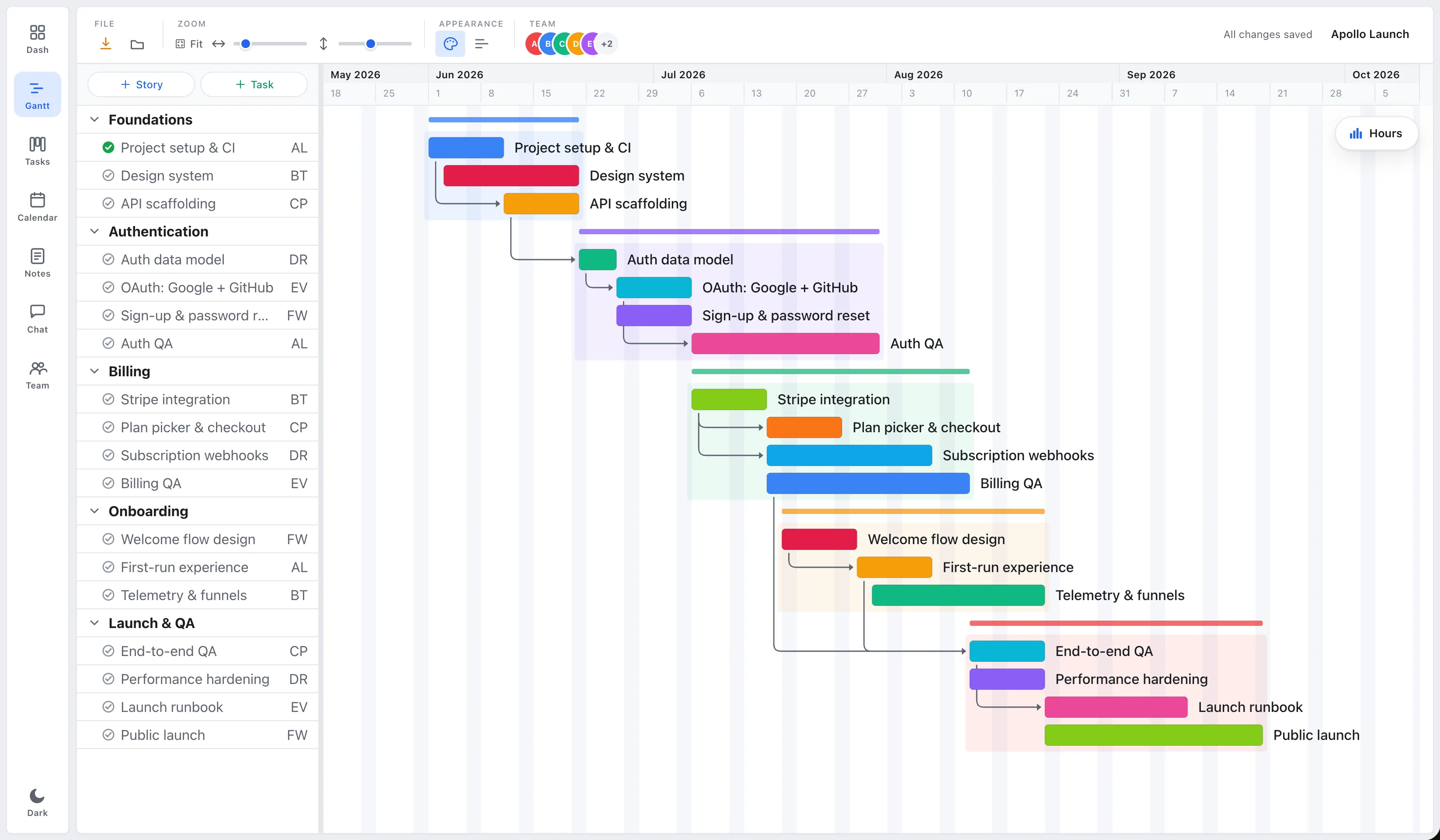
Short answer: If you’re a small team that mainly needs schedules, Gantt charts, dependencies, and a view of who’s overloaded, EverGantt does that in the browser for $3.99 per user per month, far less than Microsoft Project, and with a gentler learning curve. If you need baselines, earned-value analysis, critical-path resource leveling, or enterprise portfolio management, Microsoft Project is still the more capable tool.
Microsoft Project has been the default project-management software for decades. It’s powerful, deep, and built for large organizations running formal project portfolios. That power is exactly why it’s overkill, and overpriced, for a five-person studio that just needs a plan everyone can see.
EverGantt vs Microsoft Project at a glance
| EverGantt | Microsoft Project | |
|---|---|---|
| Price | $3.99/user/mo or $39/user/yr | ~$10–$55/user/mo (annual), by plan |
| Free tier | Yes, build, edit, export | No (30-day trial only) |
| Gantt charts | Yes | Yes |
| Real-time team co-editing | Yes | Limited (web); desktop is single-file |
| Runs in the browser | Yes (Mac + Windows) | Web yes; full client is Windows-only |
| Seat minimum | None | None, but priced per plan tier |
| Learning curve | Light | Steep |
Pricing as of May 2026. Check the current Microsoft Project pricing page for the latest.
For a team of 5 over a year, EverGantt costs about $195 (annual billing). Microsoft Project runs roughly $600/year on Plan 1 or $1,800/year on Plan 3, and there’s no free tier to start from.
Where Microsoft Project is genuinely better
Let’s be honest about what you give up. Microsoft Project earns its price for teams that actually use its depth:
- Baselines and earned-value analysis. Project can snapshot a plan and track planned-vs-actual cost and schedule variance. EverGantt doesn’t do EVA.
- Critical-path and resource leveling. Project’s scheduling engine can automatically level overallocated resources and compute the critical path across complex dependency networks.
- Enterprise portfolio management. Project Online / Project for the web ties into the Microsoft 365 ecosystem for cross-project portfolio reporting, governance, and timesheets.
If your organization runs formal, audited project portfolios, construction, government contracting, large IT programs, those features aren’t bloat. They’re the job.
Where EverGantt is better
For most small teams, the calculus flips:
- Cost. $3.99/user/month (or $39/year) versus $10–$55. No seat minimums, no annual enterprise contract.
- Simplicity. You can build a real schedule in minutes instead of climbing Project’s learning curve. This is the 80% case: the handful of features small teams actually use.
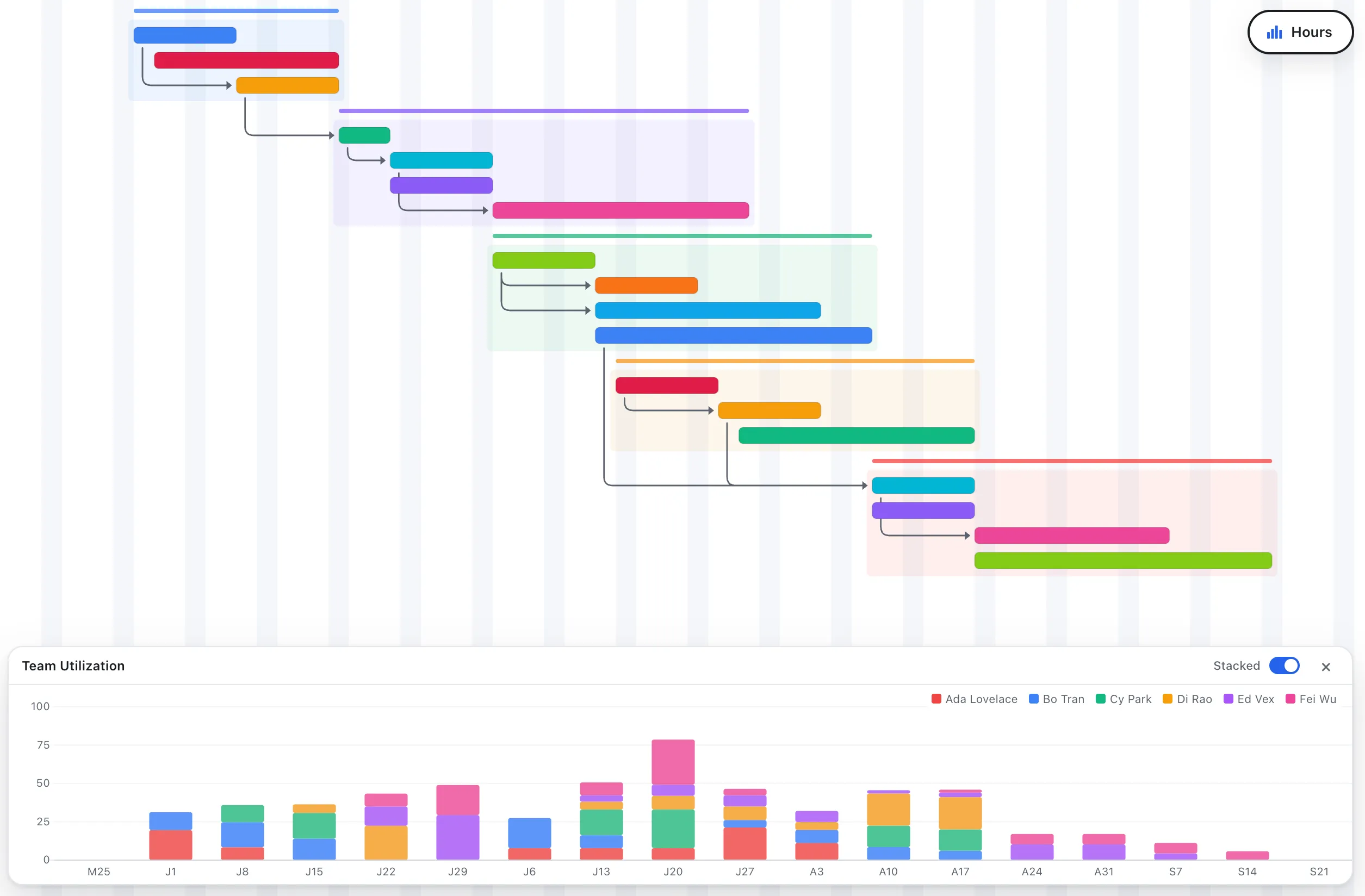
- Real-time collaboration in the browser. Several people edit the same plan at once and see changes live, no checking files in and out, nothing to install. Works on Mac and Windows.
- A free tier. Build, edit, and export charts before paying anything.
Which should you choose?
Choose Microsoft Project if you need baselines, earned-value reporting, automated resource leveling, or enterprise portfolio governance, and you have the budget and time to learn it.
Choose EverGantt if you’re a small team that wants a clear, shared schedule with dependencies and team capacity, kept current in real time, for a fraction of the cost. If you’ve ever felt like you’re paying too much for planning software, this is the gap EverGantt fills.
Start free in your browser, or see the full pricing.
More comparisons: EverGantt vs Asana · vs monday.com · vs TeamGantt · best free Gantt tools.
Frequently asked questions
Is EverGantt a good Microsoft Project alternative?
For small teams that mainly need scheduling, Gantt charts, dependencies, and team capacity, yes. EverGantt runs in the browser, supports real-time team collaboration, and costs $3.99 per user per month. Microsoft Project is the better choice if you need baselines, earned-value analysis, critical-path resource leveling, or enterprise portfolio management.
How much does Microsoft Project cost compared to EverGantt?
As of May 2026, Microsoft Project's cloud plans run roughly $10 (Plan 1), $30 (Plan 3), and $55 (Plan 5) per user per month on annual billing, with no free tier beyond a 30-day trial. EverGantt is $3.99 per user per month or $39 per user per year, with a free tier for building, editing, and exporting charts. Always check the current Microsoft Project pricing page before deciding.
Does Microsoft Project run in a browser like EverGantt?
Microsoft Project for the web runs in a browser, but the full desktop client (Project Professional) is Windows-only software you install. EverGantt is fully browser-based on Mac and Windows in Safari, Firefox, and Chrome, with nothing to install.
Can multiple people edit a plan at the same time in EverGantt?
Yes. EverGantt supports real-time co-editing, so several teammates can edit the same project at once and see each other's changes live. This is included on the $3.99/user/month Pro plan with no seat minimum.