
EverGantt vs TeamGantt: a cheaper real-time Gantt chart alternative
Published May 18, 2026
Short answer: TeamGantt and EverGantt are the most alike of any comparison here, both are real-time, browser-based Gantt tools. TeamGantt has the deeper, more mature Gantt feature set; EverGantt wins on price and simplicity, with a flat $3.99-per-user model instead of per-manager pricing. If your team has several people who build plans, EverGantt is usually cheaper. If you need TeamGantt’s depth (detailed baselines, built-in time tracking), it’s worth the premium.
Because TeamGantt is genuinely real-time, real-time collaboration is not the differentiator here, both tools do it well. The honest wedge is cost and ease of use.
EverGantt vs TeamGantt at a glance
| EverGantt | TeamGantt | |
|---|---|---|
| Price | $3.99/user/mo or $39/user/yr | ~$19–$49/manager/mo (annual) |
| Billing model | Per user, flat | Per manager; collaborators free |
| Free tier | Yes, build, edit, export | Yes (limited) |
| Gantt charts | Yes | Yes (deeper feature set) |
| Real-time co-editing | Yes | Yes |
| Team capacity view | Yes (built-in) | Yes (workload) |
| Time tracking | No | Yes |
Pricing as of May 2026. Check the current TeamGantt pricing page for the latest.
Cost depends on how many managers (plan builders) you have. Three planners on TeamGantt Lite run about $684/year; on Pro, about $1,764/year. Five EverGantt users cost about $195/year (annual billing), with no manager/collaborator split, so the more people who build plans, the wider the gap.
Where TeamGantt is genuinely better
TeamGantt has been a dedicated Gantt tool for years, and that maturity shows:
- Feature depth. More detailed baselines, richer Gantt formatting, and a longer-polished scheduling experience.
- Built-in time tracking. TeamGantt has hourly estimation and time tracking baked in. EverGantt does per-person hour estimates for capacity, but not stopwatch-style time tracking.
- Established ecosystem. A mature product with a long track record and a deep help/library of Gantt-specific workflows.
Where EverGantt is better
The difference comes down to how you’re charged and how much you need:
- Pricing model. TeamGantt bills per manager. That’s great with one planner and many viewers, but costs climb fast when several people build plans. EverGantt is a flat $3.99/user, no manager/collaborator split.
- Cost. For teams with multiple planners, $3.99/user is typically well below ~$19–$49 per manager.
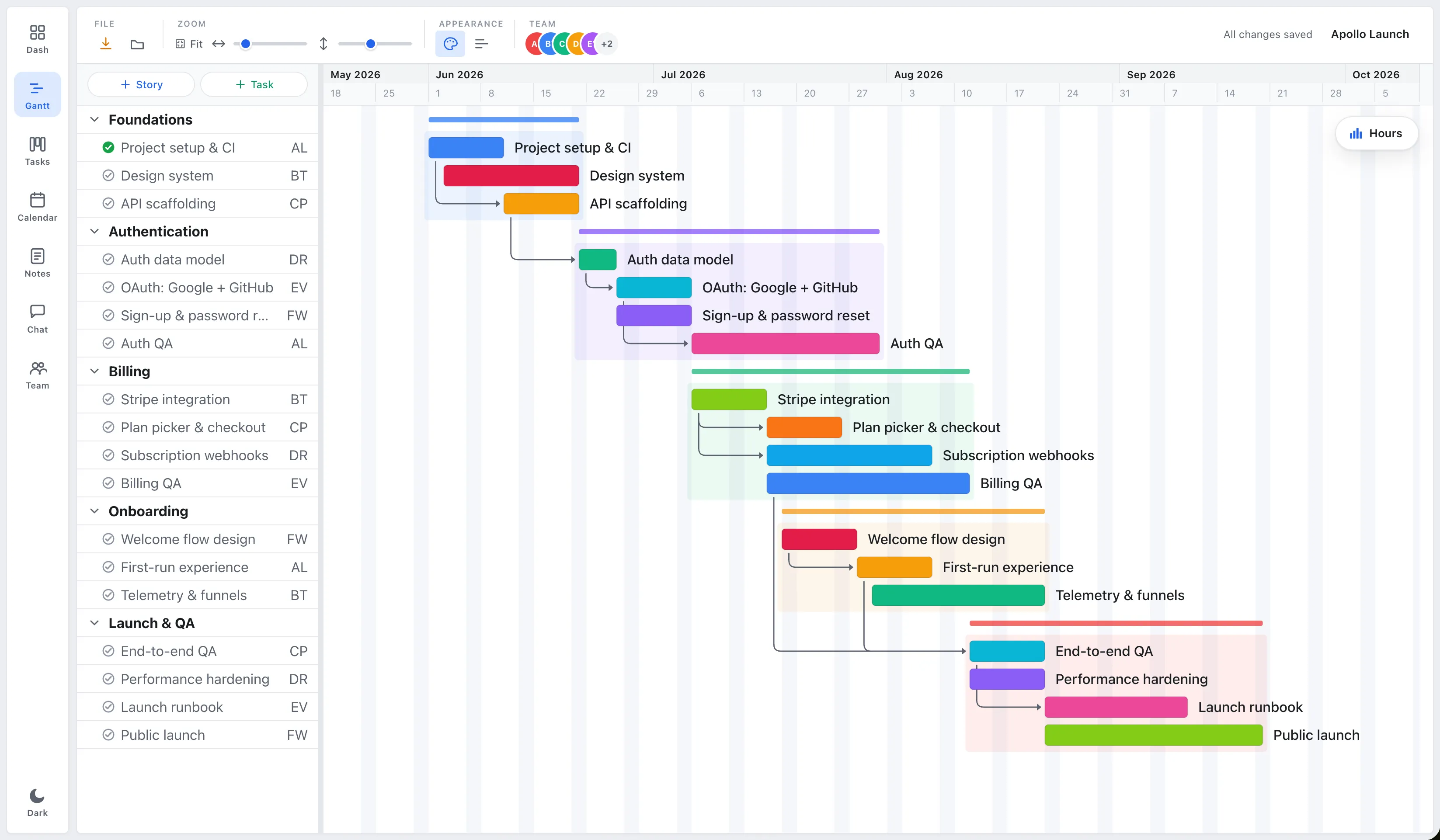
- Simplicity. EverGantt keeps the timeline, Kanban board, and capacity panel as one plan, easy to pick up. It’s deliberately the 80% of features small teams actually use.
Which should you choose?
Choose TeamGantt if you want the deeper, more mature Gantt feature set or need built-in time tracking, and your team has few planners (so per-manager pricing stays cheap).
Choose EverGantt if you want real-time Gantt scheduling and team capacity at a lower, simpler price, especially when several people need to build and edit plans. Both are real-time and browser-based; EverGantt is the cheaper, no-nonsense option.
Start free in your browser, or see pricing.
More comparisons: EverGantt vs Microsoft Project · vs Asana · vs monday.com · best free Gantt tools.
Frequently asked questions
Is EverGantt cheaper than TeamGantt?
Generally yes. As of May 2026 TeamGantt's paid plans run roughly $19 (Lite) to $49 (Pro) per manager per month on annual billing, billed per manager with collaborators free. EverGantt is $3.99 per user per month or $39 per user per year, billed per user with no manager/collaborator split. Which is cheaper depends on your ratio of managers to collaborators, but EverGantt is usually less for teams with several planners.
Does TeamGantt support real-time collaboration?
Yes. TeamGantt is a real-time, browser-based Gantt tool, so real-time editing is not a differentiator between it and EverGantt. Both let multiple people work on the same plan and see updates live. The real differences are price model and feature depth.
What does TeamGantt do that EverGantt doesn't?
TeamGantt has a more mature, feature-rich Gantt experience, things like more detailed baselines, hourly estimation and time tracking, and a longer-established Gantt feature set. EverGantt focuses on the core scheduling, dependencies, and team-capacity features small teams use most.
How does TeamGantt's per-manager pricing work?
As of May 2026 TeamGantt charges per manager (the people who build and edit plans), while collaborators can be added for free. That's good if you have one planner and many viewers, but it gets expensive when several people need to build plans. EverGantt charges a flat $3.99 per user with no manager/collaborator distinction.