
EverGantt vs Asana: which is the better Gantt chart?
Published May 9, 2026
Short answer: Asana is a broad, polished work-management platform with a huge integration ecosystem, but its Gantt-style Timeline view is paid-only, and its plans cost more per seat. EverGantt is a focused Gantt-and-capacity tool that includes the timeline on every tier, including the free one, for $3.99 per user per month. If you mainly want a real schedule with dependencies and team capacity, EverGantt is simpler and cheaper. If you want a company-wide work hub, Asana does more.
EverGantt vs Asana at a glance
| EverGantt | Asana | |
|---|---|---|
| Price | $3.99/user/mo or $39/user/yr | Free; paid ~$10.99–$24.99/user/mo (annual) |
| Free tier | Yes, includes Gantt + export | Yes, but no Timeline/Gantt view |
| Gantt / timeline | Yes, all tiers | Paid plans only |
| Team capacity view | Yes (built-in) | Yes (Advanced tier) |
| Real-time co-editing | Yes | Yes |
| Integrations & automations | Some | Extensive |
| Learning curve | Light | Moderate |
Pricing as of May 2026. Check the current Asana pricing page for the latest.
For a team of 5 over a year, EverGantt costs about $195 (annual billing). Asana runs roughly $659/year on Starter or $1,499/year on Advanced, and the Gantt-style Timeline needs at least the paid Starter plan.
Where Asana is genuinely better
Asana isn’t trying to be a Gantt tool, it’s trying to run all of a company’s work. On that front it wins:
- Integrations and automations. Asana connects to hundreds of tools and has a mature rules/automation engine. EverGantt is focused on planning and doesn’t try to match that integration ecosystem.
- Breadth of views and workflows. Boards, lists, calendars, portfolios, goals, forms, proofing, Asana spans many work styles across departments.
- Scale and administration. For larger orgs that need granular permissions, reporting dashboards, and cross-team portfolios, Asana is built for it.
Where EverGantt is better
For a small team that primarily needs to schedule and staff a project, EverGantt is the better fit:
- Gantt isn’t paywalled. Asana’s Timeline is locked behind paid plans. EverGantt’s Gantt chart, dependencies, and export are available even on the free tier.
- Cost. $3.99/user/month versus ~$10.99–$24.99. The capacity view that Asana reserves for its Advanced tier is built into EverGantt.
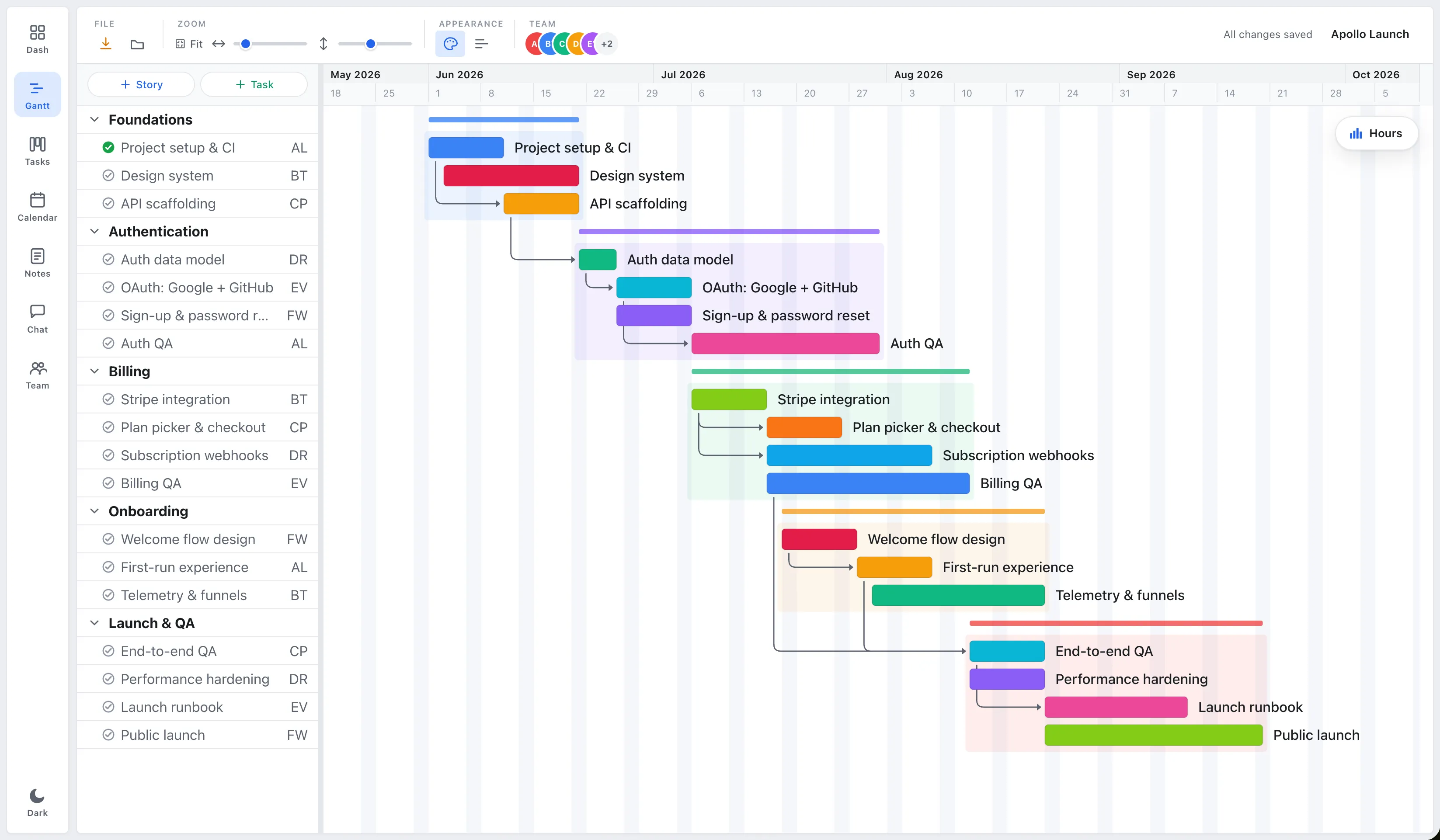
- Focus and simplicity. One window holds the timeline, the board, and team capacity, the same plan seen different ways, not a sprawling platform to configure.
- Real-time, in the browser, on Mac and Windows. Multiple people edit the same plan live, with nothing to install.
Which should you choose?
Choose Asana if you want a company-wide work-management hub with deep integrations, automations, and many view types, and you’re comfortable paying more per seat and putting Gantt behind a paid plan.
Choose EverGantt if you’re a small team whose core need is a clear schedule with dependencies and visible team capacity, kept live, at the lowest cost. It’s the roughly five features small teams actually use, without the platform overhead.
Start free in your browser, or compare pricing.
More comparisons: EverGantt vs Microsoft Project · vs monday.com · vs TeamGantt · best free Gantt tools.
Frequently asked questions
Does Asana have Gantt charts?
Asana has a Timeline view that works like a Gantt chart, but as of May 2026 it's only available on paid plans (Starter and above), not the free plan. EverGantt includes Gantt charts on every tier, including the free one.
Is EverGantt cheaper than Asana?
Yes. EverGantt is $3.99 per user per month or $39 per user per year. Asana's paid plans start around $10.99 (Starter) and $24.99 (Advanced) per user per month on annual billing as of May 2026. Asana's free plan is generous for task lists but doesn't include the Timeline/Gantt view.
Should a small team choose EverGantt or Asana?
Choose EverGantt if your main need is Gantt scheduling, dependencies, and team-capacity planning at a low price. Choose Asana if you need a broad work-management hub with many integrations, automations, and views across departments.
Does EverGantt support real-time collaboration like Asana?
Yes. EverGantt supports real-time co-editing so multiple teammates edit the same project at once and see changes live, included at $3.99/user/month with no seat minimum.