
What is a sprint, and why can't we just use a Kanban board?
Published June 10, 2026
If you’ve ever watched a team perform sprint planning, complete with poker cards and a forty-minute argument about whether a task is a 3 or a 5, and thought “this seems like a lot,” you’re not wrong to ask the question. You already have a board. Cards move across it. Work gets done. What exactly does chopping the calendar into two-week chunks add?
That’s the right frame for understanding sprints, so let’s answer it honestly, including the cases where the answer is “nothing, keep your board.”
What a sprint actually is
A sprint is a fixed time box, usually two weeks, with a commitment attached. Before it starts, the team pulls a specific batch of work from the backlog and says: this is what we intend to finish by the 24th. Then the batch is locked, the team runs, and at the end you count what actually crossed the line.
Strip away the vocabulary and there are only three mechanical parts:
- A commitment. A named set of tasks, sized in points, chosen before the clock starts.
- A time box. A hard start and end date. The deadline is artificial, and that’s the point, it exists so scope decisions can’t be deferred forever.
- A measurement. At the end, the committed total gets compared against the completed total. Unfinished work is carried over, visibly, not quietly absorbed.
Everything else, the standups, the retros, the ceremony, is optional scaffolding around those three parts. Plenty of teams run useful sprints with none of it.
So why can’t we just use a Kanban board?
You can. Genuinely. A Kanban board with WIP limits controls flow, surfaces bottlenecks, and keeps work finishing. For a lot of teams that’s the whole job, and adding sprints on top would be ritual for ritual’s sake.
A sprint adds exactly two things a flowing board can’t give you:
A measured pace. When you snapshot what was committed and count what finished, sprint after sprint, you get velocity: this team completes about 30 points per two weeks. That number turns “when will it be done?” from a guess into arithmetic. Backlog has 90 points left, velocity is 30, that’s roughly three sprints. A Kanban board tells you what’s stuck today; it has no native answer for how long the rest will take.
A forcing function. On a continuous board, scope grows quietly. There’s always room for one more card, and nothing ever forces the question “is this actually more important than what we promised?” A sprint makes that question unavoidable every two weeks, because adding something mid-sprint means visibly bumping something else. The time box is a budget, and a budget forces trade-offs that an always-open board never will.
If nobody is asking you for dates, and scope creep isn’t eating you, you don’t need either of those things. Keep the board.
The lifecycle, without the jargon
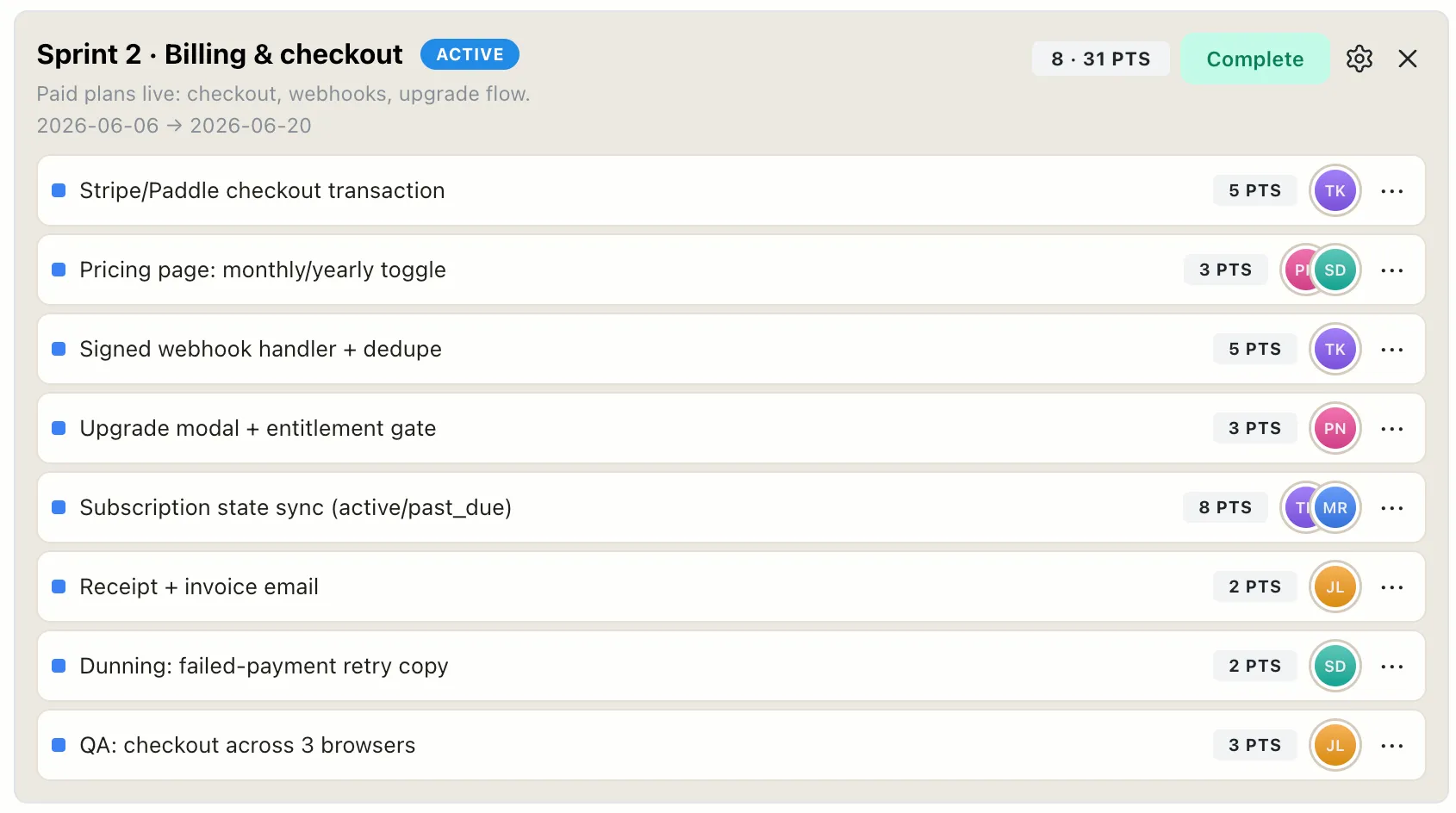
In practice a sprint passes through three states, and seeing them side by side makes the whole system click:
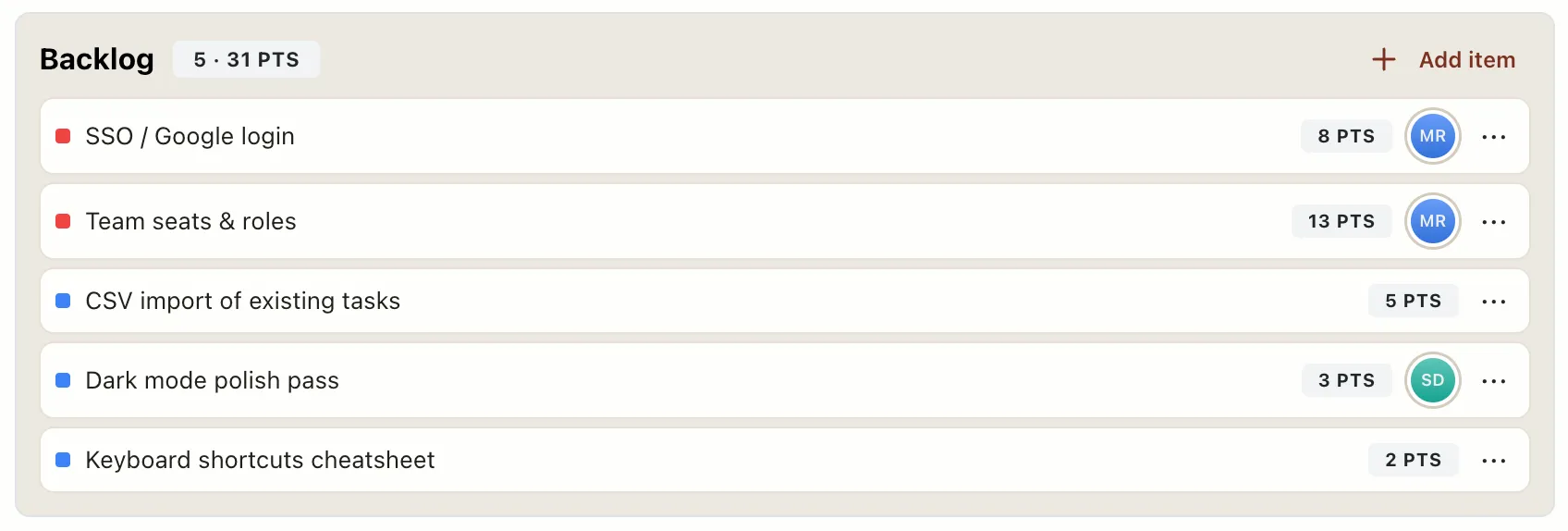
- Future. A named bucket of work, pulled from the backlog and waiting. “Sprint 3: reporting dashboard, 13 points.”
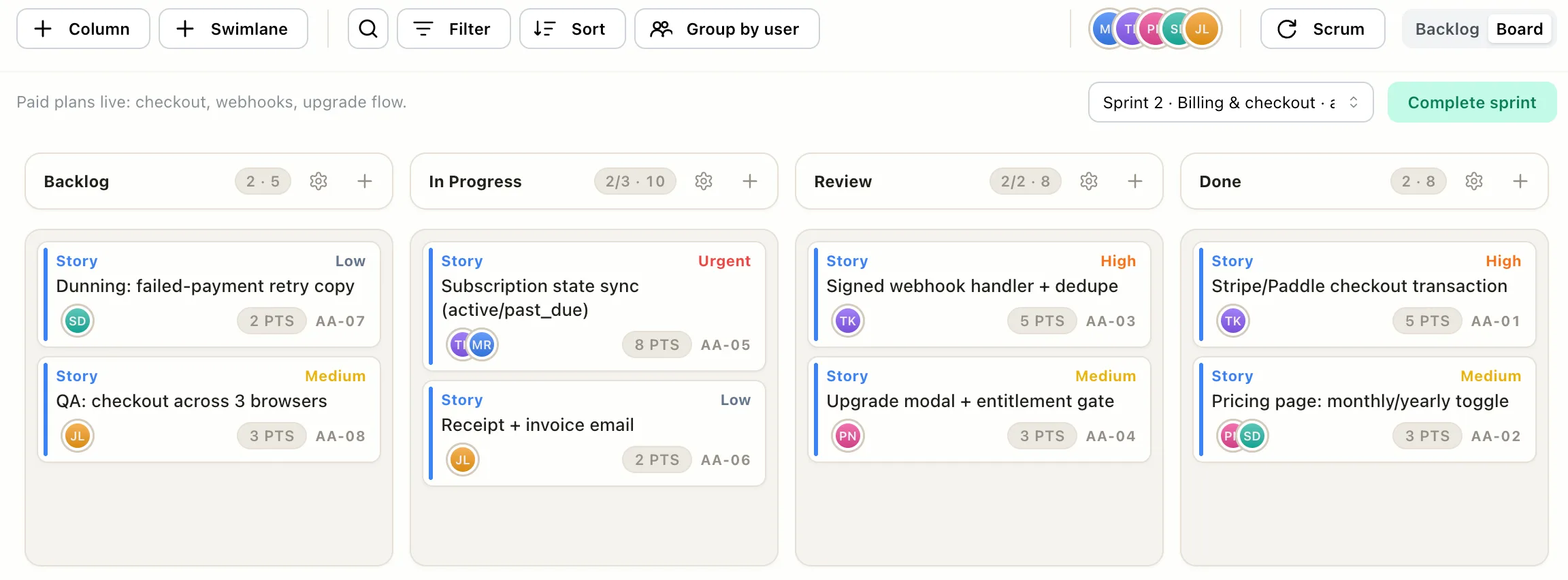
- Active. The clock is running. Committed cards spread across the board exactly like Kanban, the columns don’t change, only the membership is fixed.
- Completed. The snapshot: committed 34, finished 29, carried 2 over. No judgment in the numbers, just calibration. Three sprints of those snapshots and your forecasts stop being fiction.
The carry-over line deserves a word, because it’s the part teams are most tempted to fudge. Unfinished work rolling into the next sprint isn’t failure, it’s information: you found out the team’s real capacity is 29 points, not the 34 you hoped. The teams that get burned are the ones that hide the carry-over and keep planning against the hope.
The honest decision
Use sprints when someone regularly needs to know when, when scope keeps growing because nothing pushes back, or when the team wants a rhythm of commit, finish, and reset. Skip them when work is a steady stream of support tickets and small tasks, when you’re a team of one or two, or when the dates genuinely don’t matter, most small teams need less process than they think.
And it shouldn’t be a one-way door. In EverGantt, Kanban and scrum are two modes of the same board, same columns, same cards, same points. Run plain Kanban until someone asks for a forecast, create your first sprint that day, and if the ceremony turns out to be more than your team needs, switch back. Nothing is lost either way, and none of it needs a methodology coach.
Try it free. Related: how a Kanban board works · the Kanban pull system, explained simply · real-time vs. status-report project management.
Frequently asked questions
What is a sprint in project management?
A sprint is a fixed time box, usually two weeks, where the team commits to a specific batch of work up front, runs heads-down, and measures what actually got done at the end. The committed total is snapshotted at the start and compared against what finished, which is how a team learns its real pace.
What is the difference between a sprint and a Kanban board?
Kanban is continuous flow: work is pulled whenever capacity opens, with no start or end line. A sprint adds a time box and an up-front commitment on top of the same board. The columns and cards look identical; the difference is that sprint work is measured against a two-week promise.
What is sprint velocity?
Velocity is the number of points a team actually completes per sprint, averaged over recent sprints. Its value is forecasting: if the team finishes about 30 points per sprint and the remaining backlog is 90, that's roughly three sprints of work, an estimate based on measured pace instead of optimism.
Do small teams need sprints?
Often not. Sprints earn their keep when someone regularly asks when things will be done, or when work expands without a deadline to push against. If your work is a steady stream of tasks and nobody is asking for dates, a Kanban board with WIP limits does the job with less ceremony.