
How a Kanban board works (and how to use one for your project)
Published June 10, 2026
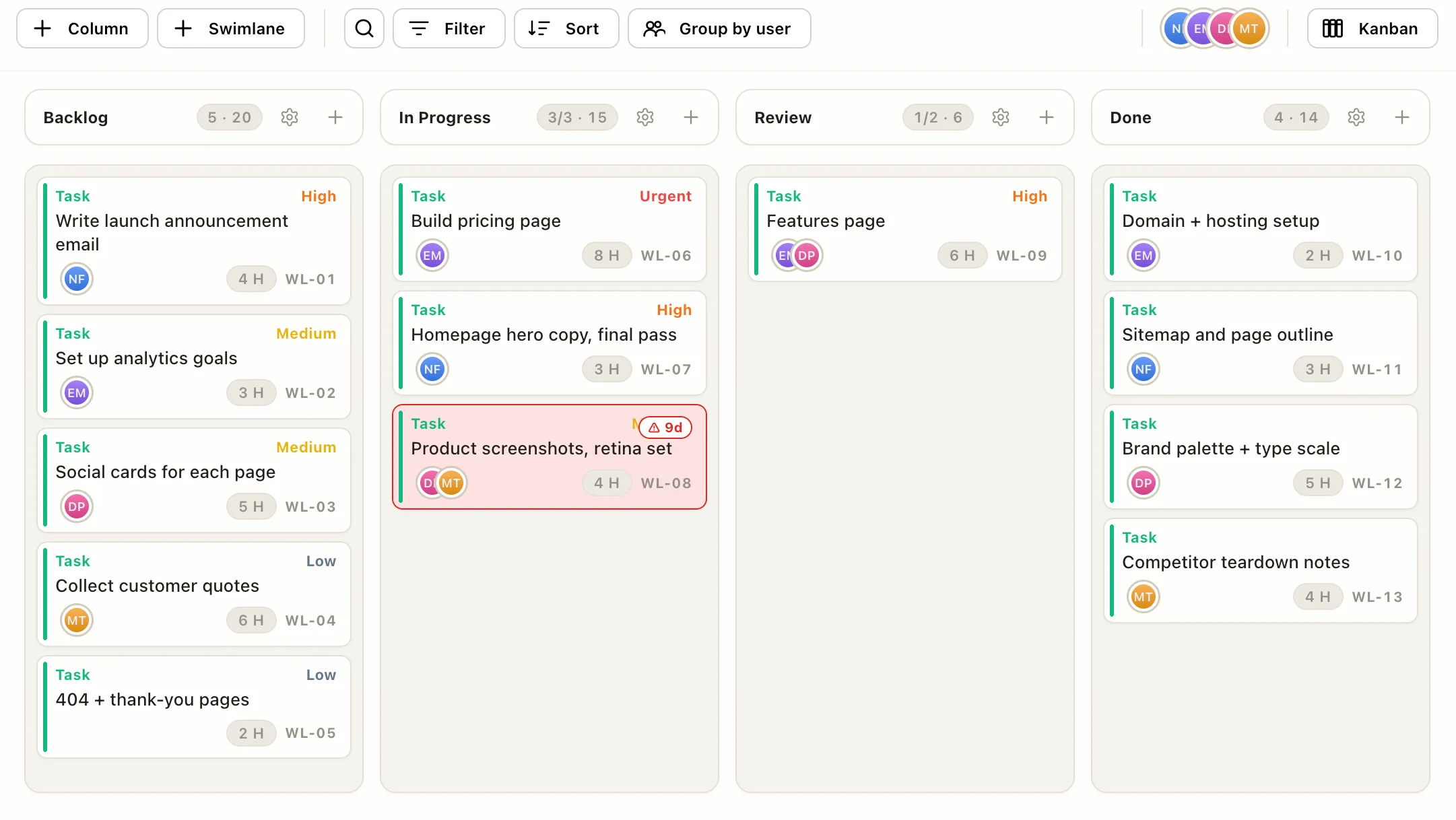
A Kanban board is the simplest useful picture of a project: columns are the stages work passes through, cards are the tasks, and progress means a card physically moving left to right. When the board is current, nobody has to ask “where are we?”, they just look.
That’s the whole mechanism. The rest of this post is what the pieces mean and how to set one up for a real project this afternoon.
The anatomy: columns, cards, and one rule
Columns are stages, not categories. Each column is a state a task passes through on its way to done. The classic set is Backlog, In Progress, Review, Done, and for most projects that’s genuinely enough. The test for adding a column: does work on your project routinely wait somewhere? If cards keep stalling “with the client” or “in QA,” that wait deserves its own column so you can see it pile up.
Cards are tasks, kept light. A card needs a title, an owner, and maybe an estimate or a priority flag. Every extra required field is a tax you pay on every update, and a board people find heavy to update is a board that quietly goes stale. (That’s how teams end up back in spreadsheets.)
The one rule: work moves left to right, and only forward when there’s room. A card leaving a column opens a slot, and that open slot is the signal to pull the next item forward. New work enters on the left; nothing skips ahead.
If you want the deeper theory behind that rule, pull systems, signals, and why the constraint is the point, that’s its own post: the Kanban pull system, explained simply.
The two signals worth turning on
Most boards stop at columns and cards. Two small additions do most of the remaining work:
- A WIP limit on In Progress. Cap the column at one to two cards per person. When the count goes over, the column flags red, and the correct response is to finish something, not start more. It feels restrictive for a week and then the team notices things actually finish.
- An age warning. A card that’s been sitting in the same column for a week is usually stuck, not slow, it’s blocked on a decision, a person, or a dependency nobody wrote down. A board that turns stale cards red surfaces the conversation before the deadline does.
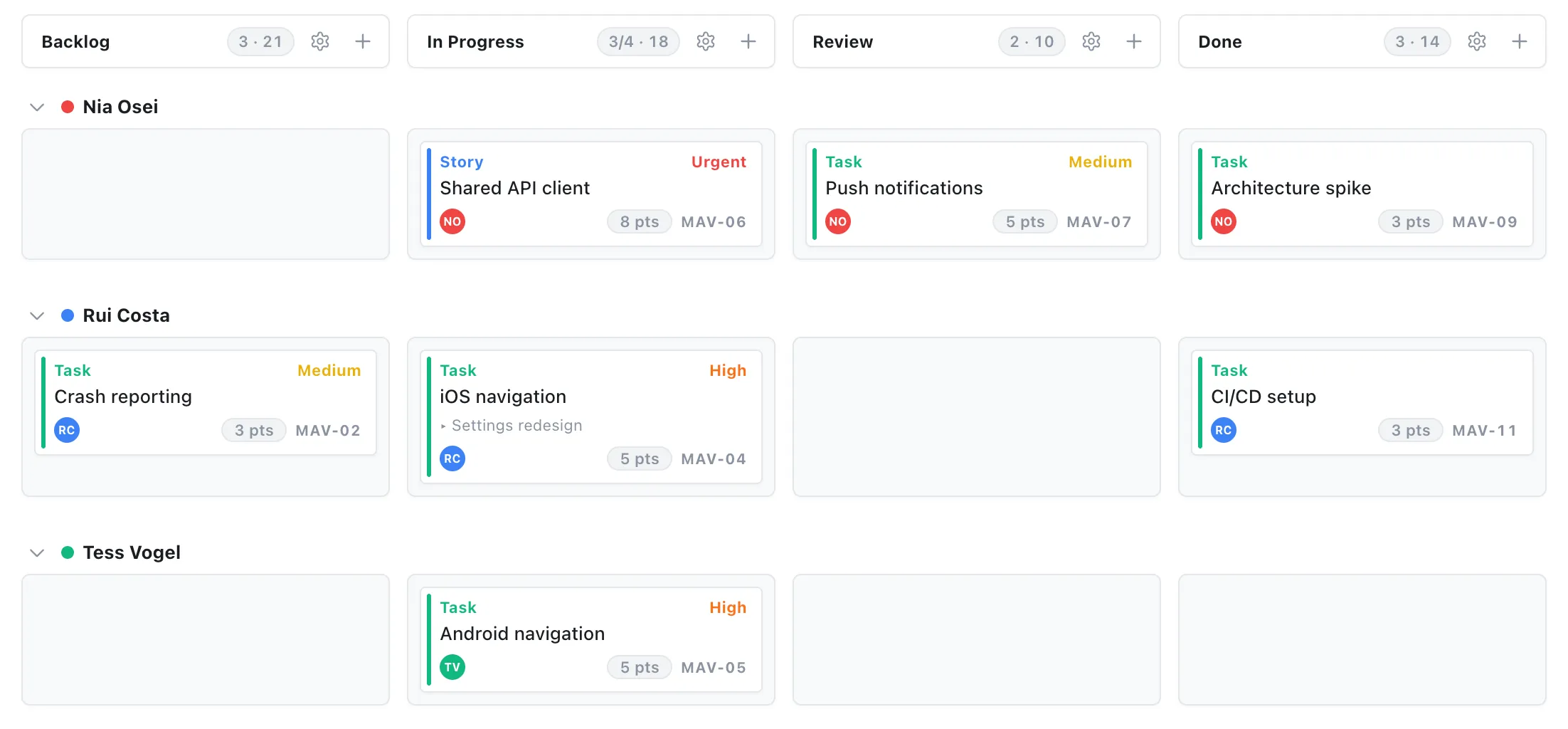
Setting one up for your project, in five steps
Say you’re launching a website. Here’s the whole setup, fifteen minutes, no methodology required.
- Name your stages honestly. Start with Backlog, In Progress, Review, Done. Rename them to match how work actually flows for you, not how a textbook says it should.
- Write one card per task. “Build pricing page,” “final pass on hero copy,” “social cards for each page.” Concrete enough that done is obvious. Give each card an owner.
- Order the backlog top to bottom by priority. The top card is the next thing anyone picks up. That single convention replaces a surprising number of planning meetings.
- Cap In Progress. Set the WIP limit and respect the red flag. When the column is full and you’re tempted to start something new, help clear a stuck card instead.
- Work the board right to left. Each morning, look at Review first (what can I finish for someone?), then In Progress (what can I move?), then Backlog (only now do I pull something new). Finishing beats starting.
Then maintain it the lazy way: update a card the moment its state changes, and spend five minutes a week archiving Done and re-sorting the backlog. If updating the board takes longer than that, the board has too many fields, cut some.
When a board is the wrong view
A Kanban board shows state, not time. It’s the right view when work is a steady flow of mostly independent tasks. It’s the wrong view when sequencing is the hard part, when one task slipping pushes four others and threatens a date. That’s a dependency problem, and a Gantt chart is built for exactly that.
The good news is you don’t have to choose at sign-up. In EverGantt the same project is a board when you’re working the week and a timeline when you’re planning dates, one set of tasks, two views, switch whenever. The board comes with the WIP limits and age warnings described above, runs in the browser with nothing to install, and is free for individuals.
Try it free. Related: the Kanban pull system, explained simply · the project features small teams actually use · plan a project in your browser in 10 minutes.
Frequently asked questions
How does a Kanban board work?
A Kanban board shows your work as cards moving left to right across columns, where each column is a stage like Backlog, In Progress, Review, and Done. A card enters on the left when work is identified and exits on the right when it ships. The board's job is to make the state of every task visible at a glance, with no status meeting required.
What do the columns on a Kanban board mean?
Each column is a stage work actually passes through on your team, not a category or a person. A good starting set is Backlog (queued), In Progress (someone is actively on it), Review (waiting on a second pair of eyes), and Done. If work on your project routinely waits somewhere else, that wait deserves its own column.
How many tasks should be in progress at once on a Kanban board?
Fewer than feels natural. A common starting point is one to two cards per person in the In Progress column, enforced with a WIP limit so the column visibly flags when you exceed it. The cap forces the team to finish work before starting more, which is where most of the speed comes from.
Do I need special software to use a Kanban board?
No, sticky notes on a wall work. Software earns its place when the team isn't in one room, when you want the board to remember things a wall can't (who owns what, how long a card has been stuck), or when you want the same tasks visible as a timeline or a list too.