
Free timeline maker
Free Online Timeline Maker
Build a project timeline right in your browser. No signup, no download. Add your milestones, set the dates, link what depends on what, and watch the timeline build itself.
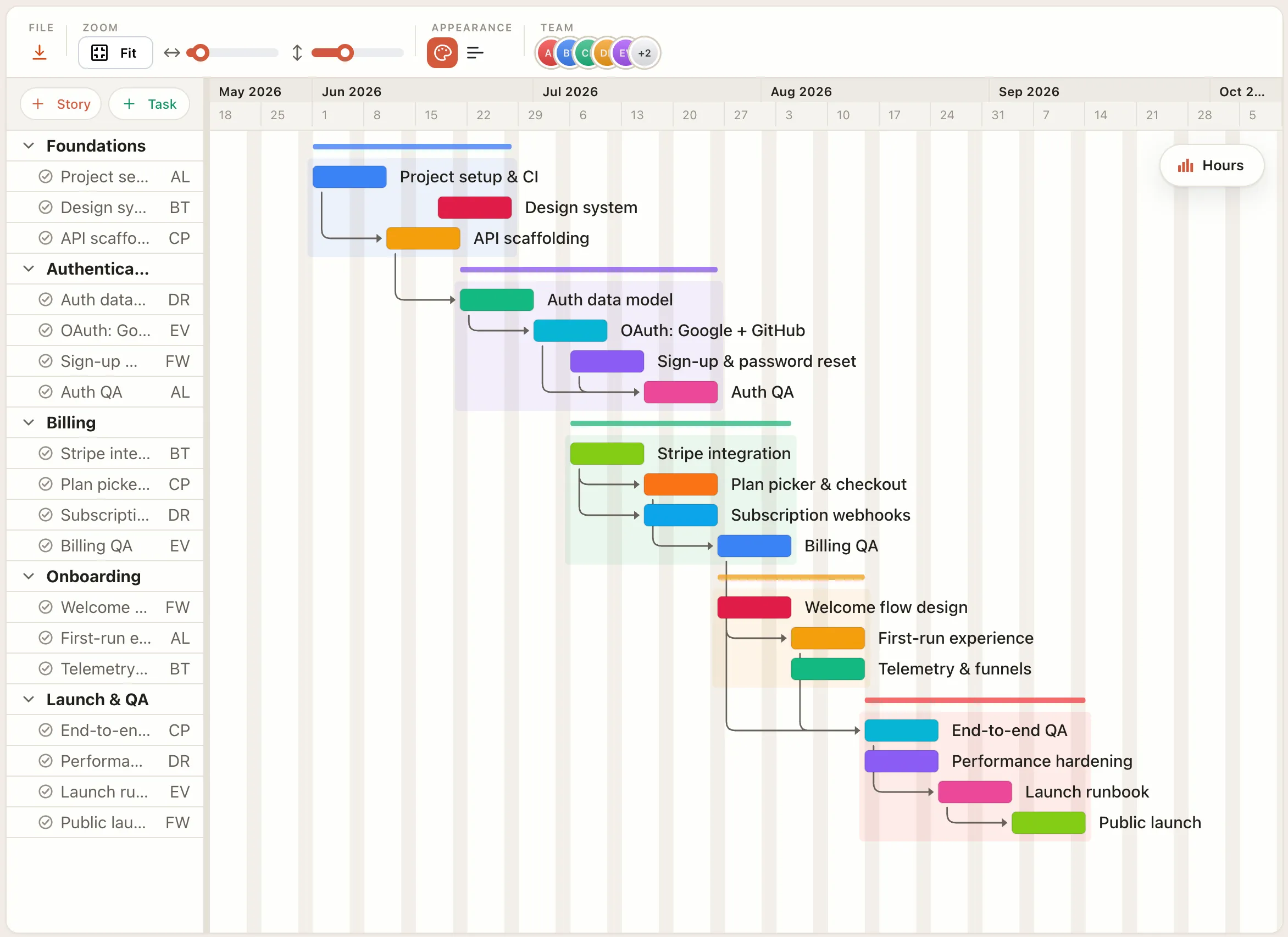
How it works
Make a timeline in four steps.
Add your milestones and tasks
List what happens. Each becomes a bar on the timeline.
Set start and end dates
Give each item a start and finish, and its bar spans exactly that stretch of the timeline.
Link what depends on what
Draw dependencies so a late item visibly pushes everything downstream of it.
Export or save
Share the finished timeline as a PNG or PDF, or sign in to keep it in the cloud.
Free in your browser
Everything you need to build and share a timeline, free.
- ✓No account needed — build and edit without signing up.
- ✓Export anything — PNG, PDF, SVG, and CSV, free.
- ✓Real dependencies — link items and see the knock-on effects when one slips.
- ✓One project, many views — the same plan as a timeline, board, or calendar.
- ✓Works in any browser — nothing to download or install.
- ✓Free to start — pay only if you want cloud save and sharing.
FAQ
Common questions
Is the timeline maker really free?
Yes. Building, editing, and exporting a project timeline in your browser is free, with no account. You only pay for Pro features like cloud save and sharing.
Do I need an account?
No. You can open the maker and build a timeline without signing up. An account is only needed to save your work to the cloud and reopen it from another browser.
Can I export my timeline?
Yes. Export to PNG, PDF, SVG, or CSV for free, then drop it into a doc or a slide deck or share it as an image.
What is the difference between a timeline and a Gantt chart?
A project timeline shows when things happen; a Gantt chart adds the dependencies between them. EverGantt does both in the same view, so you can start simple and add structure later.