
Free project scheduler
Free Project Schedule Maker
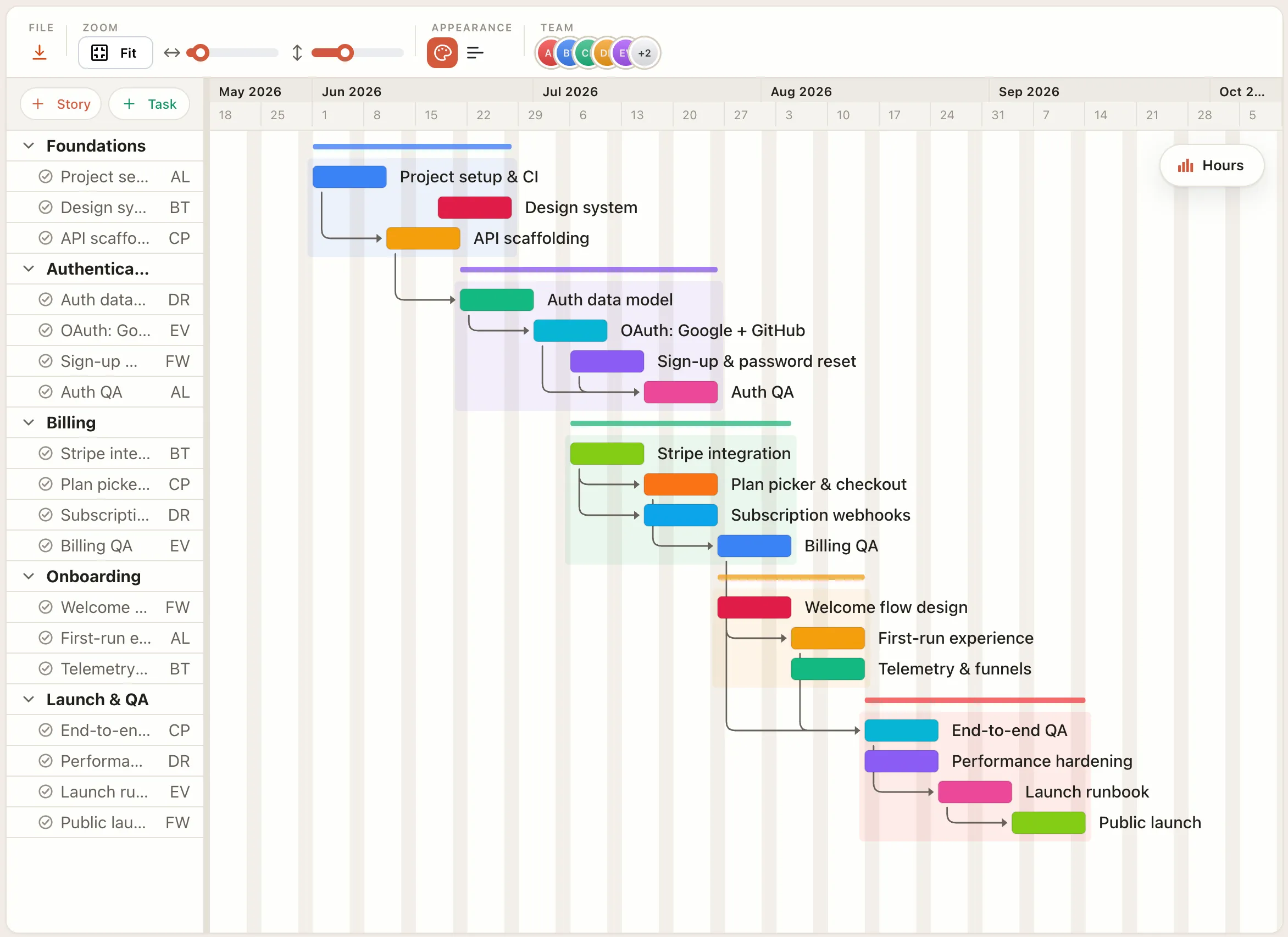
Build a project schedule right in your browser. No signup, no download. Lay out the work, set the dates, link dependencies, and see how the whole plan shifts when one task moves.
How it works
Build a project schedule in four steps.
List the work
Add tasks and milestones. Each becomes a bar on the schedule.
Set dates and durations
Type or drag the dates and the bar stretches to match.
Link dependencies
Connect tasks so the whole plan recalculates when one slips.
Check capacity, then export
See team utilization over time, then download as PNG, PDF, or CSV.
Free in your browser
Everything you need to plan a schedule, free.
- ✓No account needed — build and edit without signing up.
- ✓Real-time recalculation — move one task and the whole schedule catches up.
- ✓Team capacity — see who is overloaded across the timeline.
- ✓Export anything — PNG, PDF, SVG, and CSV, free.
- ✓Works in any browser — nothing to download or install.
- ✓Free to start — pay only if you want cloud save and sharing.
FAQ
Common questions
Is the project schedule maker really free?
Yes. Building and exporting a project schedule in your browser is free, with no account. You only pay for Pro features like cloud save and sharing.
Do I need an account?
No. You can lay out a full schedule without signing up. An account is only needed to save it to the cloud and reopen it from another browser.
What happens when a task slips?
The schedule recalculates in real time. Move or extend one task and every dependent task shifts with it, so you can see the knock-on effect immediately.
Can I see team workload?
Yes. A team utilization chart shows how much each person is loaded across the timeline, so you can spot over-allocation before it becomes a delay.