
Free kanban board
Free Online Kanban Board
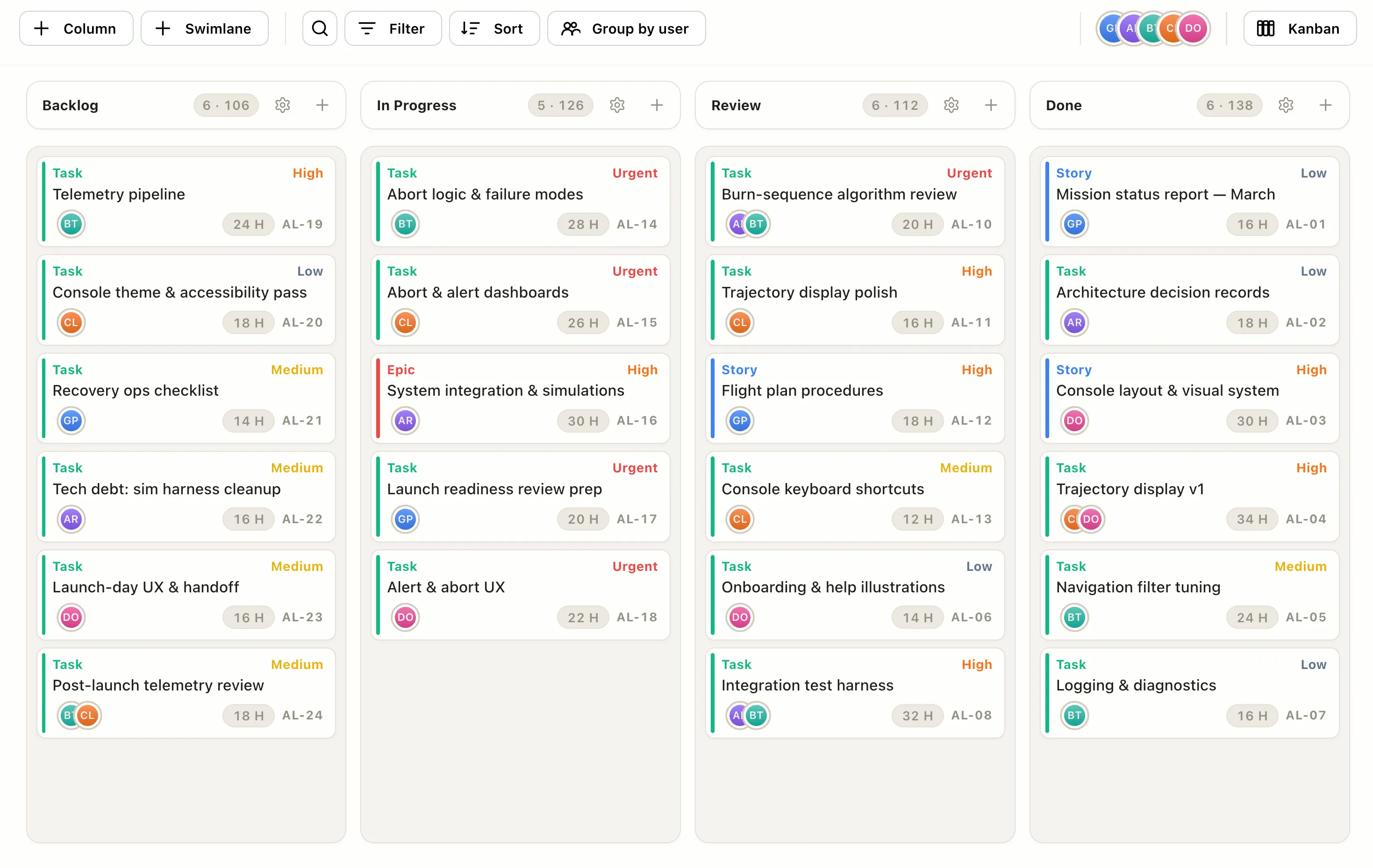
Plan your work on a kanban board right in your browser. No signup, no download. Add cards, drag them across your columns as work moves, and keep the flow going.
How it works
Make a kanban board in four steps.
Add your columns
Start with Backlog, In Progress, and Done, or make your own.
Add cards
Drop in tasks, stories, and epics. Each becomes a card you can move.
Drag across the flow
Move cards as work progresses, and set WIP limits to spot bottlenecks.
Switch views or export
Flip the same project to a Gantt or calendar, or export when you are done.
Free in your browser
Everything you need to run a board, free.
- ✓No account needed — build and edit without signing up.
- ✓Drag and drop — move cards across columns as work progresses.
- ✓WIP limits — cap a column to surface bottlenecks early.
- ✓One project, many views — the same work as a board, Gantt, or calendar.
- ✓Works in any browser — nothing to download or install.
- ✓Free to start — pay only if you want cloud save and sharing.
FAQ
Common questions
Is the kanban board really free?
Yes. Building and using a kanban board in your browser is free, with no account. You only pay for Pro features like cloud save and sharing across devices.
Do I need an account?
No. You can open the board and start adding cards without signing up. An account is only needed to save your board to the cloud and reopen it from another browser.
Can I set WIP limits?
Yes. Cap any column to a maximum number of cards so you can see bottlenecks the moment a stage gets overloaded.
Can I switch between a board and a Gantt chart?
Yes. The same project shows as a kanban board, a Gantt chart, or a calendar. Switch views from the rail without re-entering anything.