What a realistic website development timeline looks like
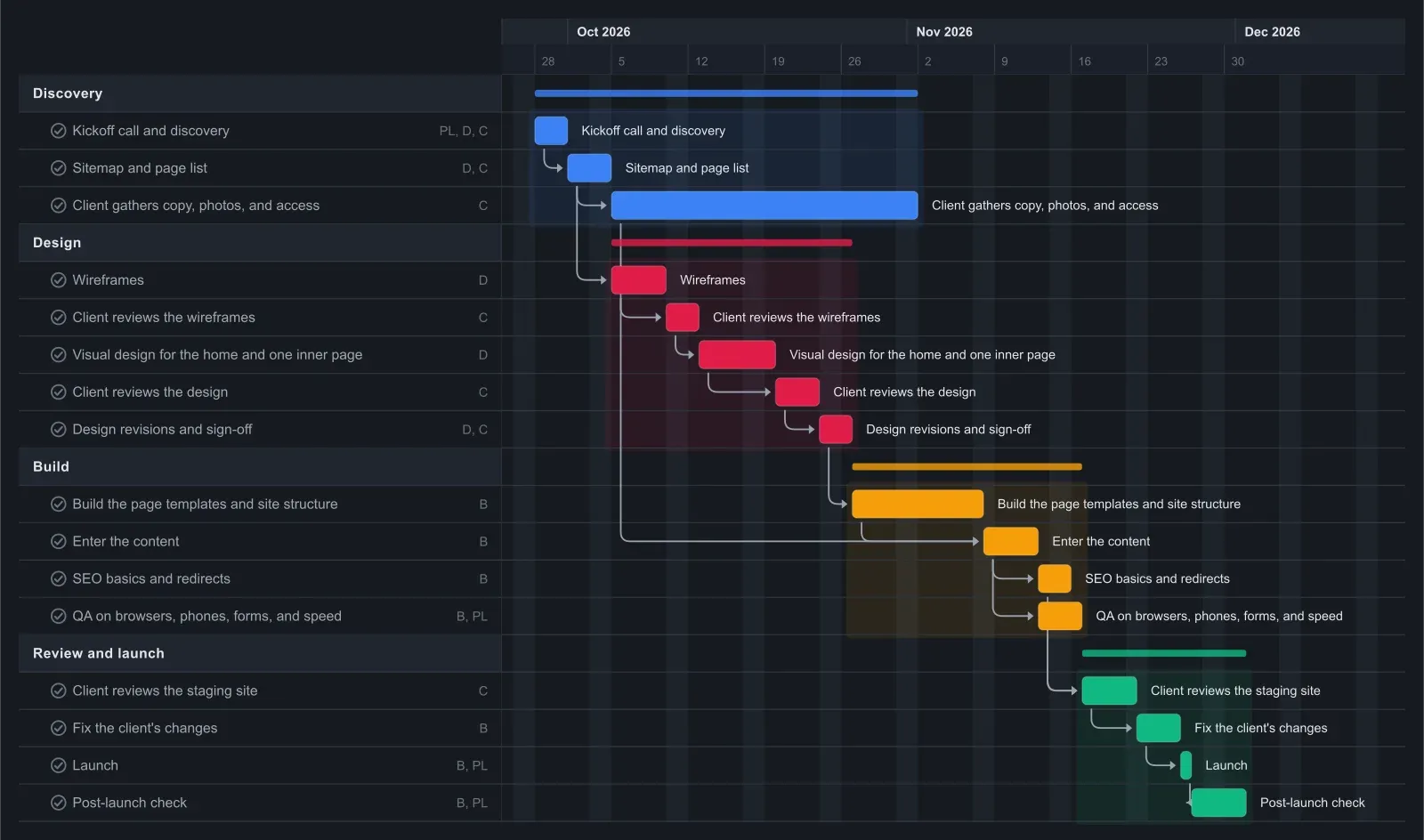
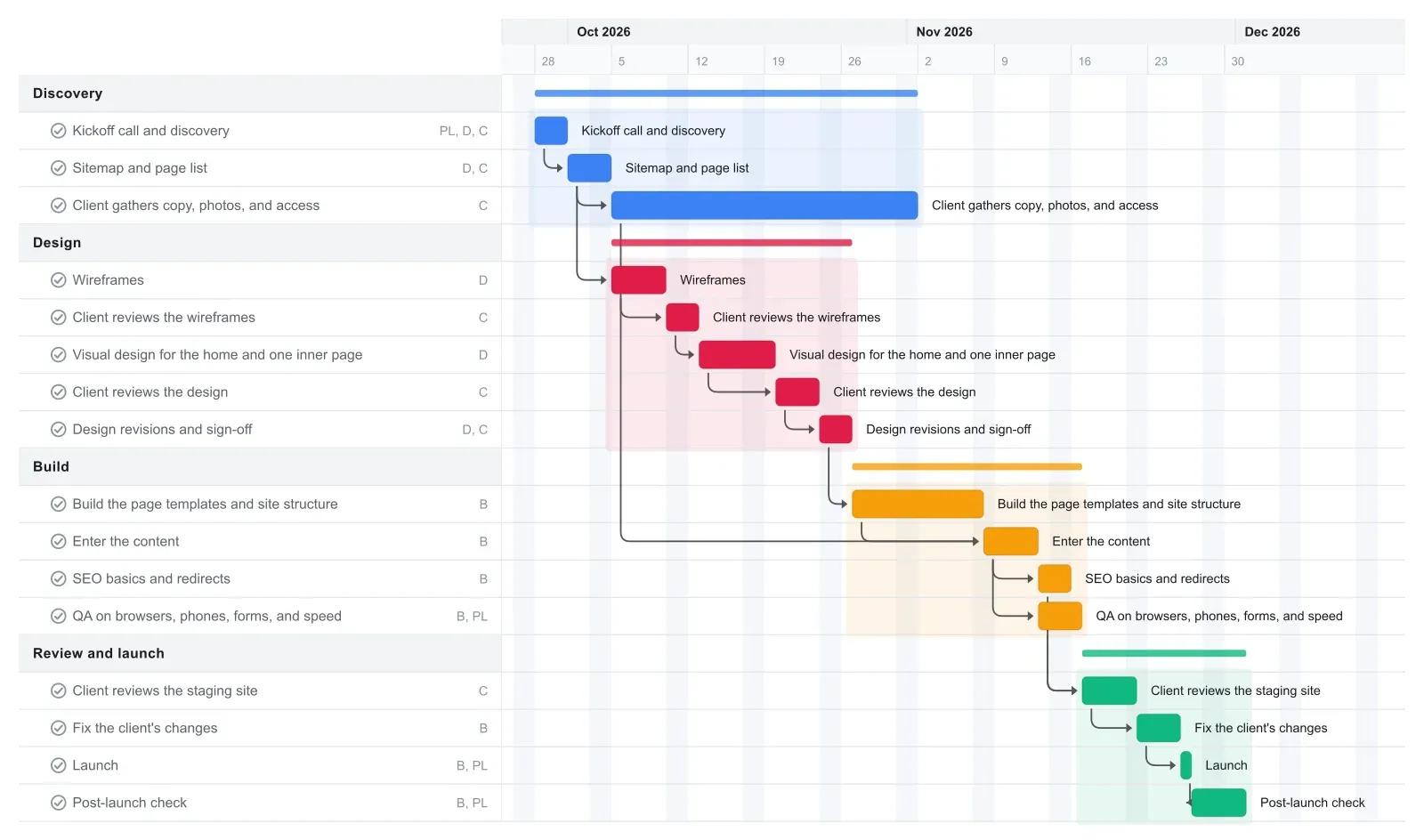
A 10 to 20 page small business website often takes two to three months, and this template reaches launch in about nine weeks. It assumes a designer and a builder, who can be the same freelancer, and a client who answers within a few days.
Discovery and the sitemap take the first week. Design runs about three weeks: wireframes, a client review, the visual design of the home page and one inner page, a second review, then revisions and sign-off. The build takes about two weeks, and content entry, SEO basics, and QA take about nine more days.
The last stretch is a five-day client review of the staging site, four days of fixes, and launch on day 60. Five days of post-launch checks follow. Alongside all of this, the client has four weeks after the sitemap to gather copy and photos. If your client's calendar looks different, drag the bars to match.
Why late client content moves the launch date
Late content moves the launch date because content entry waits on both the finished build and the client's copy and photos. Everything after content entry is linked in a line. Small site projects often stall here rather than in design or code.
In this template the client gets four weeks to gather content, starting when the sitemap is agreed. The builder needs it six days after that window closes, so there is under a week of slack. Past that, every day the content runs late pushes content entry, QA, the staging review, the fixes, and launch by a day.
Client reviews work the same way. The wireframes, the design, and the staging site each have a bar with the client assigned, so a review that takes eight days instead of four shows up as a later launch date the same day. Put the content due date in your proposal, and send the client the exported chart so they can see how a late delivery moves the launch date.
Make it yours
Drag the first task to your real start date and everything linked to it moves along. Rename the roles to your people, then export a PNG, PDF, or SVG when you need to share it. No template fits? Start from a blank plan with the project schedule maker. Saving to the cloud starts at Pro; sharing with teammates is on Team and Business.