What a realistic book publishing timeline looks like
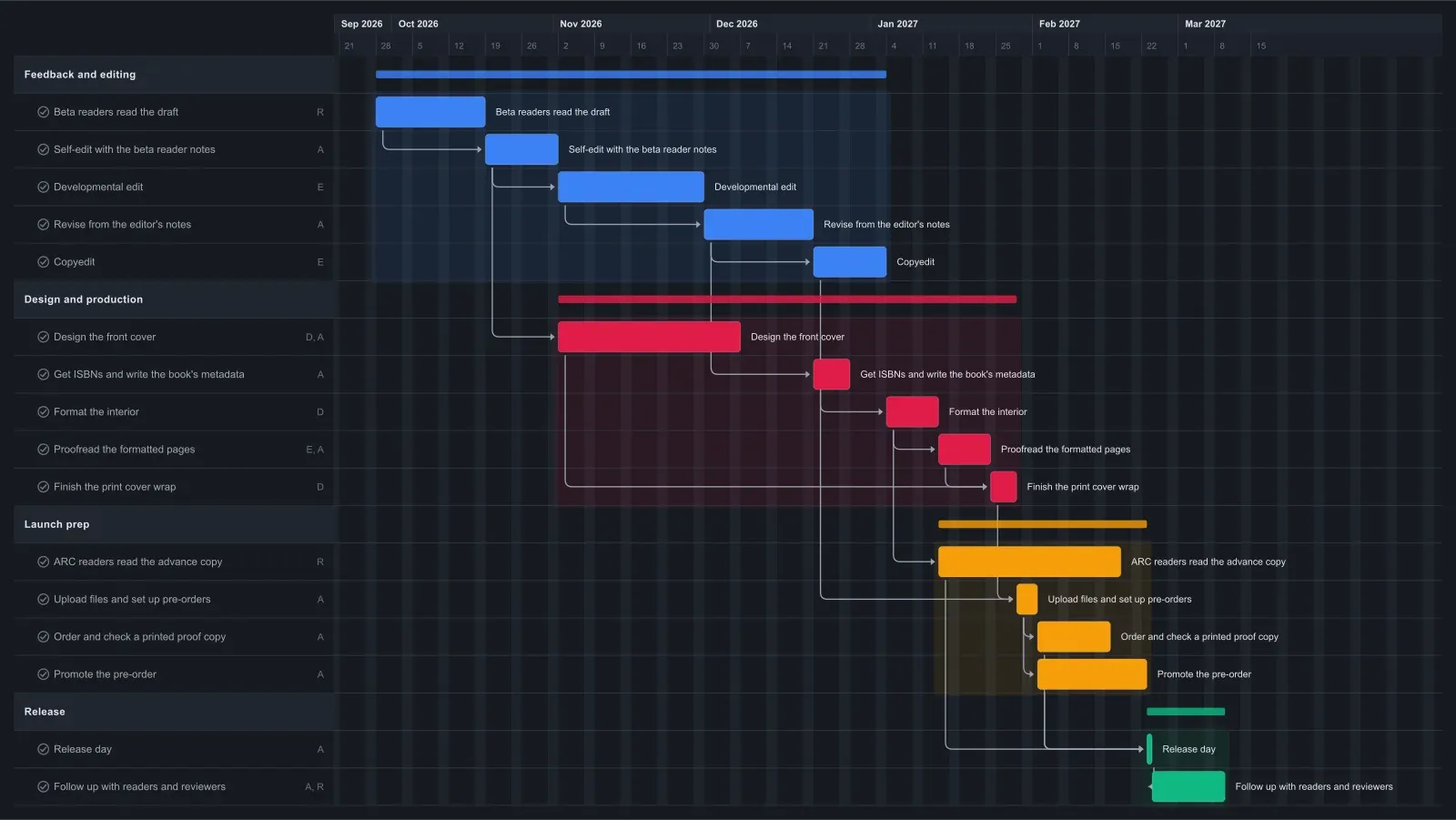
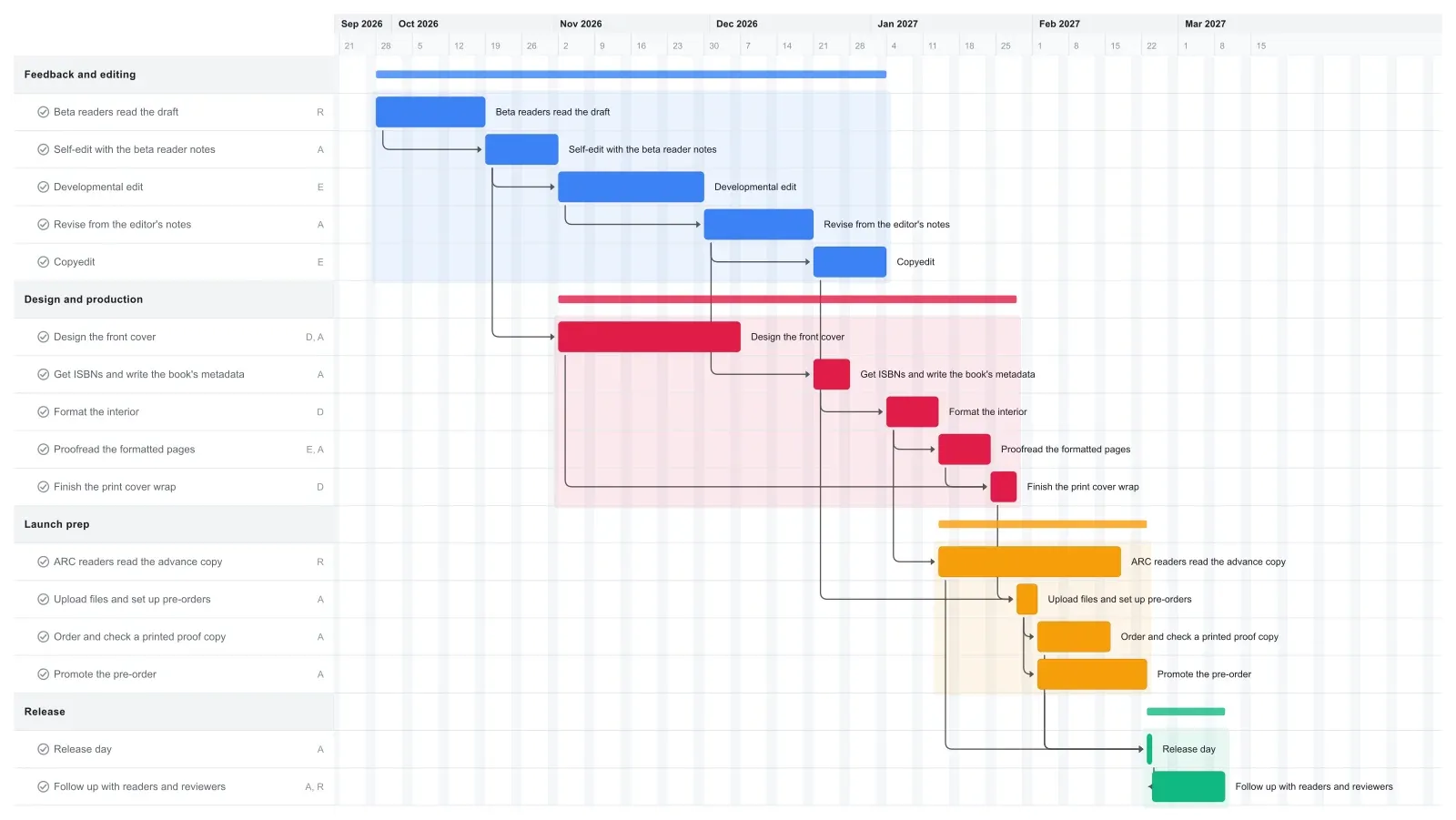
A self-published book usually needs four to six months to get from a finished first draft to release day, and longer if your editor or designer is booked out. This template puts release day in week 22, about five months in, with two weeks of follow-up after it.
The editing chain sets the pace: three weeks with beta readers, two weeks of self-editing, a four-week developmental edit, three weeks of revisions, then a copyedit, formatting, and a proofread. Each step waits on the one before it, so a slow edit pushes release day later.
The front cover runs alongside the edits and is ready well before it's needed. Advance readers get the formatted ebook about six weeks before launch. Once the proofread is done, the designer finishes the print cover, and you upload the files and open pre-orders. Editors' and designers' turnaround times vary a lot, so set each bar to the dates they actually quote you.
How to adapt this template to your book
Delete the tasks your book doesn't need, then drag the later tasks back to close the gap. Links push tasks later but never pull them earlier, so a deleted task leaves a hole until you move things yourself. Cmd-click (Ctrl-click on Windows) several bars to drag them together, or drag a whole phase bar.
For an ebook-only release, delete the print cover wrap and the printed proof copy, then link the upload after the proofread. If the structure already works, delete the developmental edit and its revisions, then link the copyedit and ISBN tasks to the self-edit.
When a step runs long, stretch its bar instead. If your developmental editor's first opening is a month later than the chart shows, drag the developmental edit bar a month later, and everything linked after it moves with it. That's the reason to keep your self-publishing timeline in one linked plan: you see the new release date before you announce it to readers or set a pre-order date.
Make it yours
Drag the first task to your real start date and everything linked to it moves along. Rename the roles to your people, then export a PNG, PDF, or SVG when you need to share it. No template fits? Start from a blank plan with the project schedule maker. Saving to the cloud starts at Pro; sharing with teammates is on Team and Business.