
EverGantt

Gantt chart template

Software Development Template

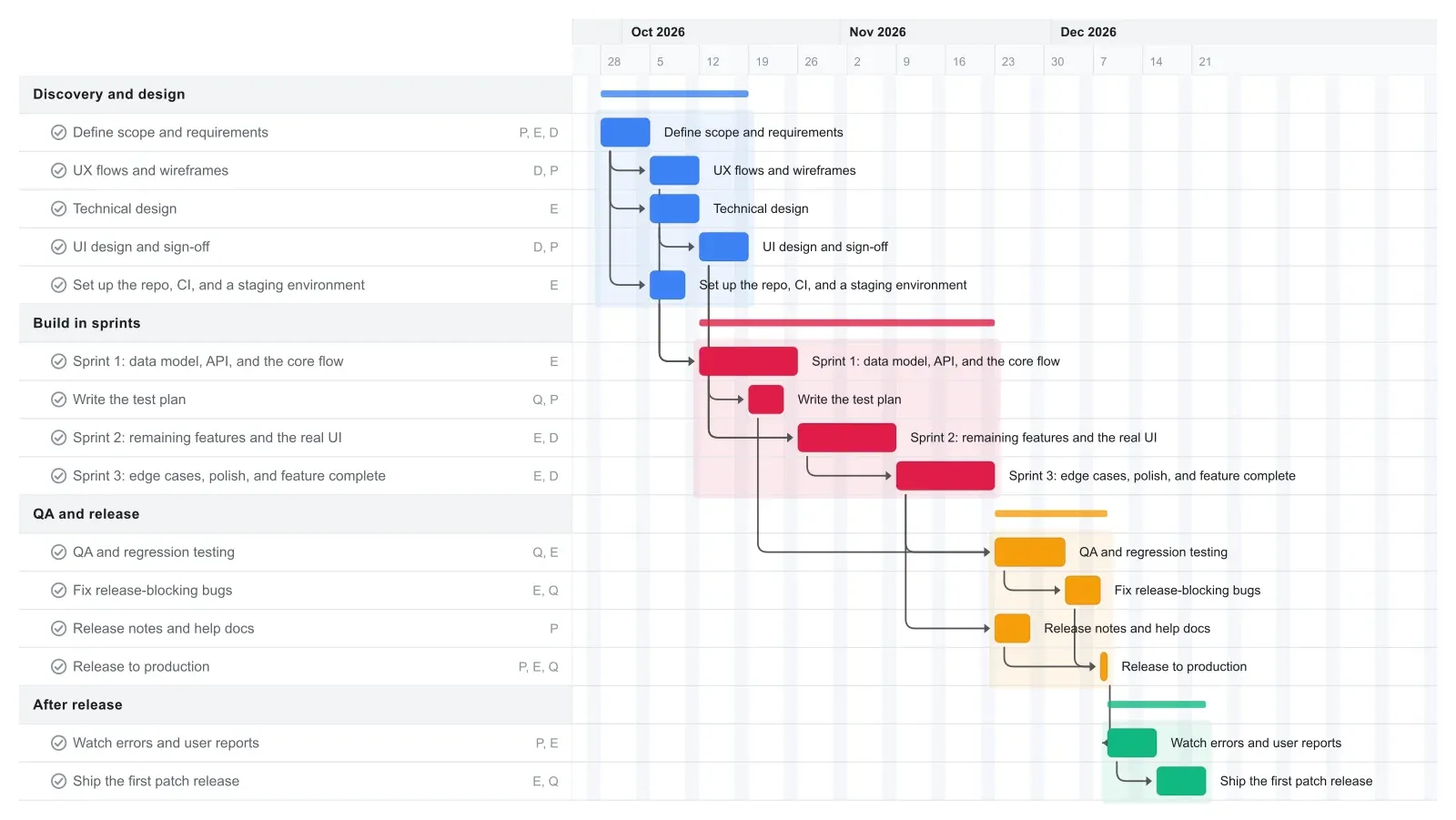
This software development Gantt chart takes a team of three to six from requirements to a first patch release in about 12 weeks: scope, UX and technical design, three two-week sprints, QA, release, and a round of fixes after. Each task is linked to the one it waits on, so when a sprint runs long a long sprint shows up as a new release date right away. It opens in your browser with no account needed.

15 tasks · 4 phases · about 3 months

Software & web

Software Development Gantt chart template in EverGantt, light theme

What's in this template

PhaseTaskLengthDepends onWho
Discovery and design Define scope and requirements 7 days - Product, Engineering, Design
Discovery and design UX flows and wireframes 7 days Define scope and requirements Design, Product
Discovery and design Technical design 7 days Define scope and requirements Engineering
Discovery and design UI design and sign-off 7 days UX flows and wireframes Design, Product
Discovery and design Set up the repo, CI, and a staging environment 5 days Define scope and requirements Engineering
Build in sprints Sprint 1: data model, API, and the core flow 2 weeks Technical design, Set up the repo, CI, and a staging environment Engineering
Build in sprints Write the test plan 5 days UI design and sign-off QA, Product
Build in sprints Sprint 2: remaining features and the real UI 2 weeks Sprint 1: data model, API, and the core flow, UI design and sign-off Engineering, Design
Build in sprints Sprint 3: edge cases, polish, and feature complete 2 weeks Sprint 2: remaining features and the real UI Engineering, Design
QA and release QA and regression testing 10 days Sprint 3: edge cases, polish, and feature complete, Write the test plan QA, Engineering
QA and release Fix release-blocking bugs 5 days QA and regression testing Engineering, QA
QA and release Release notes and help docs 5 days Sprint 3: edge cases, polish, and feature complete Product
QA and release Release to production 1 day Fix release-blocking bugs, Release notes and help docs Product, Engineering, QA
After release Watch errors and user reports 7 days Release to production Product, Engineering
After release Ship the first patch release 7 days Watch errors and user reports Engineering, QA

What a realistic software development timeline looks like

A new feature set or small app built by three to six people often takes about three months, and this software development Gantt chart runs about 12 weeks from requirements to the first patch. The release itself lands on the Tuesday of week 11.

The first week settles scope. In week 2, design works on UX flows while engineering writes the technical design and sets up the repo, CI, and staging, so Sprint 1 starts on the Monday of week 3. UI sign-off finishes during Sprint 1, which is why that sprint covers the data model, the API, and the core flow.

Three two-week sprints reach feature complete at the end of week 8. QA gets ten days and bug fixing gets five, then the release. A week of watching errors and user reports feeds a patch release that ships early in week 13. If the release also needs a marketing push, the product launch template covers that side.

How a Gantt chart and sprints fit together

A Gantt chart shows the order of the sprints and the release date, and a board runs the day-to-day work inside each sprint. In this template each sprint is one two-week bar, linked to the one before it, with QA and the release linked to the last sprint. That's all an agile Gantt chart needs to be: a handful of bars that say when the release lands.

The tasks inside a sprint change too often to schedule by date, so they belong on a board. In EverGantt the same project opens as a Gantt chart, a Kanban or scrum board, or a calendar, so the team works the sprint on the board and checks the release date on the chart.

When Sprint 2 runs over, stretch its bar. Sprint 3, QA, and the release move later with it, and you can decide that day whether to cut scope or accept the new date. If a sprint finishes early, the later bars stay where they are until you drag them back.

Make it yours

Drag the first task to your real start date and everything linked to it moves along. Rename the roles to your people, then export a PNG, PDF, or SVG when you need to share it. No template fits? Start from a blank plan with the project schedule maker. Saving to the cloud starts at Pro; sharing with teammates is on Team and Business.
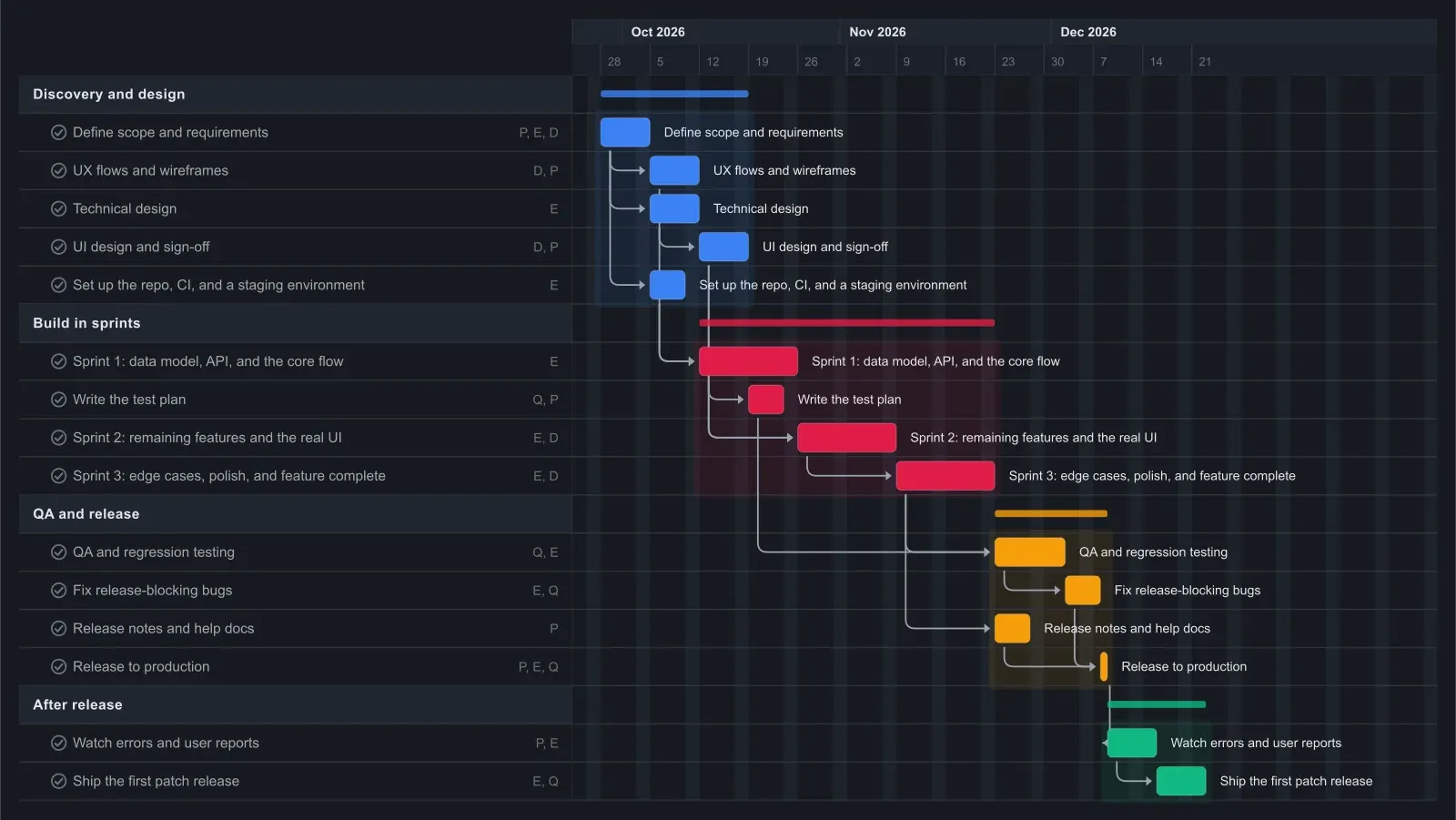
Software Development Gantt chart template in EverGantt, dark theme

Frequently asked questions

How long does it take to build a small app or feature set?

About three months for a team of three to six. This template runs about 12 weeks: two weeks of scope and design before Sprint 1, three two-week sprints, ten days of QA, five days of bug fixing, the release in week 11, and a patch after. Bigger scope usually means more sprints rather than longer ones.

Can you use a Gantt chart with scrum or sprints?

Yes. Use the Gantt chart for the sequence of sprints, the QA window, and the release date, and use a board for the tasks inside each sprint. Keep each sprint as one bar instead of scheduling every ticket by date. When a sprint runs long, stretch its bar and the release moves later on the chart.

Do I need an account to use this software development template?

No. The template opens in your browser with no account needed, and you can edit it and export a PNG, PDF, SVG, or CSV. Saving to the cloud and opening the plan from any browser starts at Pro, which is $3.99 a month for one person. See pricing for the details.

Open the Software Development template →

Related: What is a sprint, and why can't we just use a Kanban board? · What's a simple alternative to Jira for a small team? (2026) · How a Kanban board works (and how to use one for your project)

More templates