
EverGantt Pro is now free for students
Published June 6, 2026
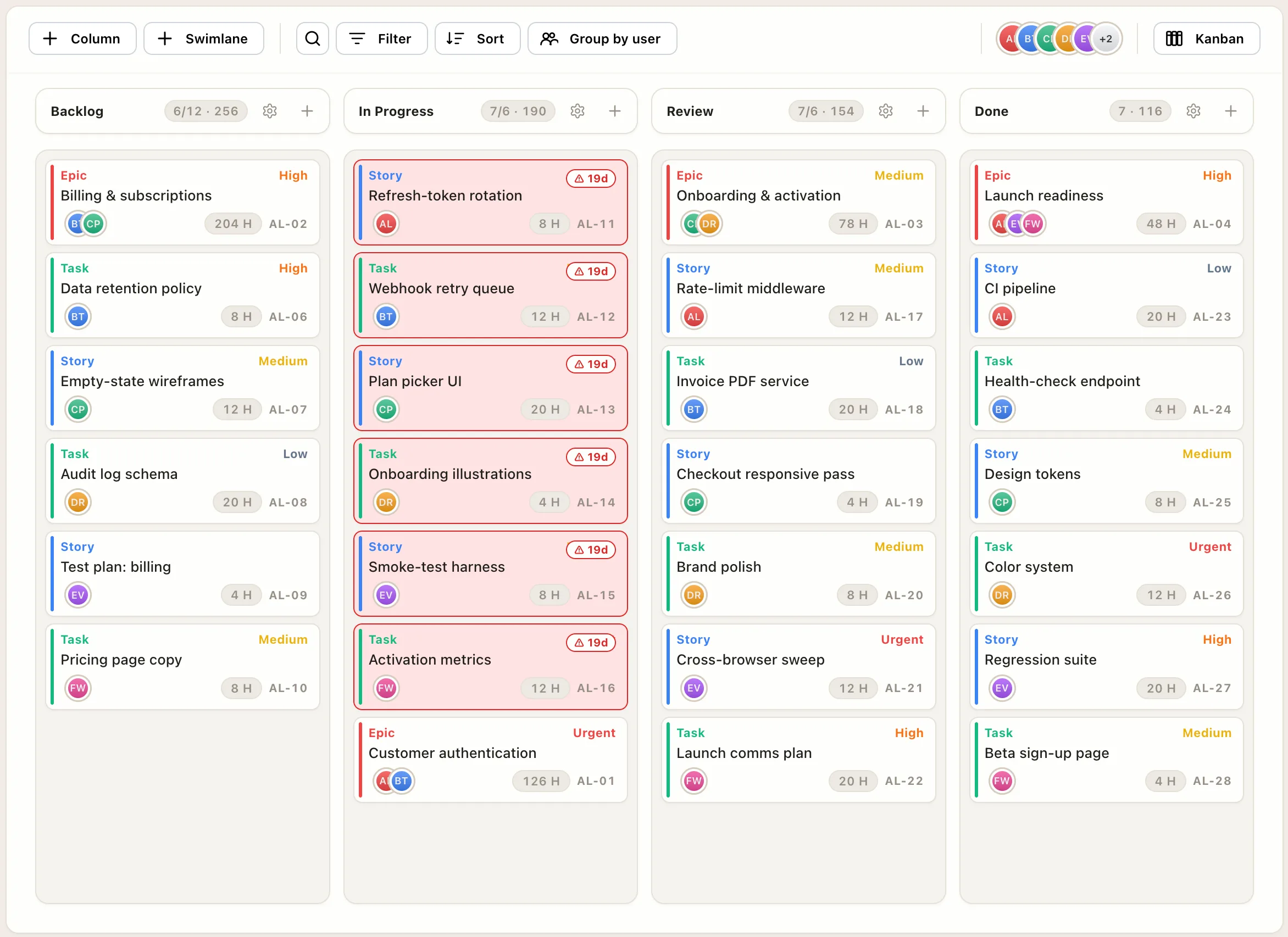
EverGantt Pro is now free for students, the whole thing, not a trimmed-down “student edition.” Cloud save, real-time team editing, Gantt, Kanban, calendar, team capacity, exports: all of it, free, for as long as you’re enrolled.
Here’s why we did it, and two places students already fit.
Why
We didn’t build EverGantt to charge people who are still learning the work. Students run real projects (capstones, research, club operations, hackathons), usually with a team, always against a deadline, and rarely with a budget for $15-a-seat software. Charging per person for that is the exact kind of pricing we built EverGantt to avoid. So for students, the price is zero.
For the group project
You know the failure mode. Four people, a shared doc, a group chat, and a due date that feels far away right up until it isn’t. One person quietly ends up doing most of it, or the whole thing stalls on “I thought you were handling that.”
A plan fixes the part the group chat can’t: who’s doing what, in what order, by when. Put the term on a Gantt so the sequence is visible (design before build, build before the demo), and run the week on a board so everyone can see what’s actually moving.
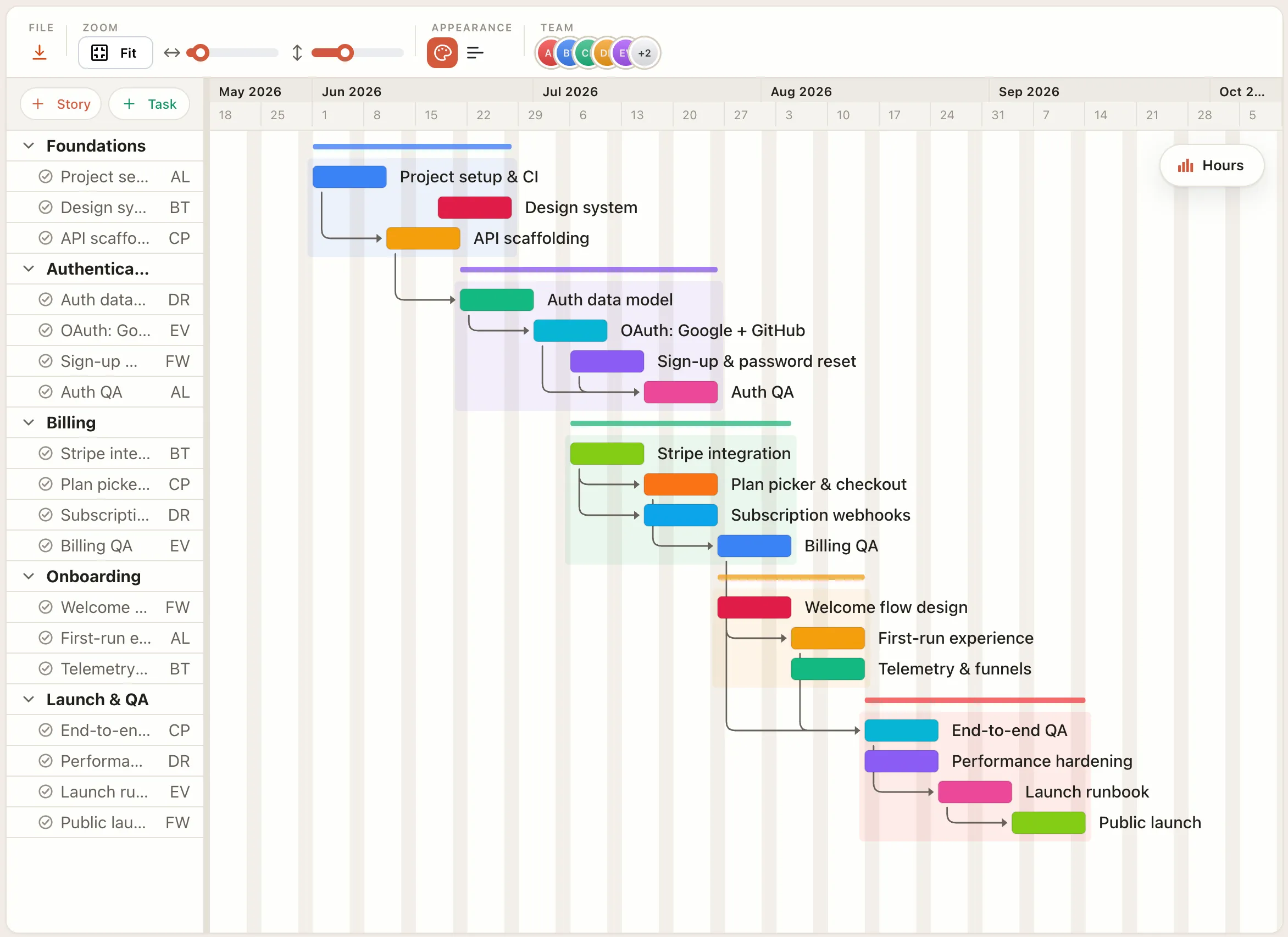
It’s the same plan underneath, just two views of it: the timeline for the whole term, the board for this week. That’s most of what a student team needs and not much more.
For the project-management course
There’s a second fit, and it’s a natural one: project-management courses themselves. If you’re teaching or taking a PM program, you want students working in a real tool (real dependencies, a real critical path, a board with actual WIP limits), not a screenshot on a slide or an enterprise trial that expires mid-semester.
EverGantt is free for every enrolled student, so an instructor can put a whole class on it without a procurement conversation, and students keep their accounts when the course is over. The thing they learned project management in is still there for the next project.
How to get it
Email us from your school address, or send a photo of a current student ID, and we’ll switch your account to Pro, usually the same day. The details are on the students & nonprofits page.
That’s the whole offer. Build the plan free in your browser today; the moment you want to save it, share it with your group, or hand it to an instructor, it’s already Pro.
Frequently asked questions
Is EverGantt really free for students?
Yes. Currently-enrolled students get full EverGantt Pro free, cloud save, real-time team editing, and the whole planning suite, not a stripped-down student edition. Email us from your school address or send a photo of a current student ID and we'll switch your account to Pro, usually the same day.
What counts as a student?
Anyone currently enrolled, full- or part-time, anywhere in the world. We keep verification light, a school email address or a current student ID is enough.
Can my whole project group use it?
Yes. Each enrolled member of a group project qualifies for free Pro, so the whole team can share one live plan, edit it together, and save it to the cloud at no cost.
Can a professor use it for a whole class?
Yes. Because it's free for every enrolled student, an instructor can put an entire class on EverGantt without a procurement process, and students keep their accounts after the course ends.