
Project management software without AI (2026)
Published June 3, 2026
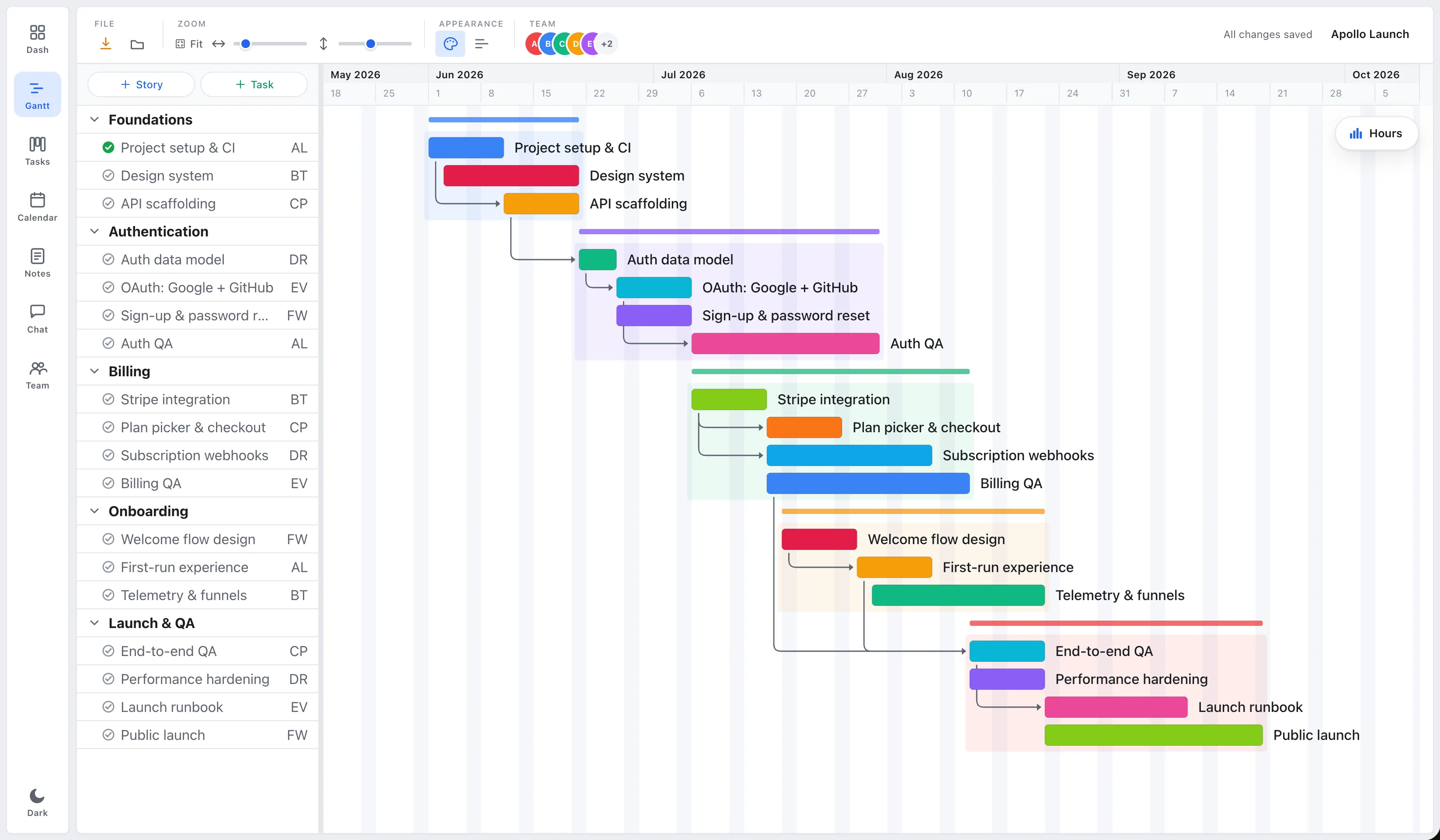
Short answer: Yes, you can still run a project without an AI assistant looking over your shoulder, but it’s gotten harder to find. As of 2026, almost every major project management tool has bolted on AI. EverGantt is one of the few built without it: the schedule recalculates in real time, but the tool won’t write your plan, summarize your standup, or guess your priorities. If you want software that just runs the plan and leaves the thinking to you, here’s where the popular tools land and what to look for.
Almost every PM tool added AI. Here’s the map
The category converged fast. In the last two years, AI stopped being a side feature and became the headline. Asana shipped AI Studio and “AI Teammates.” monday.com rolled out platform-wide monday AI. ClickUp built Brain into the workspace, Notion rebuilt itself around Agents, Atlassian put Rovo inside Jira and Trello, Wrike added Copilot, and Smartsheet launched a suite of Smart Agents.
The honest takeaway: among the big names, “no AI at all” has basically stopped existing. So the useful question isn’t does it have AI. It’s can I turn it off, and am I paying for it either way?
| Tool | Built-in AI (2026) | What it’s called | Can you switch it off? |
|---|---|---|---|
| Asana | Yes | AI Studio / AI Teammates | Yes, admins toggle it org- or team-wide |
| monday.com | Yes | monday AI | Metered by credits; no global off-switch in the docs |
| ClickUp | Yes | ClickUp Brain | Baked in; optional and metered |
| Notion | Yes | Notion AI / Agents | Baked in; optional and metered |
| Jira (Atlassian) | Yes | Rovo / Atlassian Intelligence | Yes, admins can block it per app (on by default) |
| Trello | Yes | Atlassian Intelligence | Yes, can be blocked or opted out |
| Wrike | Yes | Wrike Copilot | Baked in; optional |
| Smartsheet | Yes | Smartsheet AI | Baked in; optional |
| EverGantt | No | , | Nothing to disable |
As of June 2026. These tools change fast, so check the current docs before you commit.
So it splits two ways. If “without AI” means no AI I can switch off, then Asana, Jira, and Trello qualify, since an admin can disable it. If you mean no AI in the product at all, your honest options narrow to deliberately lightweight tools, and EverGantt is one of them.
Why AI-free is fine, often better, for a small team
It’s one less thing carrying weight
Most AI features are demo candy. They win the sales call and then sit in a panel you rarely open. The daily job of a small team isn’t writing task descriptions faster. It’s keeping the plan current, and every assistant is one more surface to manage: another setting, another suggestion to accept or reject, another “did it do that right?” check.
A tool that adds buttons faster than it removes friction is one people quietly route around. They update it late, or not at all, and the plan drifts out of date. (Why teams fall back to the spreadsheet. And the longer version of this argument: AI doesn’t need to be in everything.)
You’re not paying for a feature you won’t open
AI is the new upsell tier. monday.com meters it with credits; most of the others gate it behind a higher plan. Either way you’re funding a model you barely touch, on top of the per-seat price you already pay. A tool without AI has less to charge you for. EverGantt is free for individuals and $3.99/user/month for teams, with no AI tier to graduate into. (Why planning software costs too much.)
Planning is a judgment call
Sequencing work and balancing capacity depend on context a model doesn’t have: who’s quietly overloaded, which client always moves the deadline, which dependency is actually firm and which is wishful. A confidently wrong auto-generated plan is worse than a blank page, because now someone has to notice it’s wrong before they can fix it.
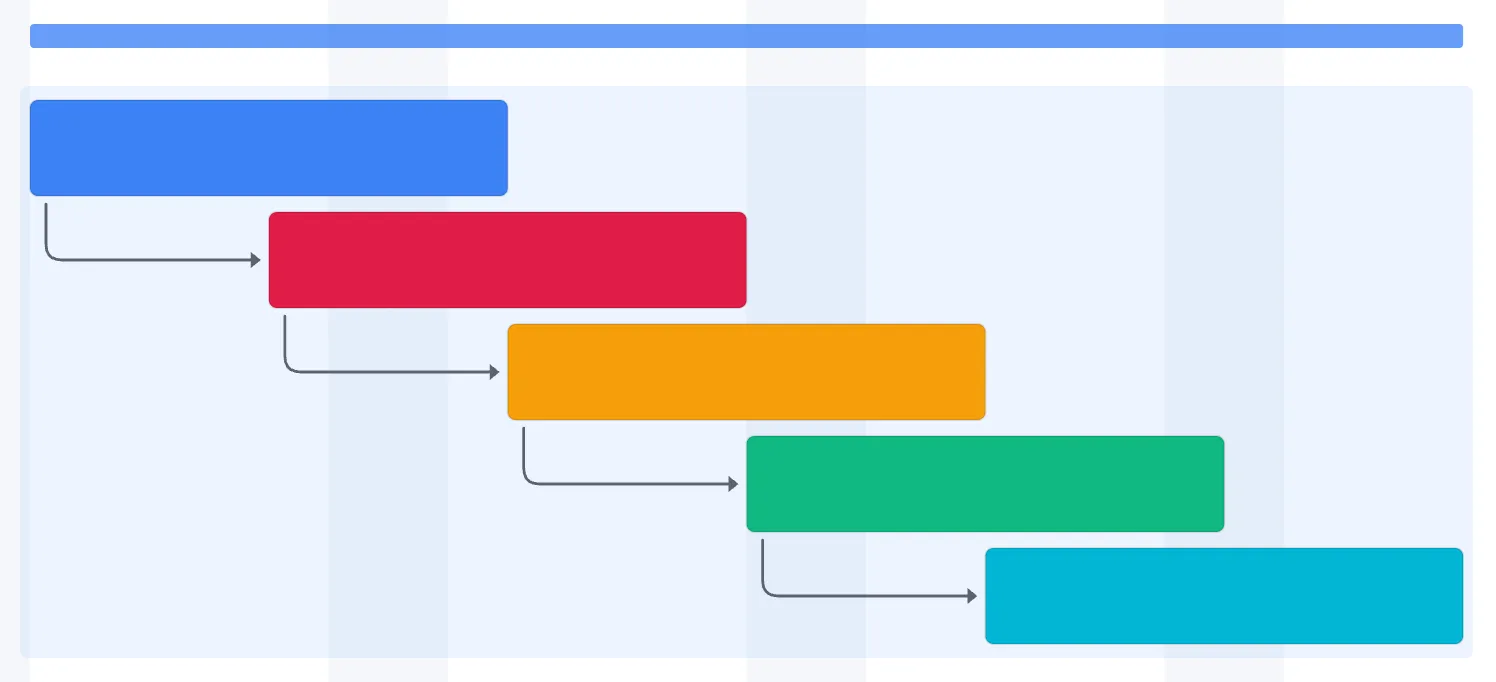
EverGantt’s “real-time” means recalculation, not prediction. Move a task and every dependent date shifts to match, instantly, by the same logic every time. That’s the part you actually want automated: the arithmetic of the schedule, not the call on what to build next.
What to look for in an AI-free PM tool
If you’re shopping for something that stays out of your way, the checklist is short:
- Runs in the browser with nothing to install or update.
- A short list of fields per task. Owner, status, date, a note covers most work.
- A real schedule with dependencies, not just a list that calls itself a timeline.
- A capacity view so you can see who’s overloaded without asking around.
- Transparent pricing with no AI tier you’re nudged toward.
- Your data stays yours. Nothing you enter is training a model.
What that looks like in practice
EverGantt is built on exactly that shape, and it’s AI-free on purpose. You sign up and you’re planning: Gantt scheduling with dependencies, a Kanban or scrum board, a team-capacity view, and plain tasks, all in the browser. It’s free for individuals and $3.99/user/month for teams. (The five features small teams actually use.) The only thing working in the background is the schedule itself, recalculating the moment you change it. (One source of truth, not five trackers.)
Want to see it without an assistant in the way? Start free in your browser, or compare pricing first.
More on simple tools: The easiest project management software · The 80% case · Why planning software costs too much.
Frequently asked questions
Is there a project management tool that doesn't use AI?
Yes, but there are fewer than there used to be. As of 2026 most major tools (Asana, monday.com, ClickUp, Notion, Jira, Trello, Wrike, and Smartsheet) ship built-in AI. Deliberately AI-free options still exist: EverGantt is one. It recalculates your schedule in real time but has no AI assistant, summarizer, or plan generator.
Do all project management tools use AI now?
Nearly all the big ones do. The real difference is control. Asana, Jira, and Trello let an admin switch AI off, while tools like ClickUp, Notion, monday.com, Wrike, and Smartsheet bake it into the product and meter usage. A smaller set of focused tools ship no AI at all.
Is AI in project management software actually useful?
It can speed up writing task descriptions or summarizing a long thread. But it doesn't fix the thing that actually causes delays: keeping the plan current and sequencing work in the right order. For many small teams the AI tier is mostly paid-for features they rarely open.
Does EverGantt use AI?
No. EverGantt is deliberately AI-free. Its 'real-time' means the schedule recalculates the moment you move a task or change a dependency, not a model writing or guessing your plan. Nothing you enter trains an AI.