
EverGantt

Gantt chart template

Video Production Template

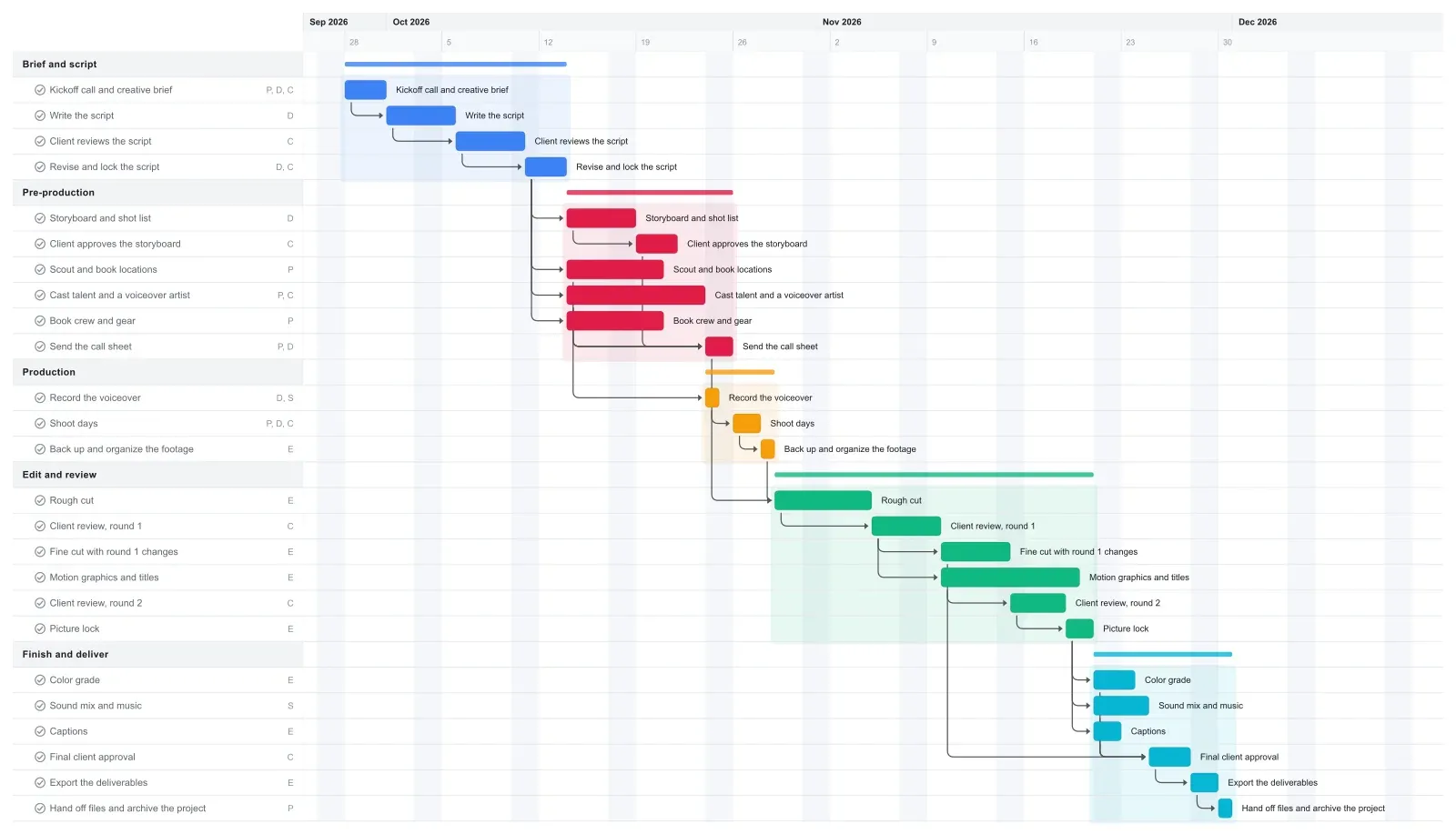
This video production Gantt chart plans a two to three minute client video in about nine weeks: brief, script, storyboard, locations and casting, the shoot, the edit, two client review rounds, color, sound, captions, and delivery. Every task is linked to the one it waits on, so when the client sits on a cut for an extra week, picture lock, the mix, and your delivery date move with it. Open it in your browser with no account needed and set the dates to your client's deadline.

25 tasks · 5 phases · about 2 months

Creative & media

Video Production Gantt chart template in EverGantt, light theme

What's in this template

PhaseTaskLengthDepends onWho
Brief and script Kickoff call and creative brief 3 days - Producer, Director, Client
Brief and script Write the script 5 days Kickoff call and creative brief Director
Brief and script Client reviews the script 5 days Write the script Client
Brief and script Revise and lock the script 3 days Client reviews the script Director, Client
Pre-production Storyboard and shot list 5 days Revise and lock the script Director
Pre-production Client approves the storyboard 3 days Storyboard and shot list Client
Pre-production Scout and book locations 7 days Revise and lock the script Producer
Pre-production Cast talent and a voiceover artist 10 days Revise and lock the script Producer, Client
Pre-production Book crew and gear 7 days Revise and lock the script Producer
Pre-production Send the call sheet 2 days Client approves the storyboard, Scout and book locations, Cast talent and a voiceover artist, Book crew and gear Producer, Director
Production Record the voiceover 1 day Cast talent and a voiceover artist Director, Sound
Production Shoot days 2 days Send the call sheet Producer, Director, Client
Production Back up and organize the footage 1 day Shoot days Editor
Edit and review Rough cut 7 days Back up and organize the footage, Record the voiceover Editor
Edit and review Client review, round 1 5 days Rough cut Client
Edit and review Fine cut with round 1 changes 5 days Client review, round 1 Editor
Edit and review Motion graphics and titles 10 days Client review, round 1 Editor
Edit and review Client review, round 2 4 days Fine cut with round 1 changes Client
Edit and review Picture lock 2 days Client review, round 2 Editor
Finish and deliver Color grade 3 days Picture lock Editor
Finish and deliver Sound mix and music 4 days Picture lock Sound
Finish and deliver Captions 2 days Picture lock Editor
Finish and deliver Final client approval 3 days Color grade, Sound mix and music, Captions, Motion graphics and titles Client
Finish and deliver Export the deliverables 2 days Final client approval Editor
Finish and deliver Hand off files and archive the project 1 day Export the deliverables Producer

What a realistic video production timeline looks like

A two to three minute brand or explainer video with a short shoot takes about two months from kickoff to delivered files, and this template runs about nine weeks. It gives every client review a window of several days, because those waits are the part of the schedule you don't control.

The first 16 days go to the brief and the script, including five days for the client to read it. Pre-production takes just under two weeks, because the storyboard, locations, casting, and crew all run side by side once the script is locked. The shoot is two days.

Post takes the last five weeks or so: a rough cut, two client review rounds, picture lock, then color, sound, and captions at the same time before final approval and export. If your crew or your client's calendar works differently, drag the bars to match.

Why client review rounds decide the delivery date

Client reviews decide the delivery date because they sit on the critical path and nobody on your team controls them. The editor can't start the fine cut until round 1 comes back, and color and sound can't start until round 2 is done and the picture is locked.

So the script, the storyboard, each cut, and the final approval all get their own bars with the client assigned, and each one is linked to the work that needs it. If round 1 takes ten days instead of five, the fine cut, round 2, picture lock, the mix, and delivery all move five days, and you see the new date that day.

Some tasks have slack. Motion graphics finish about five days before the final approval needs them, and the voiceover is recorded four days before the rough cut starts, so a small slip there costs nothing. A late review round costs every day it runs over. Ask the client for one approver and a due date on each round.

How to adapt this template to your video

For an animated explainer with no shoot, delete the locations, crew, call sheet, shoot, and footage tasks, and keep casting for the voiceover artist. Link motion graphics to the storyboard approval, stretch it, and link the rough cut to it and the voiceover, since animation is now most of the work.

If your contract allows a third review round, add a revision bar and then a review bar after round 2, and link picture lock to the new review. At five days to revise and four to review, that adds about nine days, and the client can see what an extra round costs before asking for one.

Hours are set only on the Editor's edit and finishing tasks, with a 30-hour weekly cap for a freelancer who has other clients. In the week the fine cut and the motion graphics overlap, the Editor is at about 28 hours. Add revision hours or move the graphics earlier and EverGantt marks any task in a week that goes over.

Make it yours

Drag the first task to your real start date and everything linked to it moves along. Rename the roles to your people, then export a PNG, PDF, or SVG when you need to share it. No template fits? Start from a blank plan with the project schedule maker. Saving to the cloud starts at Pro; sharing with teammates is on Team and Business.
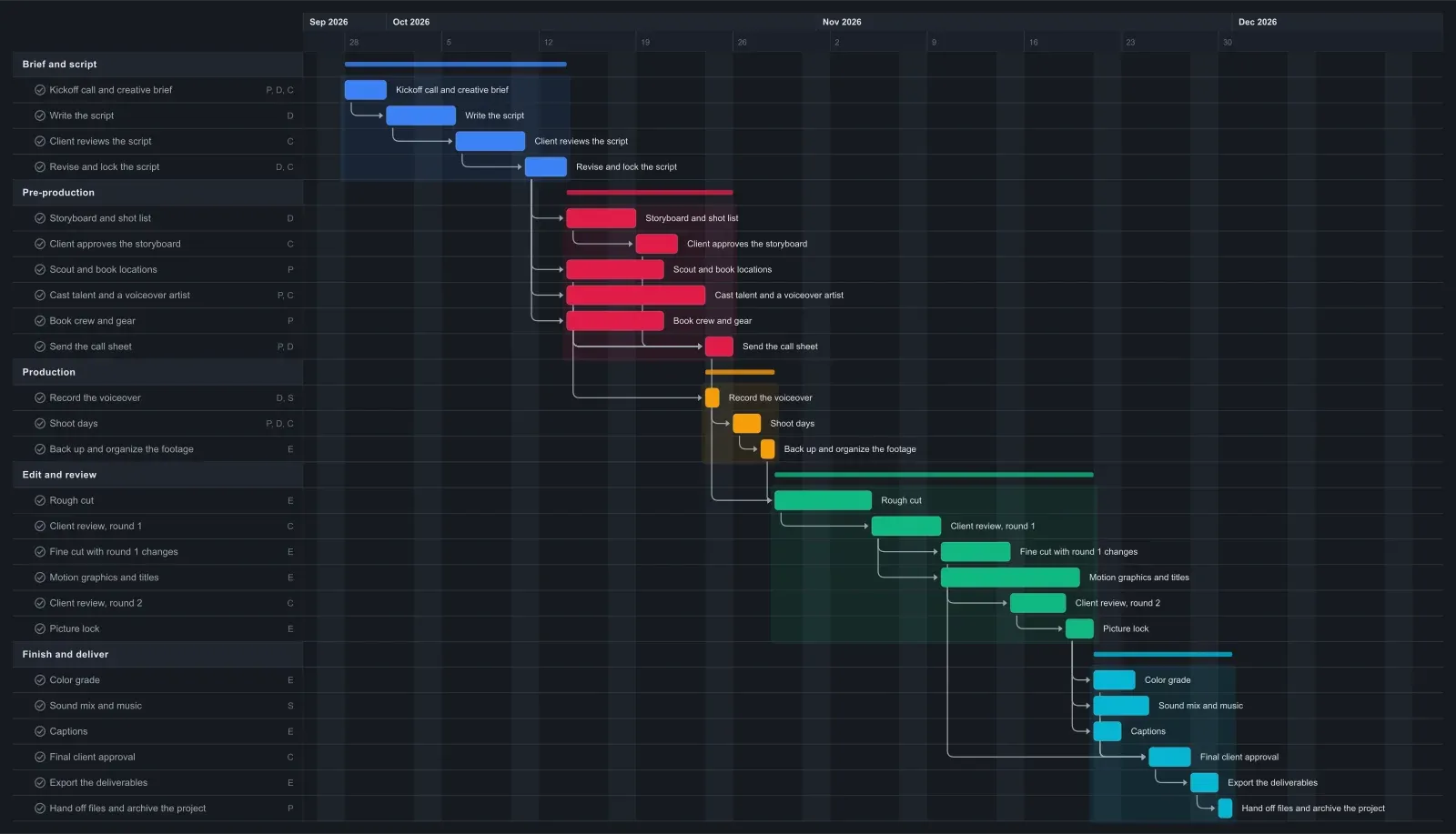
Video Production Gantt chart template in EverGantt, dark theme

Frequently asked questions

How long does it take to make a two-minute video?

Plan on about two months for a two to three minute client video with a short shoot. This template runs about nine weeks: two for the brief and script, just under two for pre-production, two shoot days, and about five weeks of editing, review, and finishing. If a script or cut review runs long, delivery slips by as many days.

Why use a Gantt chart for video production?

A Gantt chart helps with video production because most steps wait on another one. The shoot waits on locations and casting, the fine cut waits on client feedback, and color and sound wait on picture lock. Linked tasks show the new delivery date as soon as one of them slips, instead of the week the video is due.

Do I need an account to use this video production template?

No. The template opens in your browser with no account needed, and you can edit it and export a PNG, PDF, SVG, or CSV. Saving to the cloud and opening the plan from any browser starts at Pro, which is $3.99 a month for one person. See pricing for the details.

How many rounds of client revisions should I plan for?

Two rounds is a common starting point for a short client video: one on the rough cut for story and timing, and one on the fine cut for small fixes. Put the number in your contract. This template has two, each with its own bar, so adding a third shows the client what it costs in days.

Can my client or crew edit the schedule with me?

Yes, on a Team or Business plan, where you can invite others and edit the chart together live. Pro saves the plan to the cloud for you alone. If the client only needs to see where things stand, export a PDF and send it with each cut, which works on every plan.

Open the Video Production template →

Related: Team capacity planning for small studios: the 5-person rule · What a Gantt chart is actually for (and when you don't need one) · How to export a Gantt chart as PNG, PDF, or SVG

More templates