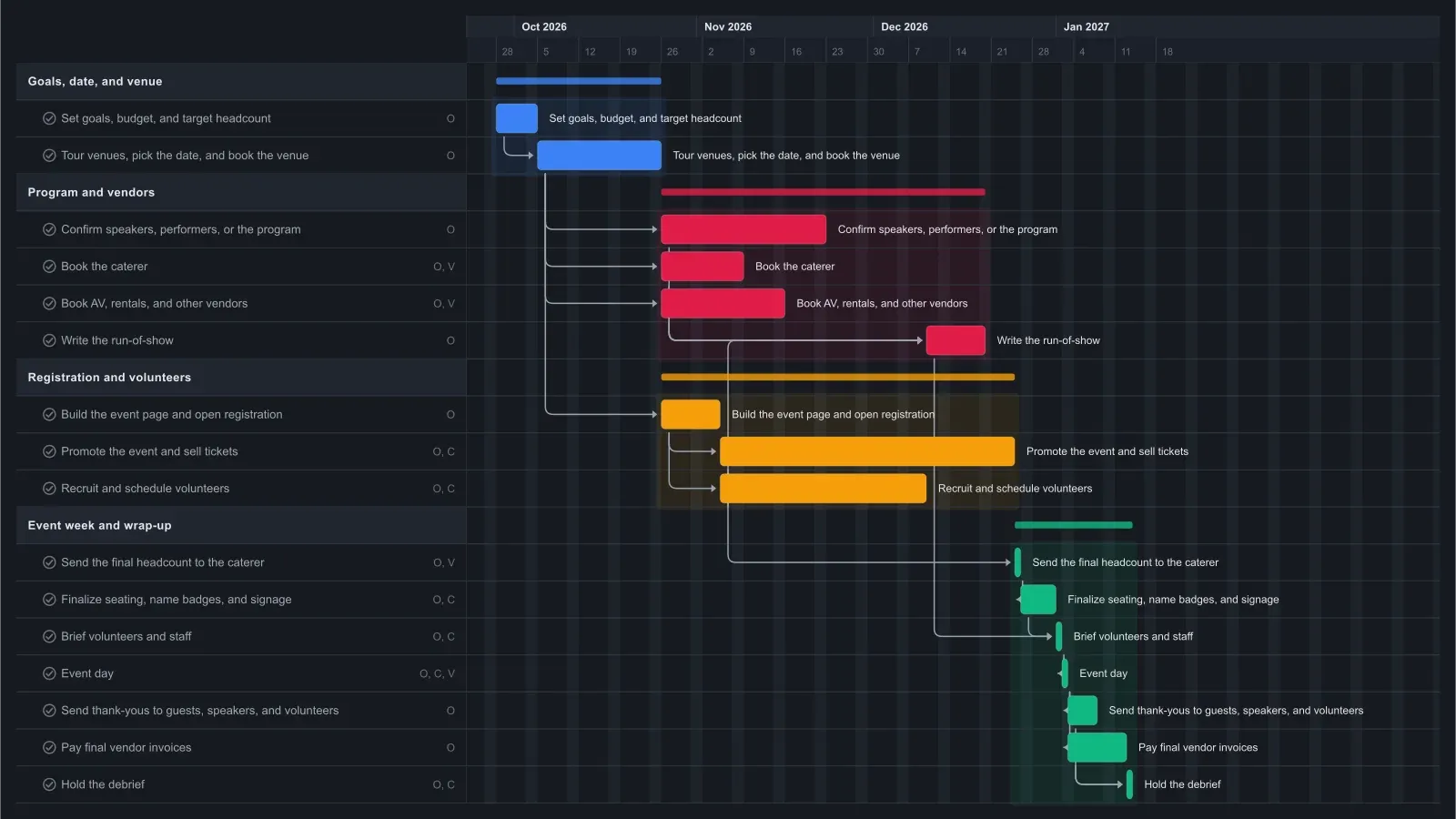
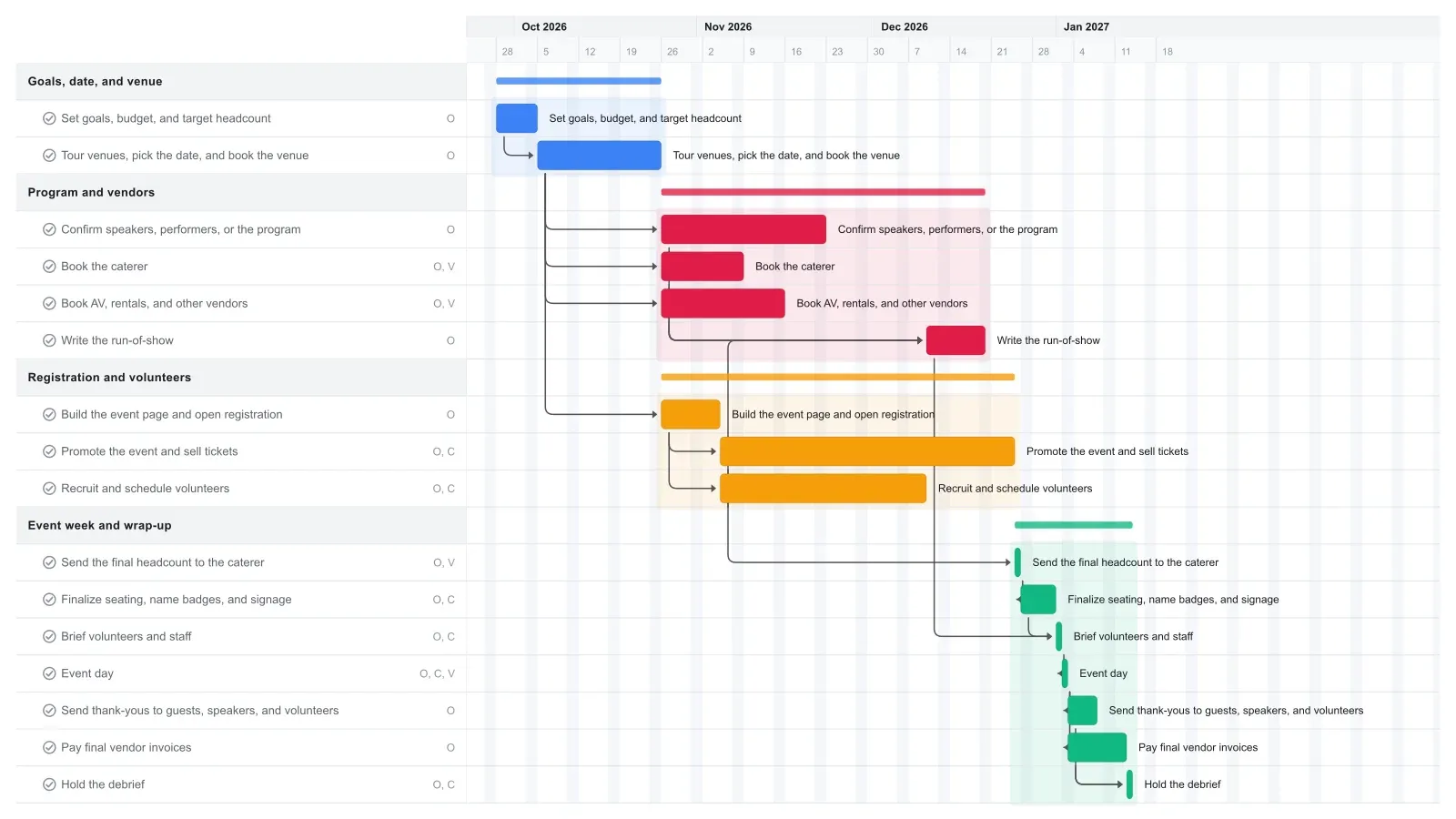
What a realistic event planning timeline looks like
A small team can plan an in-person event for 100 to 200 people in three to four months, if a suitable venue is open on your date. This event planning Gantt chart runs about 15 weeks: one week for goals and budget, three weeks to tour venues and book one, then about ten weeks of program, vendor, and ticket work before event day on the Saturday of week 14. The debrief closes it out a week and a half later.
The venue is the long pole. Speakers, catering, AV, and the event page all start once the contract is signed, because none of them can be confirmed without a date and a room. Volunteer recruiting follows the event page. Once registration opens, ticket sales set the pace. Promotion runs about seven weeks, and the final headcount, seating and signage, and the volunteer briefing follow it straight into event day.
Popular venues often book six months or more ahead. If yours does, start earlier and drag the bars to match.
How to adapt this template for a gala, conference, or community event
Delete what your event doesn't have, then add the one or two tasks that make it different. New tasks push linked dates later; after a delete, drag later tasks back to close the gap.
For a fundraiser or gala, add a sponsor outreach task after the goals and an auction or raffle task after the venue booking. Link the seating and signage task to both, so sponsor names and auction items are settled before anything is printed. Galas with sponsors and auctions often take six months or more, so stretch the promotion bar as well.
A small conference needs a longer program task to cover a call for speakers, plus a task to publish the agenda after it. Speakers often need more lead time than caterers.
For a community event with no tickets and no caterer, rename the promotion task to Collect RSVPs and delete the catering and final headcount tasks. Then link seating and signage to the promotion bar, so event day still waits for sign-ups to close.
Make it yours
Drag the first task to your real start date and everything linked to it moves along. Rename the roles to your people, then export a PNG, PDF, or SVG when you need to share it. No template fits? Start from a blank plan with the project schedule maker. Saving to the cloud starts at Pro; sharing with teammates is on Team and Business.