What a realistic implementation plan timeline looks like
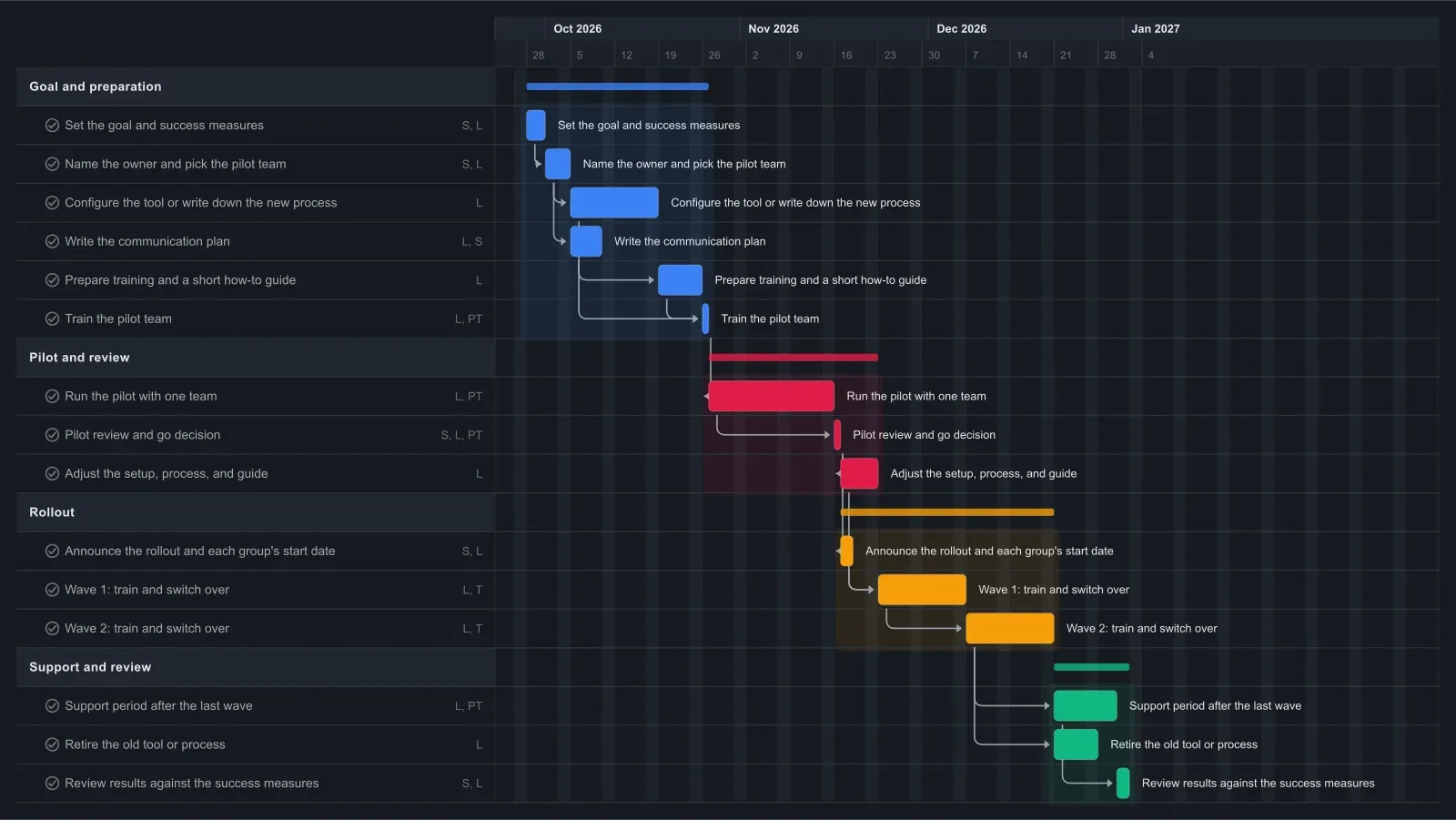
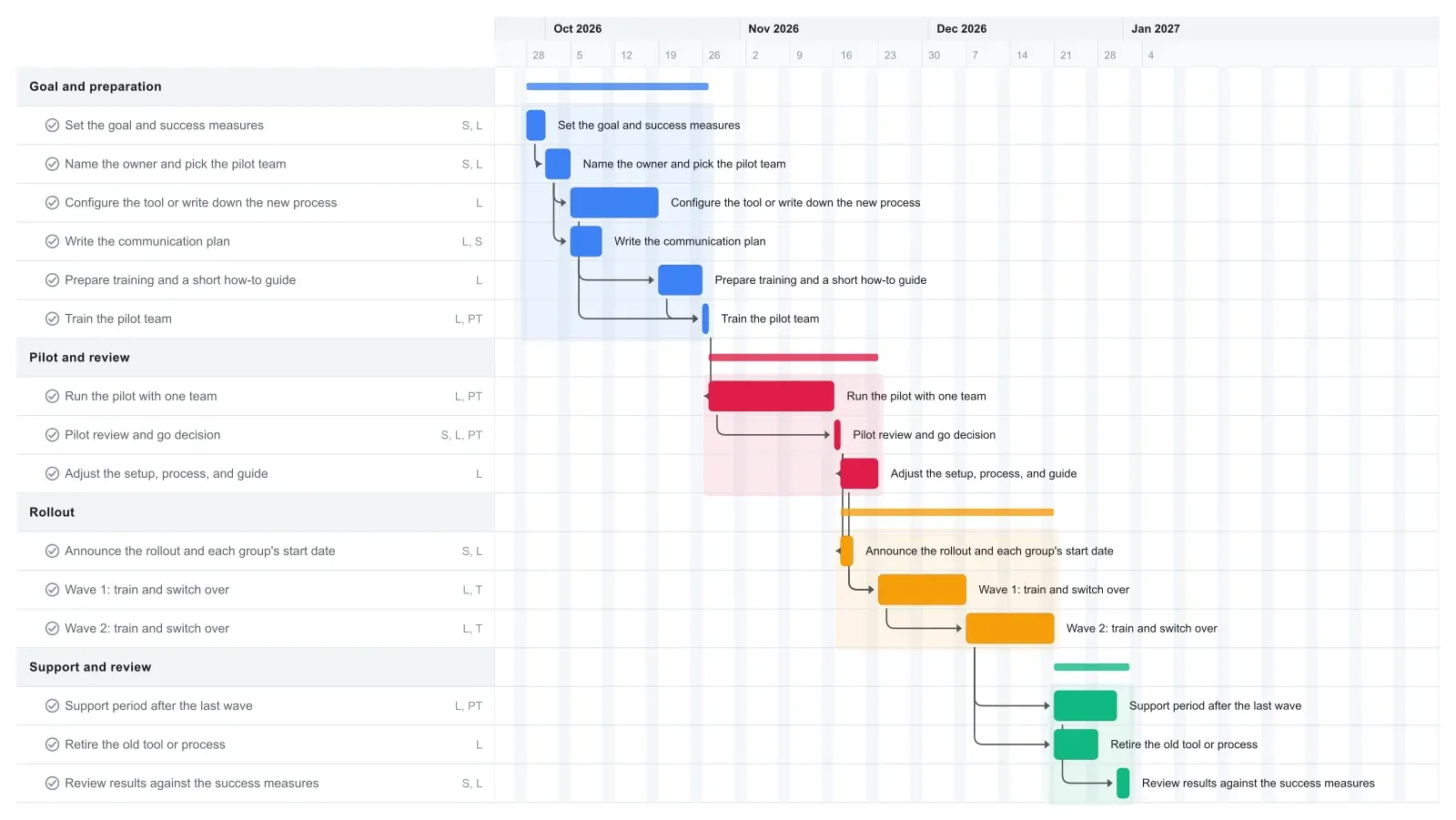
An implementation plan for one change in a small organization often takes two to four months. This template runs 14 weeks: four weeks to set the goal and prepare, a three-week pilot with one team, a week to review and adjust, four weeks of rollout in two waves, then two weeks of support and a final review.
Preparation is the longest stretch before anyone changes how they work. Configuring the tool or writing down the new process takes two weeks, the training guide builds on that setup, and the communication plan runs alongside it.
The pilot review is the gate. Both rollout waves wait on it, so if the pilot needs another week, stretch its bar and every wave moves later on the chart the same day. Treat the chart as your action plan: the sponsor, the lead, and the pilot team read the same dates in one place, live on the Team plan or as an exported PDF.
How to adapt this implementation plan to your change
Rename the tasks for your change first, then set the pilot length. Three weeks is often enough for a process or policy change; a new system that touches billing or customer records usually needs a longer pilot, so stretch that bar and the review and waves move later with it.
For a school, the waves can be grade levels or departments. Check the chart against holidays and exam weeks before you announce dates. For a nonprofit, a wave might be one program or one group of volunteers.
If only one group follows the pilot, delete Wave 2. Links never pull tasks earlier, so drag the Support and review phase bar back to close the gap, then link its tasks after Wave 1. With more groups, add a Wave 3 linked after Wave 2, then link the support and retire tasks after Wave 3.
Keep the support period even when the rollout goes smoothly. New processes can fail quietly, when people drift back to the old way.
Make it yours
Drag the first task to your real start date and everything linked to it moves along. Rename the roles to your people, then export a PNG, PDF, or SVG when you need to share it. No template fits? Start from a blank plan with the project schedule maker. Saving to the cloud starts at Pro; sharing with teammates is on Team and Business.