What a realistic research proposal Gantt chart looks like
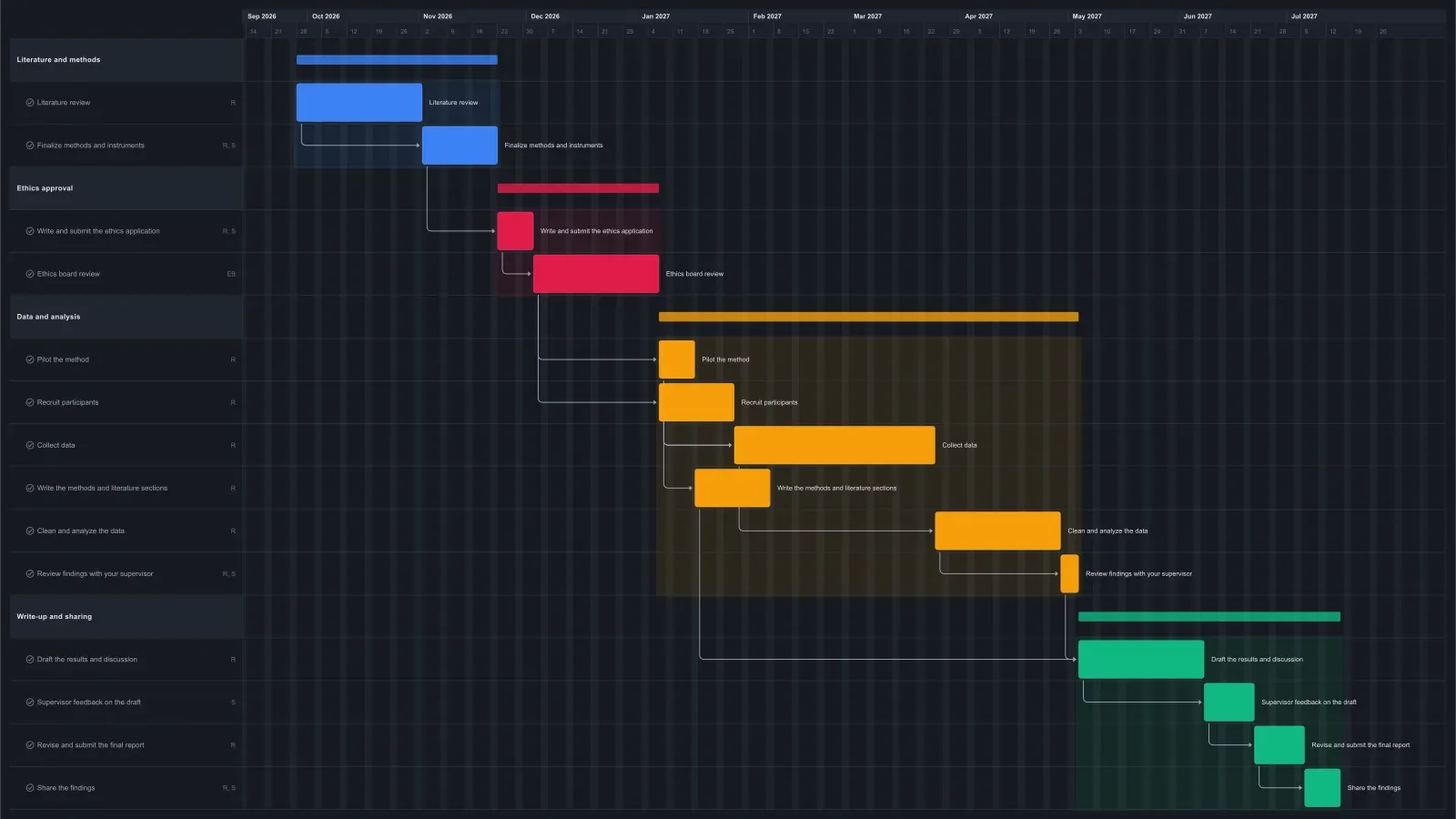
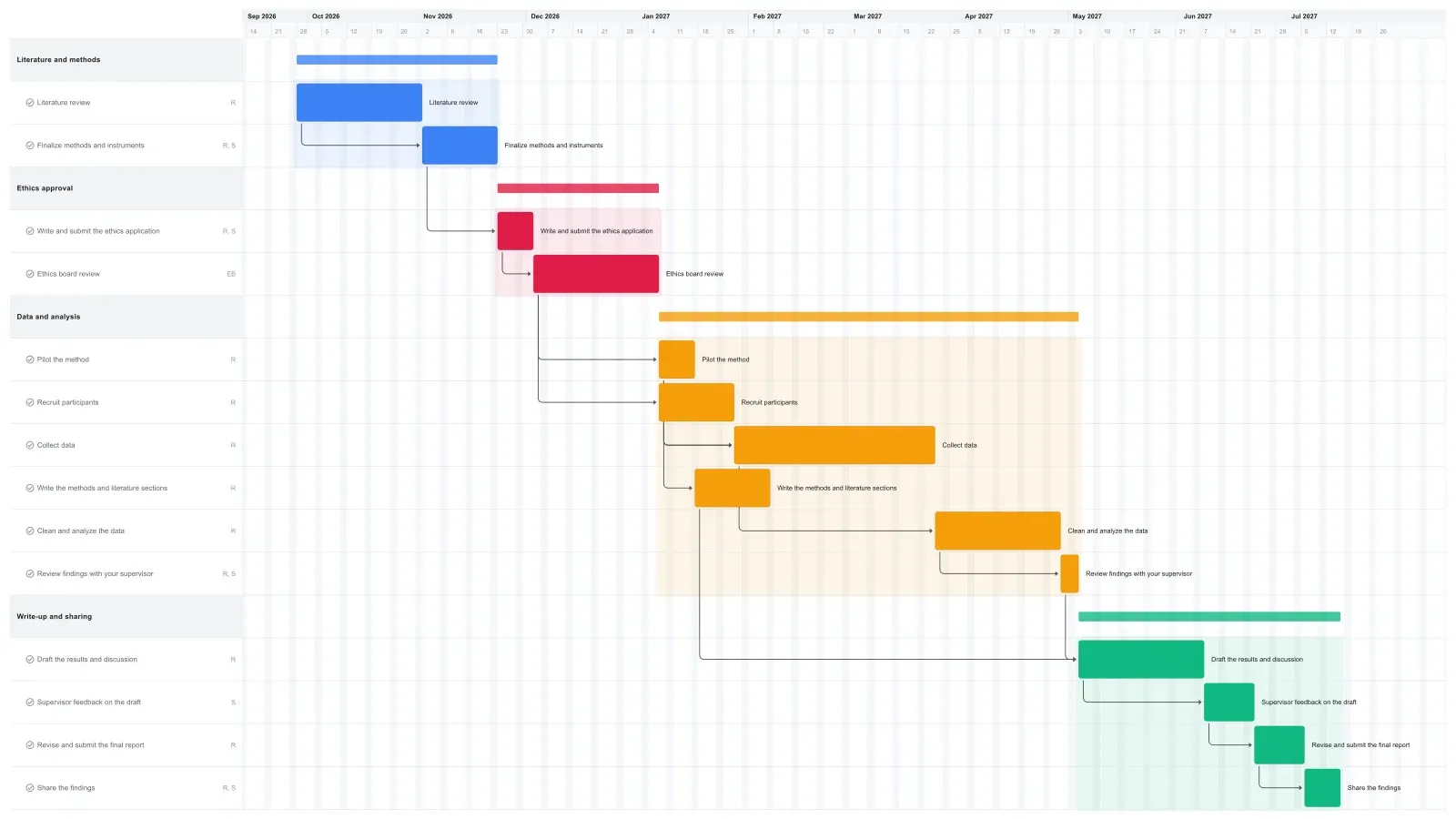
A research proposal Gantt chart for a small study usually covers eight months to a year, and this one runs about ten. It's the plan for the research itself, the chart reviewers look at in your proposal's timeline or work plan section.
The first eight weeks go to the literature review and finalizing your methods. Ethics approval takes about six and a half weeks, most of it waiting on the board. Recruiting and a short pilot run side by side once you're approved, then data collection takes eight weeks and analysis five. The last 11 weeks go to writing, your supervisor's feedback, the final report, and sharing the findings.
Reviewers tend to look for two things: that ethics approval comes before any data collection, and that the timeline leaves room for waiting on other people. It's easy to underestimate board review, so this one gives it five weeks. If you're planning the whole thesis from topic to defense, use the thesis template instead.
How to put this Gantt chart into your proposal
Set your dates, adjust the bars to your study, then export the chart as a PNG or PDF and paste it into your proposal's timeline section.
Start by moving the literature review to the month your study or funding begins. The linked tasks after it move later with it. Then stretch or shrink the bars that differ for your project, such as a longer collection window for a big survey. A shorter bar won't pull later tasks earlier, so drag them back.
If your study has no human participants, delete the two ethics tasks and the recruiting task, then close the gap: Cmd-click (Ctrl-click on Windows) the pilot and the tasks after it and drag them back together. For a small grant, rename the last task to whatever the funder wants, such as a conference talk.
Export a PNG for a Word or Google Docs proposal, or a PDF to attach as an appendix. See how to export a Gantt chart for the options.
Make it yours
Drag the first task to your real start date and everything linked to it moves along. Rename the roles to your people, then export a PNG, PDF, or SVG when you need to share it. No template fits? Start from a blank plan with the project schedule maker. Saving to the cloud starts at Pro; sharing with teammates is on Team and Business.