What a realistic wedding planning timeline looks like
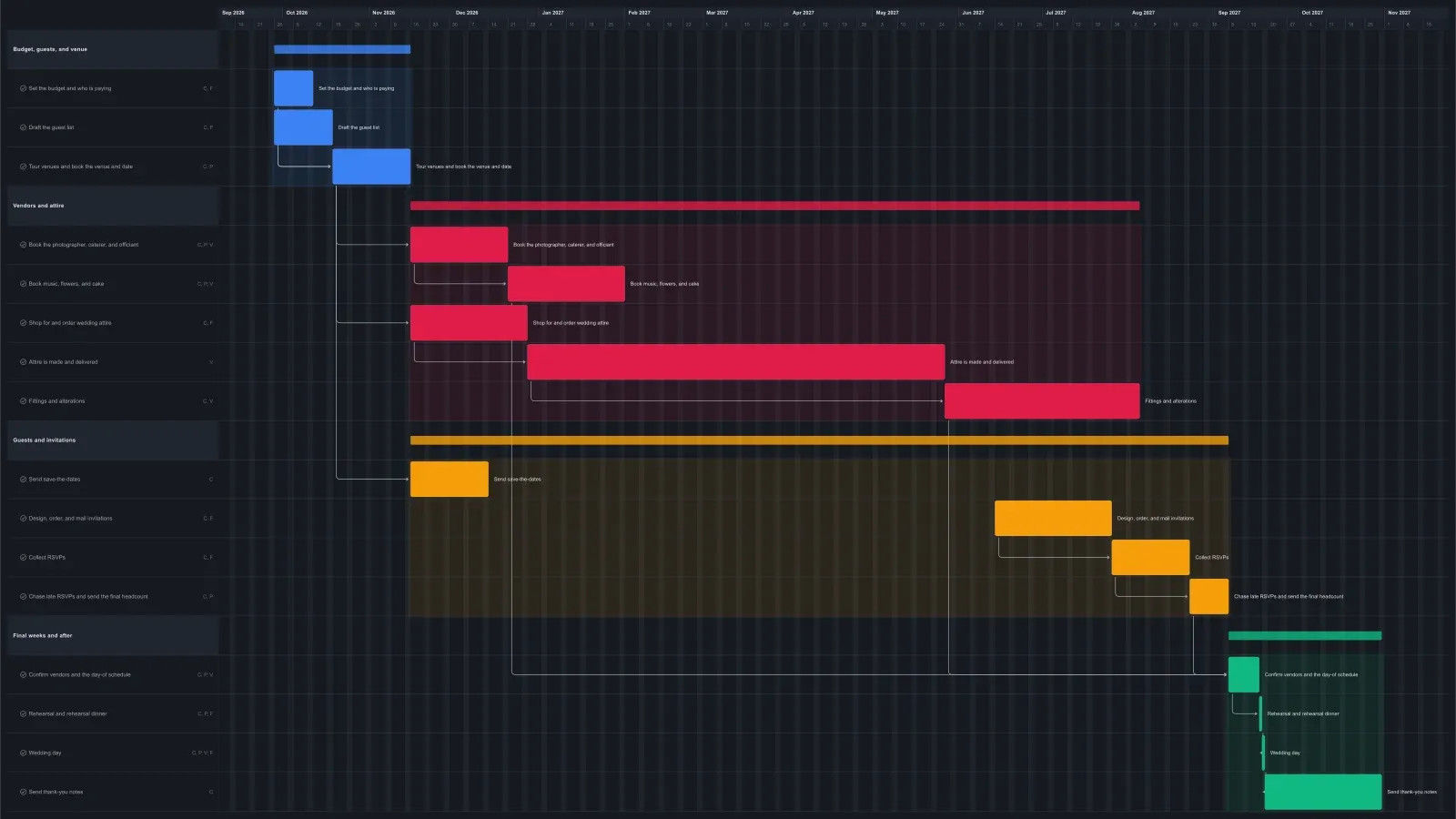
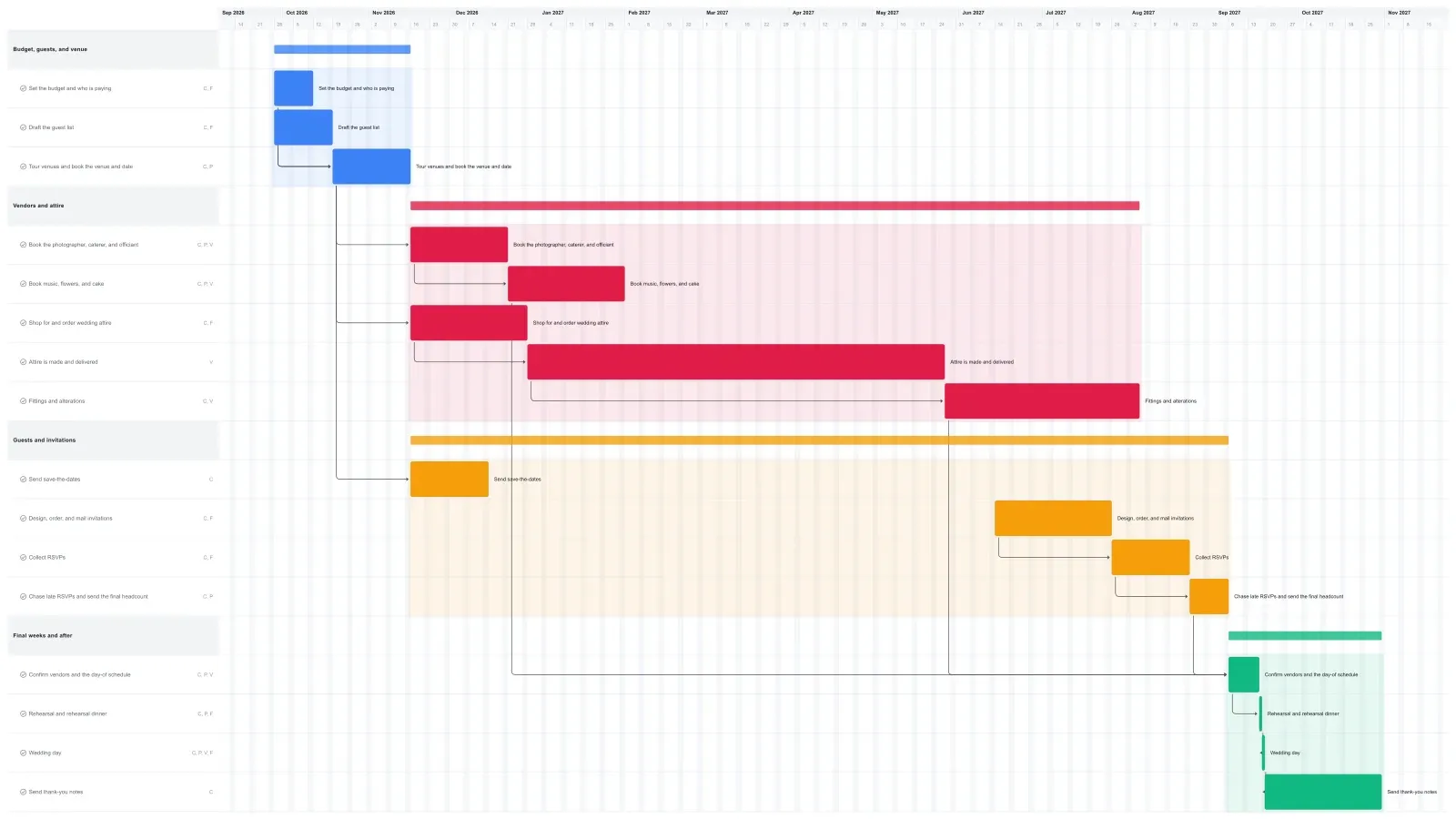
A year is a common wedding planning window. This template runs 51 weeks from setting the budget to a Saturday wedding, then allows six weeks for thank-you notes. The budget and guest list come first because the money and the headcount decide which venues are realistic. The venue is booked by the end of week 7, and that sets the date.
Almost everything else waits on the venue. The photographer, caterer, and officiant are booked in weeks 8 to 12, and music, flowers, and cake by week 18. Attire shopping starts in week 8 too, because made-to-order attire is the longest wait in this plan: about five months to arrive, then ten weeks of fittings and alterations.
Invitations start about 14 weeks before the wedding and go out roughly eight weeks before. RSVPs are due four weeks out, the caterer gets the final headcount about two weeks out, and the last week and a half goes to confirming every vendor before the rehearsal.
Why linked tasks matter when the wedding date can't move
Linked tasks show trouble early, and on a wedding plan that matters because the date is the one thing that can't slip. Each task here is linked to the ones it waits on, so when a bar runs long, the tasks it runs into move later that day.
Most of the plan has room. Music, flowers, and cake are booked by week 18, months before they matter. Alterations finish about a month before the final stretch, so a late delivery uses up slack before it touches anything else.
The invitation chain has no room. Invitations, RSVPs, the headcount, vendor confirmations, the rehearsal, and the wedding run back to back. If printing takes an extra week, the wedding day bar moves a week later. Your real date won't, so order sooner or shorten the RSVP window, then drag the later bars back.
The venue is the other big link. If the search runs three weeks long, vendor bookings and attire move too, and the attire's slack drops to under two weeks.
Make it yours
Drag the first task to your real start date and everything linked to it moves along. Rename the roles to your people, then export a PNG, PDF, or SVG when you need to share it. No template fits? Start from a blank plan with the project schedule maker. Saving to the cloud starts at Pro; sharing with teammates is on Team and Business.